EasyManua.ls Logo

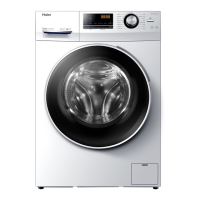
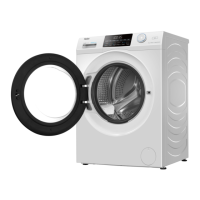
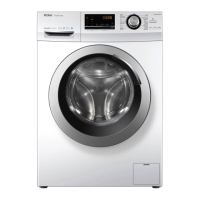
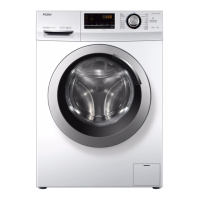
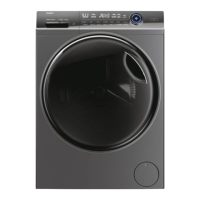
Haier HW90-B14939S8 - User Manual

Haier HW90-B14939S8
32 pages
Print Icon
To Next Page IconTo Next Page
Loading...
HW80-B14939S8
HW90-B14939S8
HW100-B14939S8
HW80-B14939
HW90-B14939
HW100-B14939

Questions and Answers

  • A
    Angela ScottAug 20, 2025
    Why won't my Haier HW90-B14939S8 Washer start?
    • A
      amber21Aug 20, 2025
      Your Haier Washer might not start because the program hasn't been initiated yet, the door isn't properly closed, the machine hasn't been switched on, there's a power failure, or the child lock is activated. Ensure the program is correctly set and started, the door is securely closed, the machine is switched on, the power supply is working, and the child lock is deactivated.
  • M
    michelle86Aug 22, 2025
    How to stop my Haier HW90-B14939S8 Washer from vibrating so much during spinning?
    • R
      Roy KempAug 22, 2025
      Excessive vibration during spinning could be due to transportation bolts not being removed, the appliance not having a solid position, or an incorrect machine load. Remove all transportation bolts, ensure the washer is on solid, level ground, and check that the load weight and balance are correct.
  • L
    Lisa FletcherAug 25, 2025
    What to do if my Haier Washer is not getting water?
    • J
      James OrtizAug 25, 2025
      If your Haier Washer isn't getting water, check the water tap to ensure it's open. Also, inspect the inlet hose for any kinks, verify that the water pressure is at least 0.03 MPa, make sure the door is properly closed and ensure a stable water supply.
  • K
    Kimberly PerryAug 26, 2025
    How to fix the Unb error on my Haier HW90-B14939S8?
    • K
      kwilliamsAug 26, 2025
      The 'Unb' error indicates an unbalanced load. To resolve this, check and balance the laundry load in the drum and reduce the load size if necessary.
  • T
    Tiffany WilliamsAug 28, 2025
    Why is my Haier HW90-B14939S8 showing a drainage failure?
    • L
      Lori BrownAug 28, 2025
      A drainage failure can occur if the drain hose is blocked or if the drain hose end is higher than 100 cm above the floor level. Unblock the drain hose and ensure it is properly installed.
  • S
    Sarah KerrAug 29, 2025
    What does CLR FLTR mean on my Haier Washer?
    • P
      Pamela PalmerAug 30, 2025
      The 'CLR FLTR' error indicates a drainage error, meaning water is not fully drained within 6 minutes. Check the drain hose installation.
  • K
    kyle28Aug 31, 2025
    Why is my Haier HW90-B14939S8 Washer constantly draining?
    • A
      Anthony MaciasSep 1, 2025
      Your Haier Washer might be constantly draining if the height of the drain hose is below 80 cm or if the drain hose end is reaching into water. Make sure that the drain hose is properly installed and is not in water.
  • L
    Lisa SmithSep 3, 2025
    What to do if my Haier HW90-B14939S8 Washer stops mid-cycle?
    • A
      andersonchristineSep 3, 2025
      If your Haier Washer stops before completing the wash cycle, check both the power and water supply to ensure there are no interruptions.
  • M
    Mark PerrySep 5, 2025
    Why is my Haier Washer not cleaning clothes properly?
    • T
      Tyler WebsterSep 5, 2025
      If your Haier Washer isn't cleaning clothes properly, the selected program might not match the degree of pollution, the detergent quantity might be insufficient, the maximum load might have been exceeded, or the laundry might be unevenly distributed in the drum. Try selecting another program, use the appropriate amount of detergent according to the degree of pollution and manufacturer specifications, reduce the load size, and ensure the laundry is loosely distributed.
  • J
    Joseph RobertsSep 7, 2025
    Why is there excessive foam in my Haier HW90-B14939S8 Washer detergent drawer?
    • A
      Arthur WilliamsSep 7, 2025
      Excessive foam in the detergent drawer can occur if the detergent used is not appropriate or if too much detergent is being used. Check detergent recommendations and reduce the amount of detergent used.

Summary

Safety Information

Before First Use

Safety instructions before initial use of the appliance.

Daily Use Safety

Safety instructions for everyday operation and interaction with the appliance.

Safety Information Continued

Maintenance and Cleaning

Guidelines for maintaining and cleaning the appliance to ensure proper function.

Installation Safety

Instructions for installing the washing machine safely and correctly.

Safety Information - Intended Use

Intended Use

Specifies the intended purpose and limitations of the washing machine.

Product Description

Appliance Overview

Illustrates the front and rear views of the washing machine and its components.

Included Accessories

Lists all accessories provided with the washing machine.

Control Panel

Power and Programme Selection

How to turn the appliance on/off and select washing programmes.

Display Information

Details the information shown on the appliance's display screen.

Control Panel - Detergent and Functions

Detergent Dispenser

Explains the detergent drawer, its compartments, and usage for different detergents.

Delay Start Function

How to use the delay start function for programmes.

Anti-Crease Function

How to use the anti-crease function to reduce wrinkles.

Control Panel - Function Details

Temperature and Spin Adjustment

How to adjust washing temperature and spin speed.

Extra Rinse and Start;Pause

How to use the extra rinse function and start/pause the programme.

Child Lock Feature

How to activate and deactivate the child lock feature on the control panel.

Programmes

Consumption

Daily Use

Power and Water Connection

Instructions for connecting the appliance to power and water supplies.

Preparing Laundry

Guidance on sorting, preparing, and loading laundry for washing.

Daily Use - Loading and Detergent

Loading the Appliance

Instructions on how to properly load the washing machine drum for optimal results.

Selecting Detergent

Guidance on choosing and using the correct types and amounts of detergents.

Daily Use - Operation

Adding Detergent and Starting

How to add detergent, switch on, and select programmes.

Programme Options and Notes

How to add individual selections and notes on odour removal.

Starting, Interrupting, and Ending

How to start, interrupt, cancel, and manage the appliance after washing.

Buzzer Settings

How to activate or deactivate the audible buzzer signals.

Eco-Friendly Washing

Responsible Usage Tips

Tips for using the appliance efficiently and with minimal environmental impact.

Care and Cleaning

Detergent Drawer and Machine Exterior

How to clean the detergent drawer and the outer casing of the appliance.

Water Inlet Filter

Instructions for cleaning the water inlet valve and its filter.

Drum Cleaning

Guidance on cleaning the washing machine drum to prevent stains and damage.

Care and Cleaning - Maintenance

Long Periods of Disuse

Instructions for preparing the appliance for extended periods of non-use.

Pump Filter Maintenance

How to clean the appliance's pump filter to ensure proper drainage.

Troubleshooting

Information Codes

Explains various codes displayed by the appliance for status information.

Display Code Troubleshooting

Solves problems indicated by specific error codes displayed on the screen.

Troubleshooting - Problem Resolution

Error Code Solutions

Provides solutions for specific error codes like F3, F4, F7, FR, etc.

Non-Code Troubleshooting

Solves common problems without error codes, like failure to operate or drain.

Troubleshooting - Special Cases

Foam Issues and Power Failure

Addresses excessive foam problems and procedures during power failures.

Installation

Preparation and Noise Reduction

Steps for unpacking, preparing, and optionally installing noise reduction pads.

Transportation Bolt Removal

How to remove transportation bolts to prepare the appliance for operation.

Installation - Setup and Connections

Moving and Leveling

Guidance on safely moving the appliance and leveling it using adjustable feet.

Drain Hose Connections

Instructions for connecting the drain hose to a sink or waste water connection.

Water and Electrical Connections

How to connect the fresh water inlet hose and the power supply safely.

Technical Data

Additional Specifications

Lists key technical specifications like voltage, current, power, and weight.

Product Dimensions

Provides detailed physical dimensions of the washing machine from different views.

Standards and Directives

Information on compliance with applicable EC directives and CE marking.

Customer Service

Haier HW90-B14939S8 Specifications

General IconGeneral
Door colorBlack
Door hingeLeft
Motor typeBeltless
Drum volume65 L
Control typeButtons, Rotary
Door openingSide opening
Loading typeFront-load
Tub materialStainless steel
Product colorAnthracite
Built-in displayYes
Appliance placementFreestanding
Drum capacity9 kg
Cycle time (max)238 min
Delay start (max)24 h
Spin-drying classB
Maximum spin speed1400 RPM
Noise level (spin)67 dB
Noise level (wash)- dB
Load balancing system-
Number of washing programs15
Power plug typeType F (CEE 7/4)
AC input voltage220 - 240 V
Energy efficiency scaleA to G
Water consumption per cycle48 L
Package depth695 mm
Package width650 mm
Package height890 mm
Package weight77000 g
Weight and Dimensions IconWeight and Dimensions
Width600 mm
Height850 mm
Weight74000 g

Related product manuals