Service Manual
Model No.:
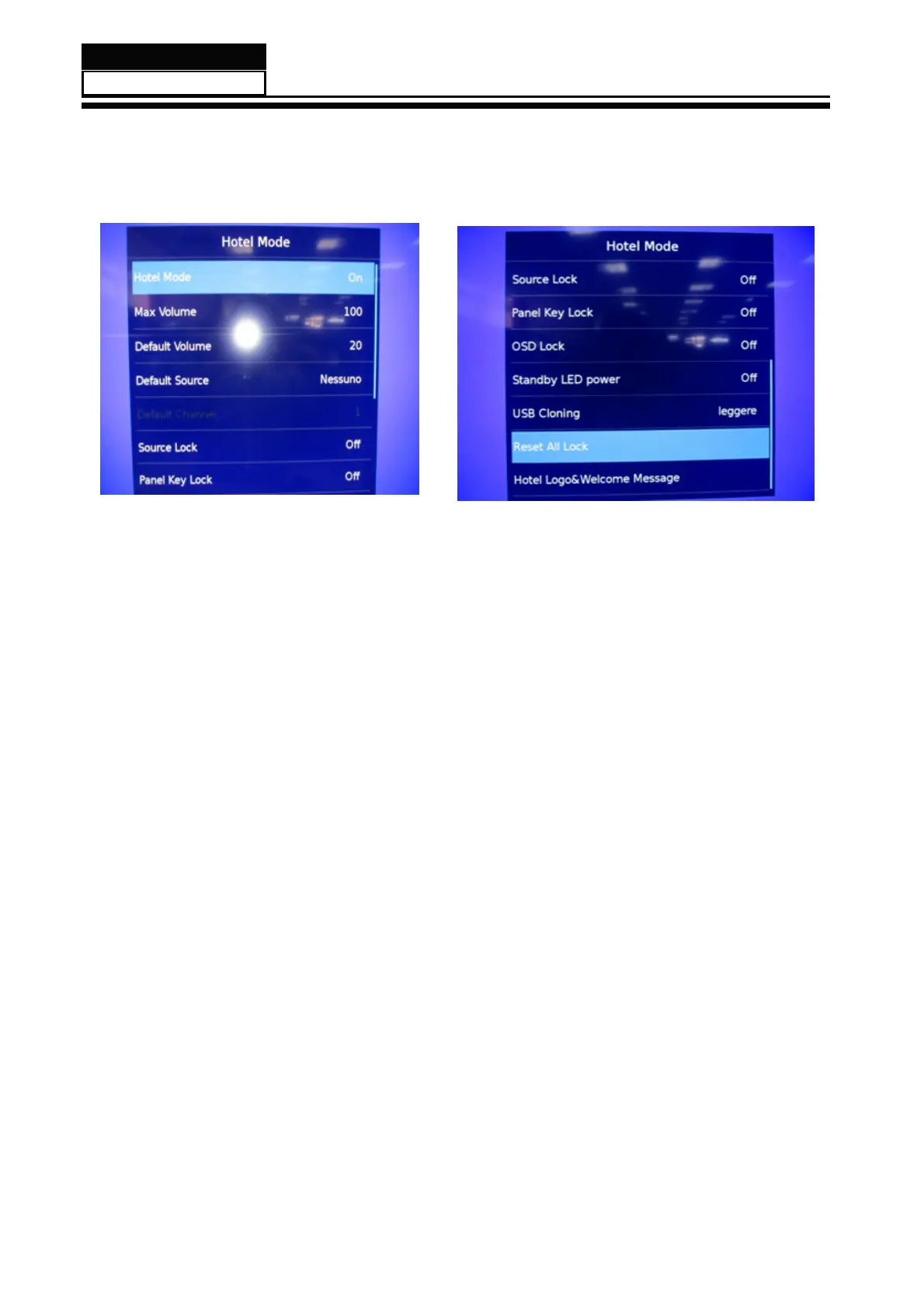
8.3 How to enter into the hotel model
1. Y
ou can press "source-1-0-0-1" to go into the hotel model. Presse the key "exit"
to shut the hotel model.
Content:
- 53 -
1.Hotel Mode: Hotel mode switch
2.Max Volume : Max volume limit. After setting, the max Volume of any channel is the volume you
3.Default Volume: set allowed default volume
4.Default Source: to set the signal channel when the unit is turned on
5.Default Channel : under DTV and ATV, you can lock the unit to one specific channel after
6.Source Lock: set a source locked or not. When “Source Lock” is on , you can choose
7.Panel key Lock: set keypad locked or not
8.OSD Lock: Set OSD menu display or not when press menu key
9.Standby LED Power: Set Indicating lamp display or not
10.USB Cloning: clone OSD settings & channel data to USB disk
11.Reset All Lock: restore the default setting of hotel mode
12.Hotel Logo Welcome Message: update the welcome message. Make sure that the file—hotel.txt
Note: three Blank lines are used to display the welcome message after implementing “Welcome Message Update
set in this setting.
(Off/DTV/ATV/Scart/YPbPr/Pc/HDMI/AV/USB)
you set the “Start Channel” into one channel
if default source is DTV or ATV , next you can set channel number of default program
“Default Source”,
in the root path of USB disk before updating.


 To Next Page