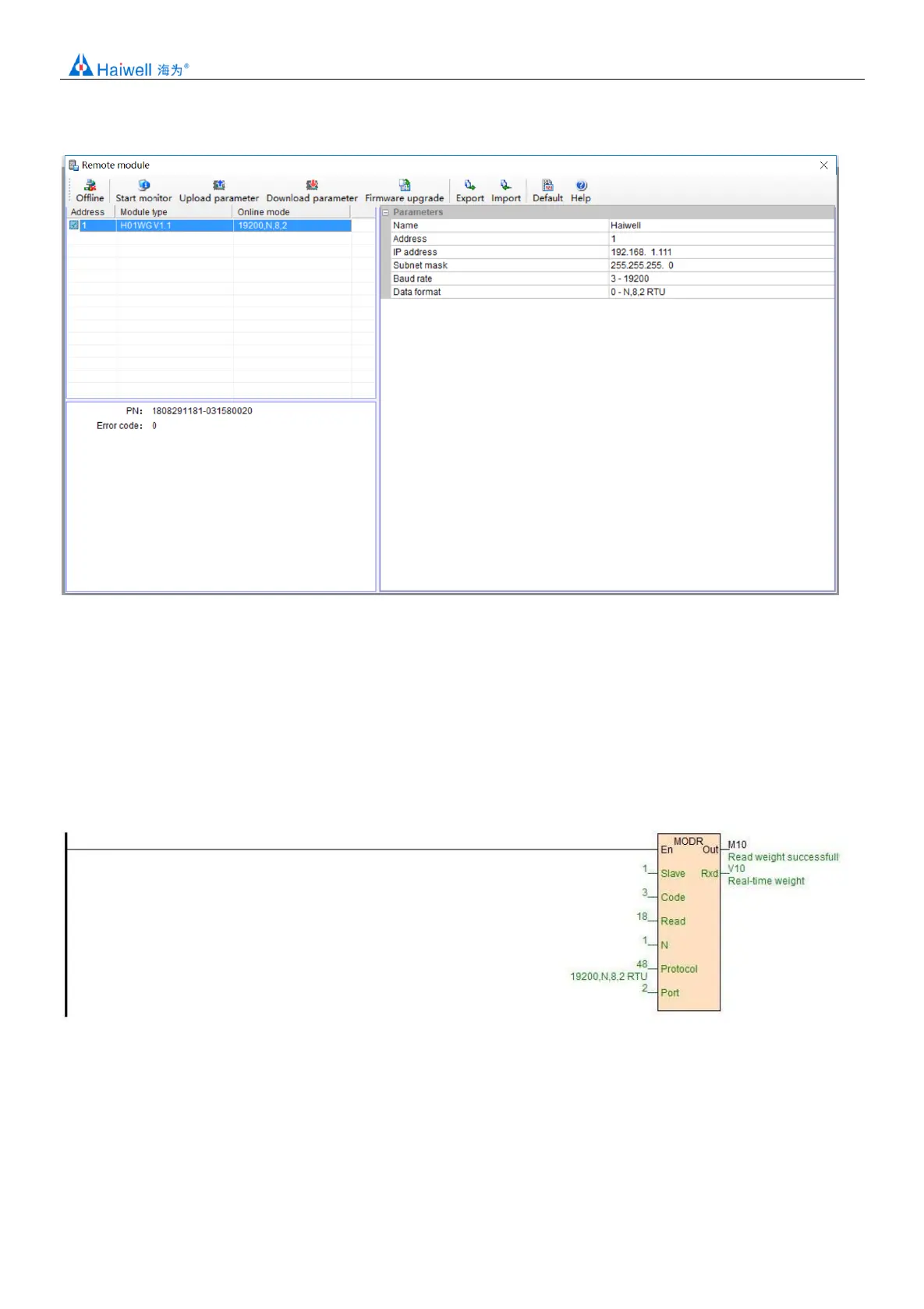
communication parameters, and then download it after modification.
6.Examples of remote IO applications: reading Module real-time weight
①:hardware wiring: the 485 ports of the host PLC and the load Cell Module are connected by the shielded twisted cable and the
A+ is connected by A+ and B- to B-. If PLC connects to multiple weighing Modules, it is necessary to connect by mode of “hand by
hand”.
②: Modbus address: from the CR parameter table above, we can see that the H01WG Module CR 12H means the real-time
weight.
③PLC program: this example H01WG communication is the default parameter: station number 1, baud rate 19200, data format N
82 RTU. PLC reads the 4 Channels values as follows:
7.Examples of remote IO applications: calibration
The weighing Module supports three segments of calibration, and can realize multi-scale calibration. Take Channel 1 as an
example, the tutorial steps are as follows:
Step1: No weight is put on the weighing unit.
Step2: CR26H write value 1, enter the calibration mode;
Step3: Paragraph 1 is calibrated by adding a standard weight to the weighing unit and writing the weight on the current chassis
into CR27H.


 To Next Page