2
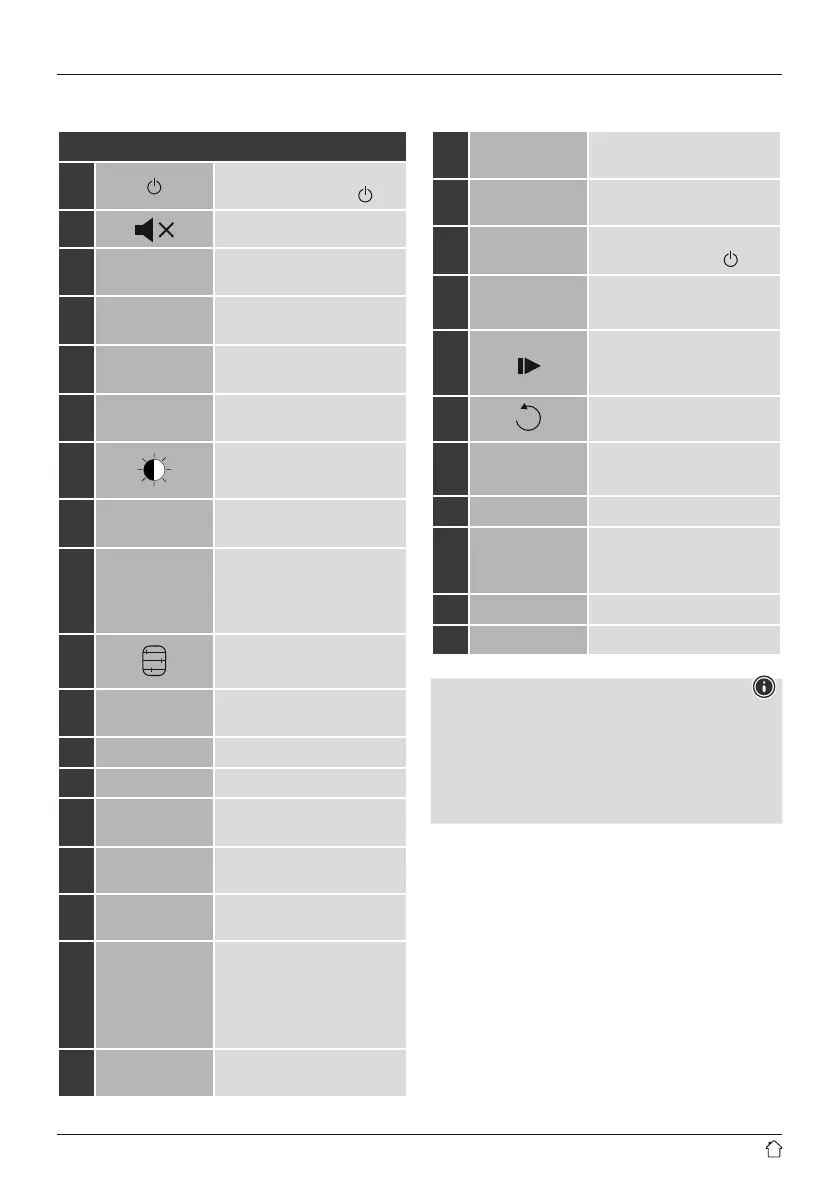
C: Remote control
1
[ ]
On/off switch
Press
≙
[volume -/+]/ [ ]
2
[ ]
Mute
3 [IR]
Direct access to Internet radio
mode
≙
[mode]
4 [DAB]
Direct access to DAB mode
≙
[mode]
5 [FM]
Direct access to FM mode
≙
[mode]
6 [AUX]
Direct access to operating
mode Aux In
≙
[mode]
7
[ ]
Backlight settings
8 [MEDIA]
Direct access to operating
mode MEDIA
≙
[mode]**
9 [MODE]
Change operating mode
(Internet radio,DAB, FM,
Spotify Connect, podcasts,
Aux in)
≙
[mode]
10
[ ]
Equaliser settings
11 [ALARM]
Direct access to alarm clock
settings
≙
[alarm]
12 [SLEEP]
Snooze settings
13 [SNOOZE]
Activating Snooze
14 [MENU]
Direct access to the menu
≙
[menu]
15
[I◄◄]
Previous track (mode:
Spotify Connect, podcasts, BT)
16
[►►I]
Next track (mode: Spotify
Connect, podcasts, BT)
17
Navigation
buttons
▲ Up / ▼ Down /
◄ Back one menu level
≙
[back] /
► Forward/Confirm
≙
Press [enter/navigate]/[OK]
18 [OK]
Conrm
≙
Press
[enter/navigate]
19
[◄◄]
Rewind (mode: Spotify
Connect, podcasts)
20
[►► ]
Fast forward (mode: Spotify
Connect, podcasts)
21
Volume
buttons [+]/[-]
Volume control
≙
Turn [volume -/+]/ [ ]
22
Favourites
buttons [+]/[-]
Selection from favourites list
23
[
]
Start/Stop playback (mode:
Spotify Connect, podcasts, BT,
Aux in)
24
[ ]
Back one menu level
≙
[back]
25
Number
buttons
Direct access to/save favourites
26 [FAVORITES]
List/save favourites
27 [INFO]
Display additional
information
≙
[info]
28
CD playback mode**
29
BT playback mode
Note
• Buttons marked with ** have no function on this
radio model.
• Please note that not every function may be available
for the product you have purchased since the range
of functions is always determined by the features
on your product.



 To Next Page