EasyManua.ls Logo

Hamilton Beach HBH650 - User Manual

Hamilton Beach HBH650
40 pages
Print Icon
To Next Page IconTo Next Page
Loading...
www.commercial.hamiltonbeach.com
840160300
3/07
www.commercial.hamiltonbeach.com
Modèle HBH650
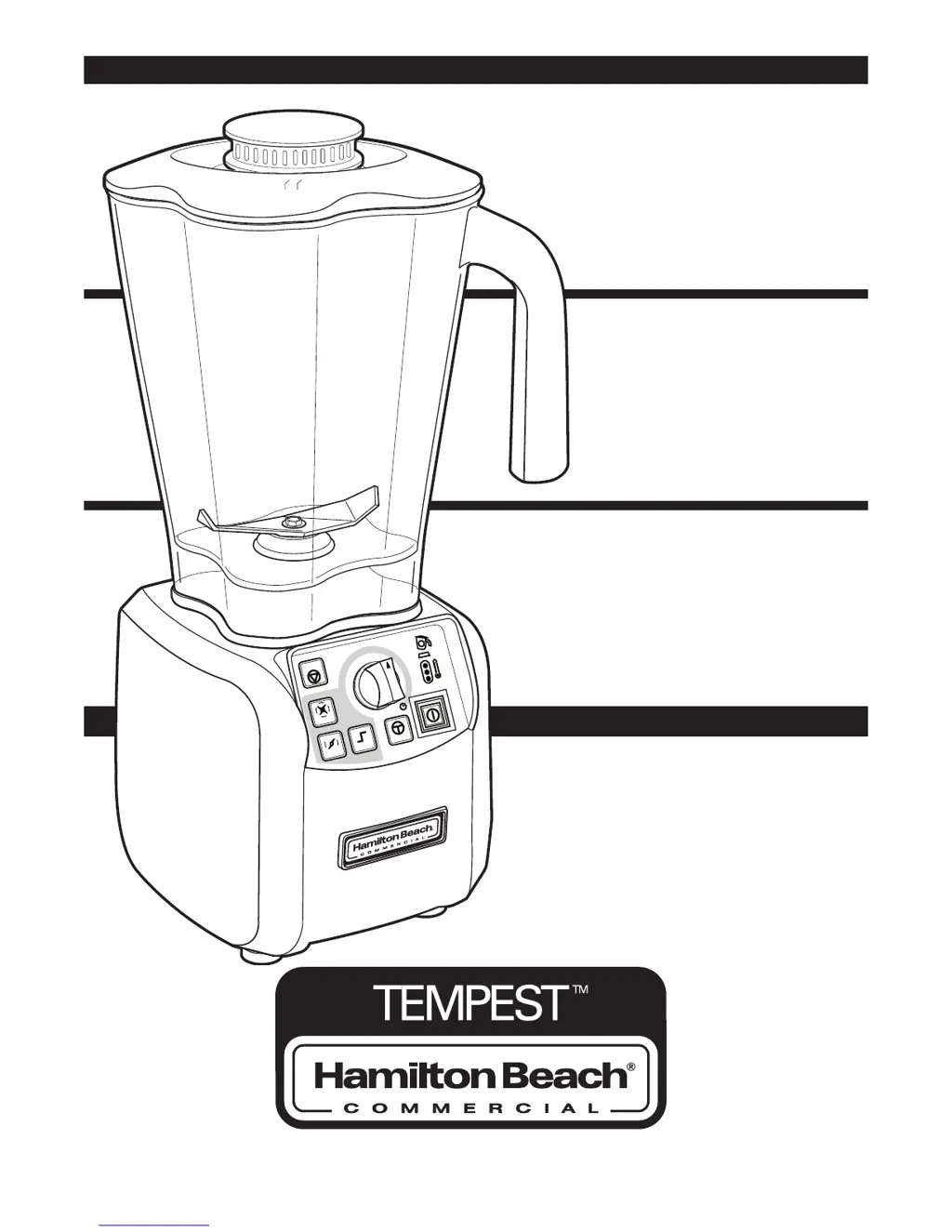
Mélangeur de bar
Manuel d’utilisation
Page 14
Model HBH650
Bar blender
Operation Manual
Page 2
STO
P
H
I
G
H
L
OW
JU
MP
P
U
LSE
P
OW
ER
5
1
0
1
5
2
0
2
5
3
0
3
5
4
0
Modelo HBH650
Licuadora para bar
Manual de uso
Página 26
READ BEFORE USE.
LIRE AVANT D’UTILISER.
LEA ANTES DE USAR.

Questions and Answers

  • M
    Mark GibsonAug 14, 2025
    What to do if my Hamilton Beach HBH650 Blender fails to start?
    • K
      Katherine StevensonAug 14, 2025
      If your Hamilton Beach Blender fails to start, first ensure the main power ON (I)/OFF (O) button is set to ON (I). Check that the unit is securely plugged into an electric outlet with the correct voltage and frequency and verify that the outlet's fuse hasn't blown or the circuit breaker hasn't tripped. Also, check the integrated circuit breaker on the bottom of the blender base. If it trips repeatedly, contact Technical Service. If none of the above work, unplug the blender and allow it to cool for 15 minutes, as thermal overload protection may have been activated. Finally, inspect the container to confirm the cutter assembly spins freely; if it cannot be turned, the cutter assembly needs replacement.
  • M
    Mr. Andrew StoutAug 18, 2025
    What to do if my Hamilton Beach HBH650 fails to start and the jar pad light is blinking?
    • C
      Christopher DominguezAug 18, 2025
      If your Hamilton Beach Blender fails to start and the jar pad light is blinking, ensure that the jar is correctly seated on the blender base. The light should turn off when the jar is properly positioned, and the blender will only operate when the jar is correctly seated.
  • J
    Jennifer TownsendAug 21, 2025
    What to do if my Hamilton Beach HBH650 Blender fails to start and the red temperature light is on?
    • M
      Michael AndersonAug 21, 2025
      If the red temperature light is on and your Hamilton Beach Blender won't start, the thermal overload protection has likely been tripped. Try running a cool-down cycle or allow the unit to cool until the temperature light turns green.
  • M
    Monica JonesAug 25, 2025
    How to fix a Hamilton Beach Blender that won't start and has no lights on the control panel?
    • S
      Sarah PenaAug 25, 2025
      If your Hamilton Beach Blender doesn't start and no lights appear on the control panel, try these steps: * Ensure the main power button is ON (I). * Verify the blender is securely plugged into a working electrical outlet with the correct voltage and frequency. * Check the outlet's fuse or circuit breaker. * Inspect the integrated circuit breaker on the blender's base; if it repeatedly trips, contact Customer Service.
  • M
    Mr. Jason Alvarez Jr.Aug 28, 2025
    What to do if my Hamilton Beach HBH650 ingredients will not mix properly?
    • P
      pearsoncrystalAug 28, 2025
      If ingredients are not mixing properly in your Hamilton Beach Blender, check if enough liquid has been added to the ingredients to ensure the mixture is fluid. Make sure that solid pieces are not too large. Also, ensure the container isn't overfilled past the highest graduation marking. Inspect the cutter assembly blades for sharpness or damage, replacing the assembly if needed, and verify it's installed correctly. Finally, select a speed that creates a fluid blend.
  • S
    Susan BarreraAug 31, 2025
    Why is the motor temperature light yellow on my Hamilton Beach HBH650 Blender?
    • A
      Anita GonzalesAug 31, 2025
      If the motor temperature light on your Hamilton Beach Blender is yellow or red, it indicates that the motor is overheating. Try mixing smaller batches or running the blender for shorter cycle times. Make sure to allow the motor to cool down between batches.
  • A
    Austin HeathSep 3, 2025
    What to do if the jar pad light is blinking on my Hamilton Beach Blender?
    • D
      David DeckerSep 3, 2025
      If the jar pad light is blinking on your Hamilton Beach Blender, make sure that the jar is seated properly on the blender base. The blender will not operate unless the jar is correctly positioned, and when it is, the light will turn off.
  • K
    Kathleen BennettSep 6, 2025
    What to do if ingredients will not mix properly in my Hamilton Beach Blender?
    • F
      freemanjosephSep 6, 2025
      If the ingredients in your Hamilton Beach Blender aren't mixing well, consider the following: Ensure you've added enough liquid to make the mixture fluid. Reduce the size of solid pieces. Avoid overfilling the container past the highest marking. Check that the cutter assembly is correctly installed and not damaged, replacing it if necessary. Also, select an appropriate speed to ensure a fluid blend.
  • M
    Michelle BryantSep 10, 2025
    Why is the motor temperature light yellow or red on my Hamilton Beach HBH650?
    • N
      Nicholas JacobsSep 10, 2025
      A yellow or red motor temperature light on your Hamilton Beach Blender indicates that the motor is overheating. Try mixing smaller batches or reducing cycle times. Allow the motor to cool down between batches.

Summary

Blender Safety

Important Safety Instructions

Detailed safety precautions for blender operation, covering electrical, operational, and handling hazards.

Sanitizing

Sanitizing Procedure

Step-by-step guide for cleaning and sanitizing the blender container and components.

Technical Service

Replacement Parts

List of components subject to wear and recommended replacement schedule.

Parts and Features

Blender Components

Identification and overview of the main parts of the Tempest blender.

Control Panel

Control Panel Overview

Explanation of buttons, knobs, and indicators on the blender's control interface.

Power Requirements

Electrical Specifications

Information on the required voltage and frequency for operating the blender.

Blender Operation

Quick Start Guide

A concise guide for initial setup and basic operation of the blender.

Thermal Overload Protection

Understanding Thermal Protection

Explanation of the blender's automatic shutdown feature to prevent motor overheating.

Replacing the Cutter Assembly

Cutter Assembly Replacement Guide

Step-by-step instructions for safely removing and installing the blender's cutter assembly.

Troubleshooting Guide

Common Problems and Solutions

Guidance on diagnosing and resolving issues encountered during blender operation.

Maintenance

Routine Maintenance Checks

Recommended daily and weekly inspection and care procedures for the blender.

Product Warranty

Warranty Information

Details on the product's limited warranty, coverage, and claims process.

Hamilton Beach HBH650 Specifications

General IconGeneral
BrandHamilton Beach
ModelHBH650
CategoryBlender
LanguageEnglish

Related product manuals