60
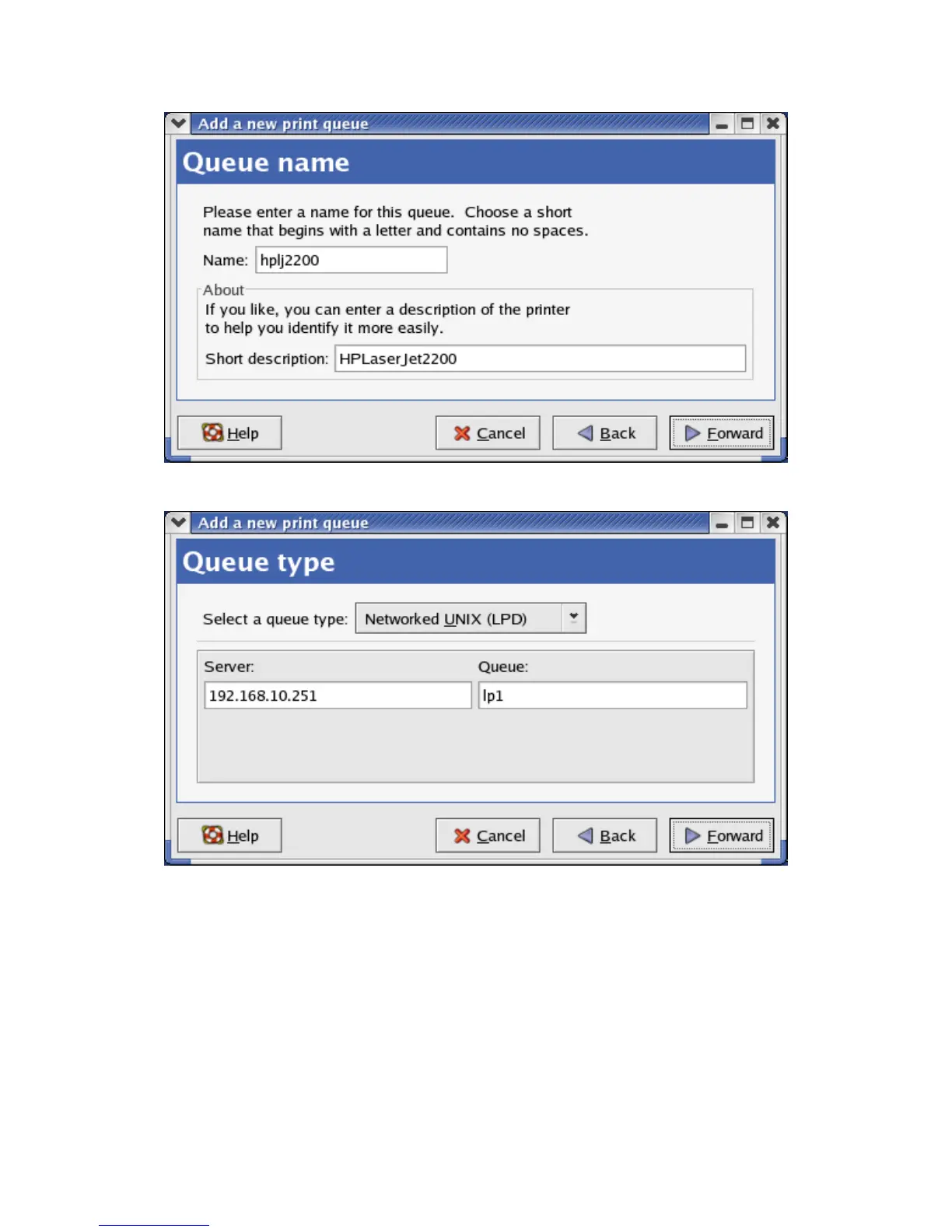
7. In the Name field, type a user-defined name, click Forward.
8. In the Queue Type field, choose Networked UNIX.
9. In the Server field, type the IP address of print server.
10. In the Queue field, type a print server’s port name, which connect to the printer. For
example: lp1.
11. Click Forward button.



 To Next Page