35
Appendix
Blink
Light
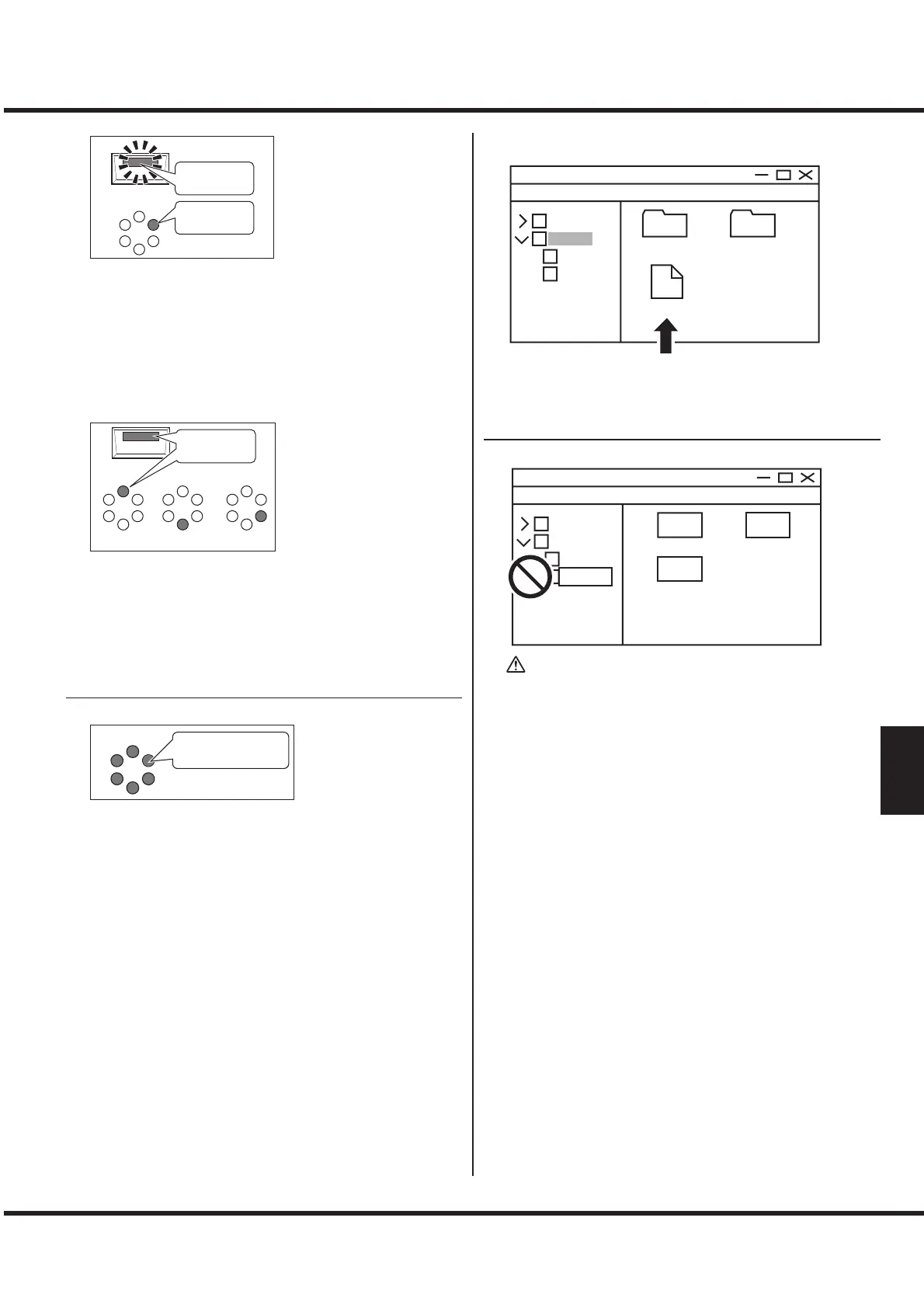
e [SYSTEM] button LED blinks, [MODE] “C-3” LED lit:
ere is no newer update le.
1. Please confirm software versions by “CONFIRMING
VERSIONS.” It does not needed update if the internal
software versions are up to date.
2. If the internal software versions are older than latest ver-
sions, download the latest software by “PREPARING UP-
DATE FILE.”
,or
Light
Reading Writing Verifying
e [SYSTEM] button LED lit, either [MODE] “V-3”, “C-1”,
or “V-1” lit:
An error has occurred during updating. Please turn o this
instrument once, and try again from the step 2 of the “Prepar-
ing Media.” If the issue is not clear, please consult to the our
support.
③ FINISH
When the update has succeed, the LEDs indicates below;
All is “ON”
Turn o this instrument once, and turn on again.
e updated software will a ect.
CONFIRMING VERSIONS
setup
version.txt
system
M-SOLO
Computer’s
setup
system
e current software version is shown as a text le “version.txt”
in the root of the USB drive “M-SOLO”.
XXXX.bin
YYYY.bin
ZZZZ.bin
M-SOLO
Computer’s
setup
system
MyOrg_
WARNING
Do not attempt to re-name or delete the folders in this
instrument (USB drive “M-solo”) , or format the this
instrument from the computer (see the illustration
above). Doing so may cause a malfunction.


 To Next Page