*#1
Owner’s Manual
36
BACKUP YOUR SETUP
You can back-up/restore the setup of this instrument (e.g. Patches) to the com-
puter.
is mode allows you to back-up/restore the setup of this instrument to/from a
computer via USB cable.
PREPARING MEDIA
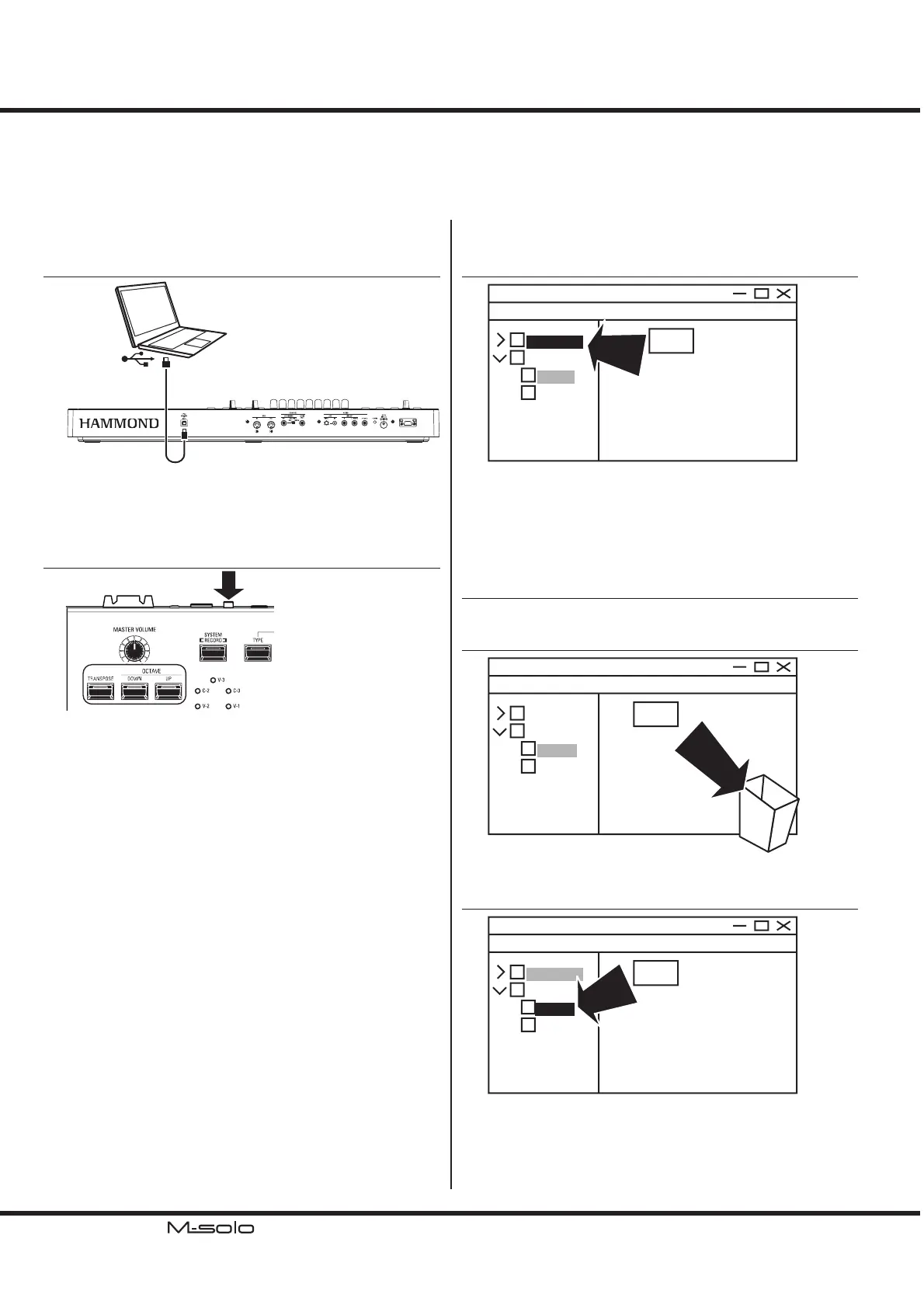
① MAKE THE CONNECTION
Computer
Connect the [TO HOST] port and the computer via USB
“A - B” cable.
Turn on the computer.
② START WITH MASS STORAGE MODE
Turn on this instrument with pressing 3 buttons [TRANS-
POSE], [DOWN] and [UP] until LED on the [SYSTEM]
starts ashing.
is instrument starts with the Mass Storage mode and the
computer will recognize this keyboard as a USB external drive
“M-solo.”
BACK-UP THE SETUP
① COPY THE “.SET” SETUP FILE
m-solo.set
M-SOLO
Computer’s
setup
system
COPY
Open the “setup” folder in this instrument USB drive “M-solo.”
Copy the “m-solo.set” setup le into your computer.
Turn o this instrument.
RESTORE THE SETUP
① OPEN THE FOLDER
Open the “setup” folder in this instrument.
② DELETE THE PRESENT SETUP FILE
m-solo.set
M-SOLO
Computer’s
setup
system
DELETE
Delete the “m-solo.set” le in this folder.
③ COPY THE BACKUP SETUP FILE
XXXX.set
M-SOLO
Computer’s
setup
system
COPY
Copy the back-up “.set” setup le from the computer into this
folder of this instrument.


 To Next Page