MIDI
10
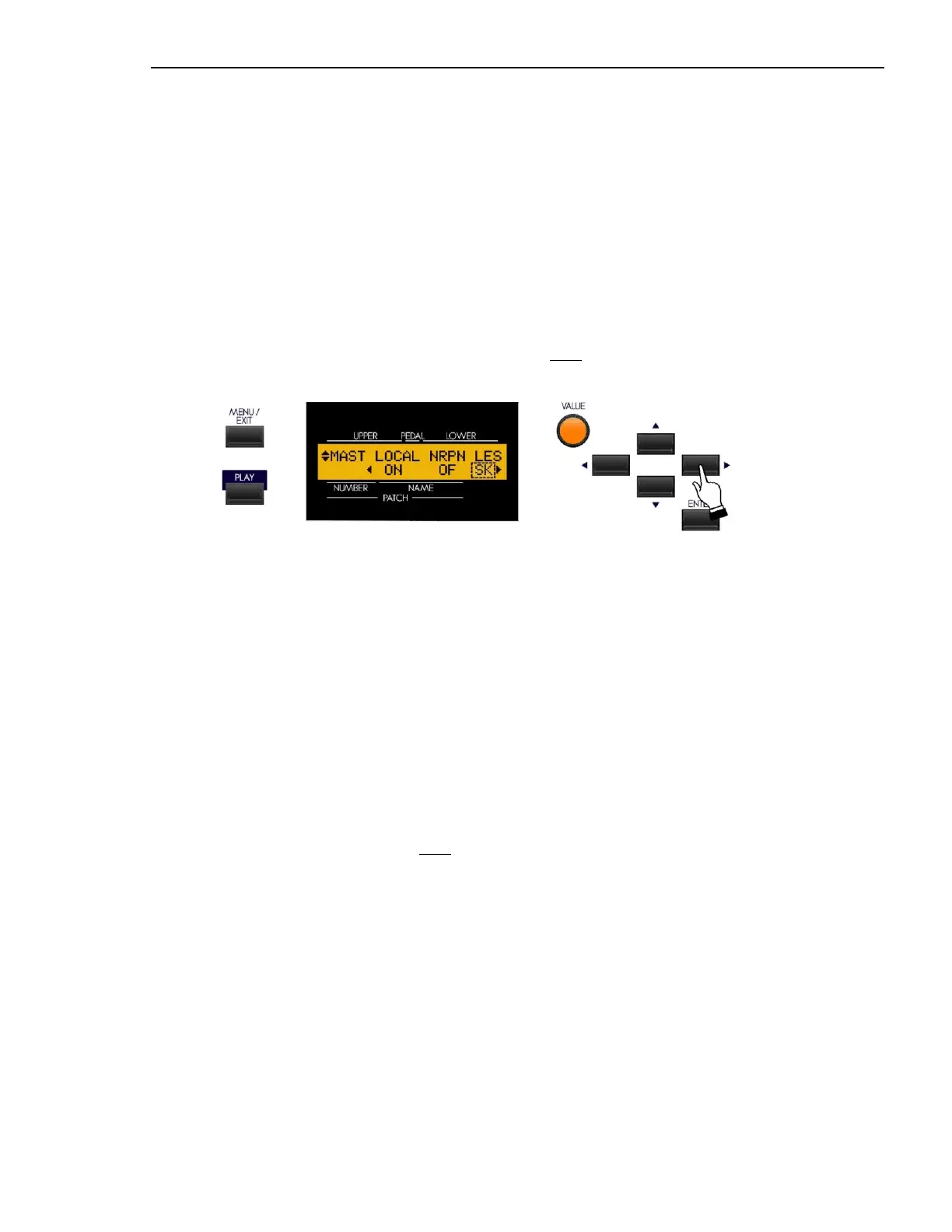
From the previous screen, touch the PAGE RIGHT Touch Button once. The Information Center Display should now
look like this:
Leslie MIDI Parameters
Many of the Leslie Parameters, such as Slow and Fast Speeds, Rise and Fall Times, etc. are sent out as MIDI NRPN codes.
The rotors on the Leslie 21 system can receive these codes and respond accordingly. This Advanced Feature allows you
to control how to send Leslie Parameters. The choices are:
“SK” - The Leslie Parameters will be sent out as normal NRPN codes.
“21" - The Leslie Parameters will be sent out as Leslie 21 series NRPN codes.
NOTE: For a listing of the Leslie 21 NRPN codes, please consult the MIDI Implenetation Chart in the Leslie 21-
series Owner’s Guide (models 2101, 2103, 2101 Mark II and 2103 Mark II).
Turn the VALUE Rotary Control to make your selection.
NOTE: When a Cabinet Number is selected (i.e. by Patch), the Leslie Parameters are sent out also.
NOTE: The Leslie Parameters are sent out only on the UPPER Channel.
NOTE: This Advanced Feature will change automatically when a Leslie speaker is connected or disconnected via
the 8-pin LESLIE Jack.



 To Next Page
 Loading...