MIDI
25
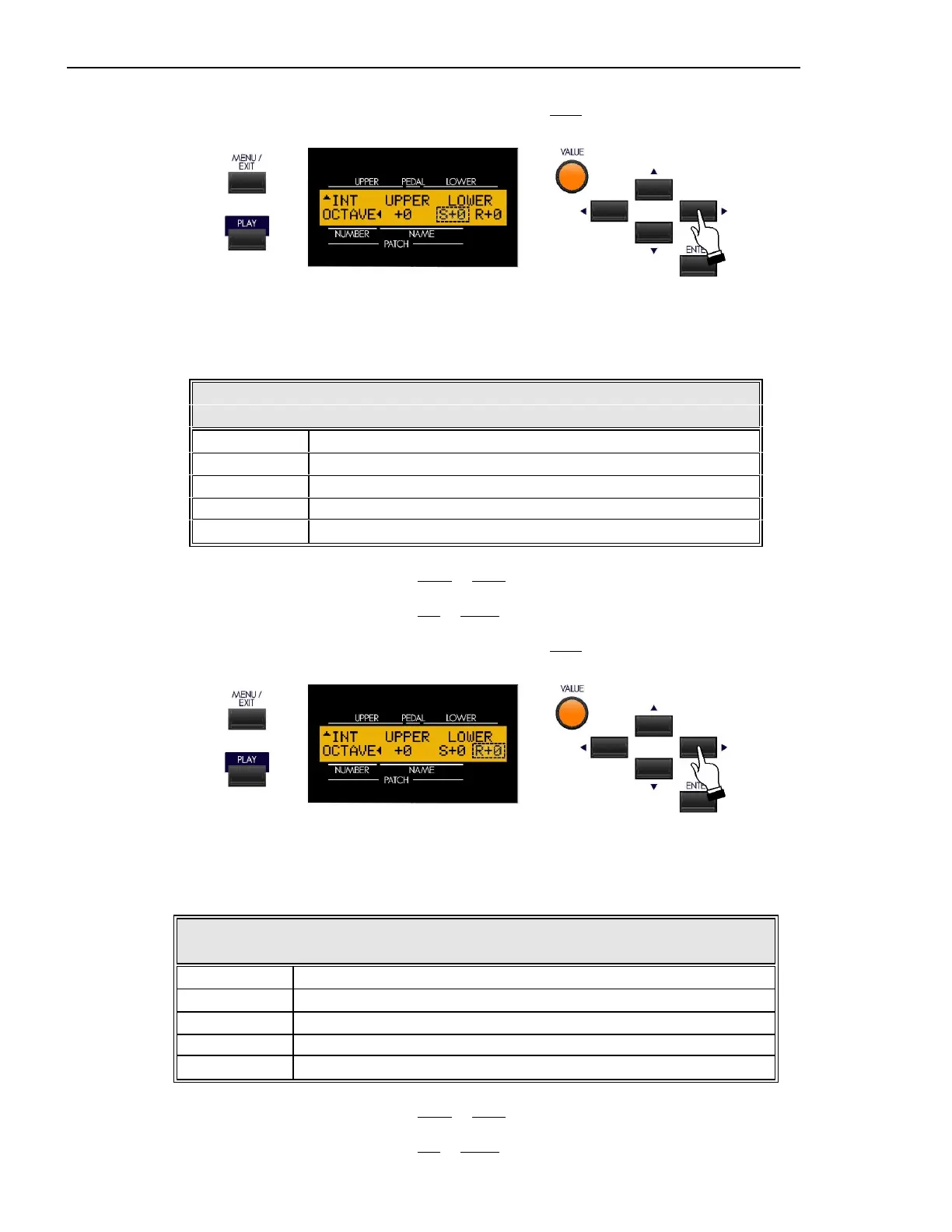
From the previous screen, touch the PAGE RIGHT Touch Button once. The Information Center Display should now
look like this:
Lower Octave Setting (Sk1, Sk1-73, Sk1-88)
Th is Advanced Feature allows you to set the octave for the Lower portion of the manual when the SPLIT Touch Button
is “ON.” The data chart below shows the options you may select.
LOWER Octave Options - SPLIT
Description Function
-2 The sound is two octaves below the regular pitch.
-1 The sound is one octave below the regular pitch.
0 The sound is at normal pitch.
+1 The sound is one octave above the regular pitch.
+2 The sound is two octaves above the regular pitch.
Turn the VALUE Rotary Control to the right to raise the Octave.
Turn the VALUE Rotary Control to the left to lower the Octave.
From the previous screen, touch the PAGE RIGHT Touch Button once. The Information Center Display should now
look like this:
Lower Octave Setting (“Real”)
This Advanced Feature allows you to set the octave for the Lower Manual of the Sk2, or a connected MIDI keyboard used
as a Lower Manual of an Sk1. The data chart below shows the options you may select.
LOWER Octave Options - REAL
Description Function
-2 The sound is two octaves below the regular pitch.
-1 The sound is one octave below the regular pitch.
0 The sound is at normal pitch.
+1 The sound is one octave above the regular pitch.
+2 The sound is two octaves above the regular pitch.
Turn the VALUE Rotary Control to the right to raise the Octave.
Turn the VALUE Rotary Control to the left to lower the Octave.



 To Next Page
 Loading...