EasyManua.ls Logo

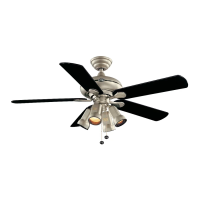
HAMPTON BAY 56-ANTHL - User Manual

HAMPTON BAY 56-ANTHL
16 pages
Print Icon
To Next Page IconTo Next Page
Loading...
Item #XXX-XXX
Model #91116, 91140
UL Model #56-ANTHL
USE AND CARE GUIDE
ANTIGUA PLUS 56-INCH CEILING FAN
Questions, problems, missing parts? Before returning to the store,
call Hampton Bay Customer Service
8 a.m. - 6 p.m., EST, Monday-Friday.
1-855-HD-HAMPTON
HAMPTONBAY.COM
THANK YOU
We appreciate the trust and condence you have placed in Hampton Bay through the purchase of this ceiling fan. We strive to continually create
quality products designed to enhance your home. Visit us online to see our full line of products available for your home improvement needs.
Thank you for choosing Hampton Bay!
To view an instructional video on how to install this product:
1. Go to www.homedepot.com and enter either the Item or Model number, found in the top
right corner of the cover of this instruction manual, in the search eld.
2. Click on your product from the list of search results and click on the video link in the
“Product Overview” section.


Questions and Answers

  • E
    Erica WardAug 9, 2025
    What to do if my HAMPTON BAY Fan will not start?
    • J
      John CookAug 9, 2025
      If your HAMPTON BAY Fan isn't starting, begin by inspecting the main and branch circuit fuses or breakers. Also, check the line wire connections to the fan and the switch wire connections within the switch housing.
  • S
    Shelly LongAug 18, 2025
    Why is my HAMPTON BAY 56-ANTHL Fan so noisy?
    • H
      Hannah WilliamsonAug 18, 2025
      To address a noisy HAMPTON BAY Fan: * First, make sure all motor housing screws are properly tightened. * Next, check that the screws securing the fan blade bracket to the motor hub are tight. * Also, confirm that wire nut connections aren't rattling against each other or the switch housing's interior. * If you're using a light kit, tighten the screws holding the glassware and ensure the bulbs are secure. * The canopy should have a small gap from the ceiling, not touching it. * Finally, ensure the outlet box is secure, with rubber isolator pads between the mounting plate and outlet box. New fans may have noise that disappears after a 24-hour breaking-in period.
  • C
    Claire WeberAug 28, 2025
    How to fix a wobbling HAMPTON BAY 56-ANTHL?
    • A
      Abigail MannAug 28, 2025
      If your HAMPTON BAY Fan wobbles, ensure all blade and blade arm screws are tightened securely. Uneven blade levels often cause wobble. Check blade levels by measuring from a point on the ceiling to the tip of each blade, ensuring any deviation is within 1/8 inch. Run the fan for ten minutes. If the fan continues to wobble please contact Customer Service and a balancing kit will be sent to you at no charge.

Summary

Safety Information

Installation

Mounting Options

Describes various methods for securely mounting the fan's electrical box to the ceiling structure.

Assembly - Standard Ceiling Mount

Assembling the fan

Steps for connecting the downrod to the motor housing, including safety warnings.

Assembly - Close-To-Ceiling Mount

Assembly - Hanging the Fan

Attaching the fan to the electrical box

Guide on securely installing the ceiling mounting bracket to the electrical box.

Making the electrical connection

Detailed instructions for connecting fan wires to household wires using wire nuts and tape.

Assembly - Attaching the Fan Blades

Operating Your Fan

Troubleshooting

HAMPTON BAY 56-ANTHL Specifications

General IconGeneral
TypeCeiling Fan
FinishAnthracite
Number of Blades5
Reversible MotorYes
Blade Span56 inches
Motor TypeAC
WarrantyLifetime

Related product manuals