8
INSTRUCTIONS FOR USE
Eva450/Eva600
EM
EE
EE
EM
Service information read-out
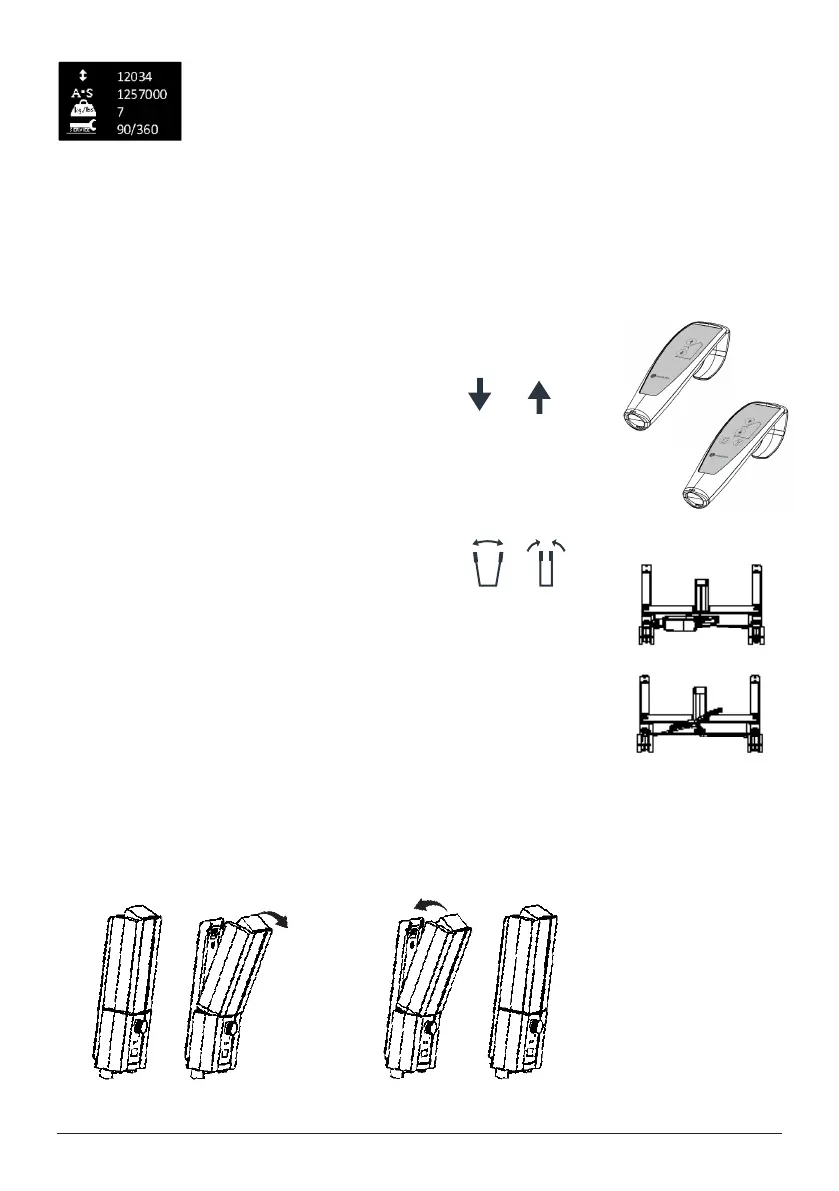
Basic service information can be read out on the display. To get the service information on the
display please press the lifting arm up button for half a second. The information will be shown for
½ minute or until other buttons are activated.
• Total cycles done by the actuator
• Total work done by the actuator (ampere usage times seconds in use)
• Total number of overloads
• Days since last service/Days between services
Hand control
Raising/lowering the lift arm
Symbol indicate direction of travel.
Motion stops as soon as the button is released.
If the lift arm encounter an obstacle while lowering, the lift will immediately stop the motion.
In order to continue, the lift arm will need to be raised slightly by using the hand control
before further lowering.
Electrical base-width adjustment (EE)Electrical base-width adjustment (EE)
Markings on the buttons of the hand controll indicate function. Markings on the buttons of the hand controll indicate function.
Motion stops as soon as the buttons are released. Motion stops as soon as the buttons are released.
Manual base-width adjustment (EM)Manual base-width adjustment (EM)
Push down on the respective pedals at the back ofPush down on the respective pedals at the back of
the lift to widen and narrow the base.the lift to widen and narrow the base.
Changing the battery
”Click!”
1
2




 To Next Page