Hanshow ESL Controller HS_C09978 Product Manual
15 Hanshow Copyright Reserved ©
Hanshow Technology Co., Ltd.
⚫ When set to OFF, IP address should be configured
manually.
⚫ When set to ON, the device is DHCP client, and IP
address should be get from DHCP server.
Configurable when DHCP is OFF.
Configurable when DHCP is OFF.
Domain Name Server (DNS), DNS1: Primary DNS server;
DNS2: Secondary server; DNS3: Secondary server.
Must be set when the ESL-Working address is configured as
domain name address;
Enable DHCP, to get DNS from DHCP.
Unique MAC address, refer to nameplate.
Note: The modified network settings take effect immediately, you need to re-enter
the set URL to access the web.
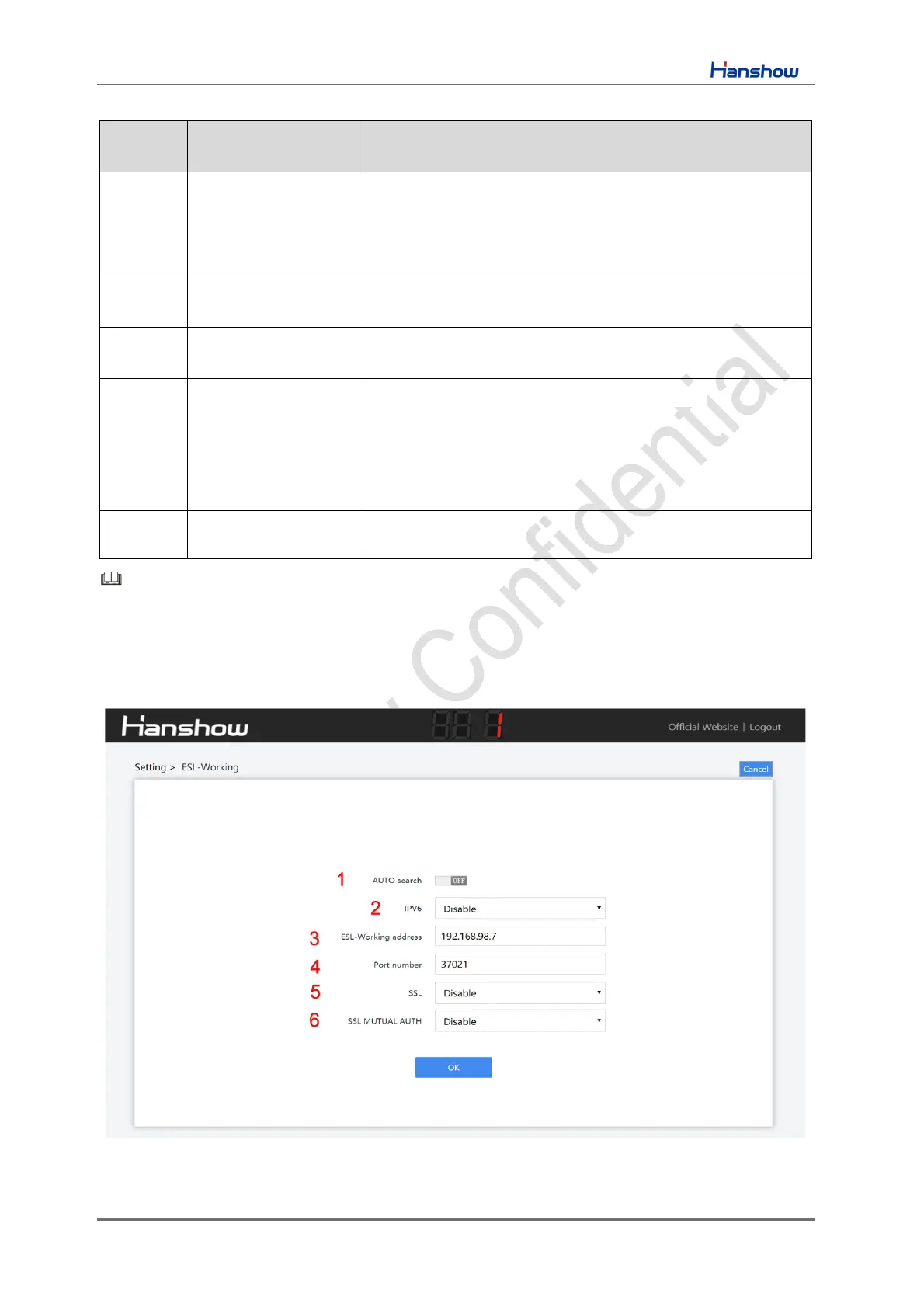
4.2.4 ESL-Working setting
This can set IP address and port number of ESL-Working, as shown in Figure 4-6.
Figure 4-6 ESL-Working setting



 To Next Page