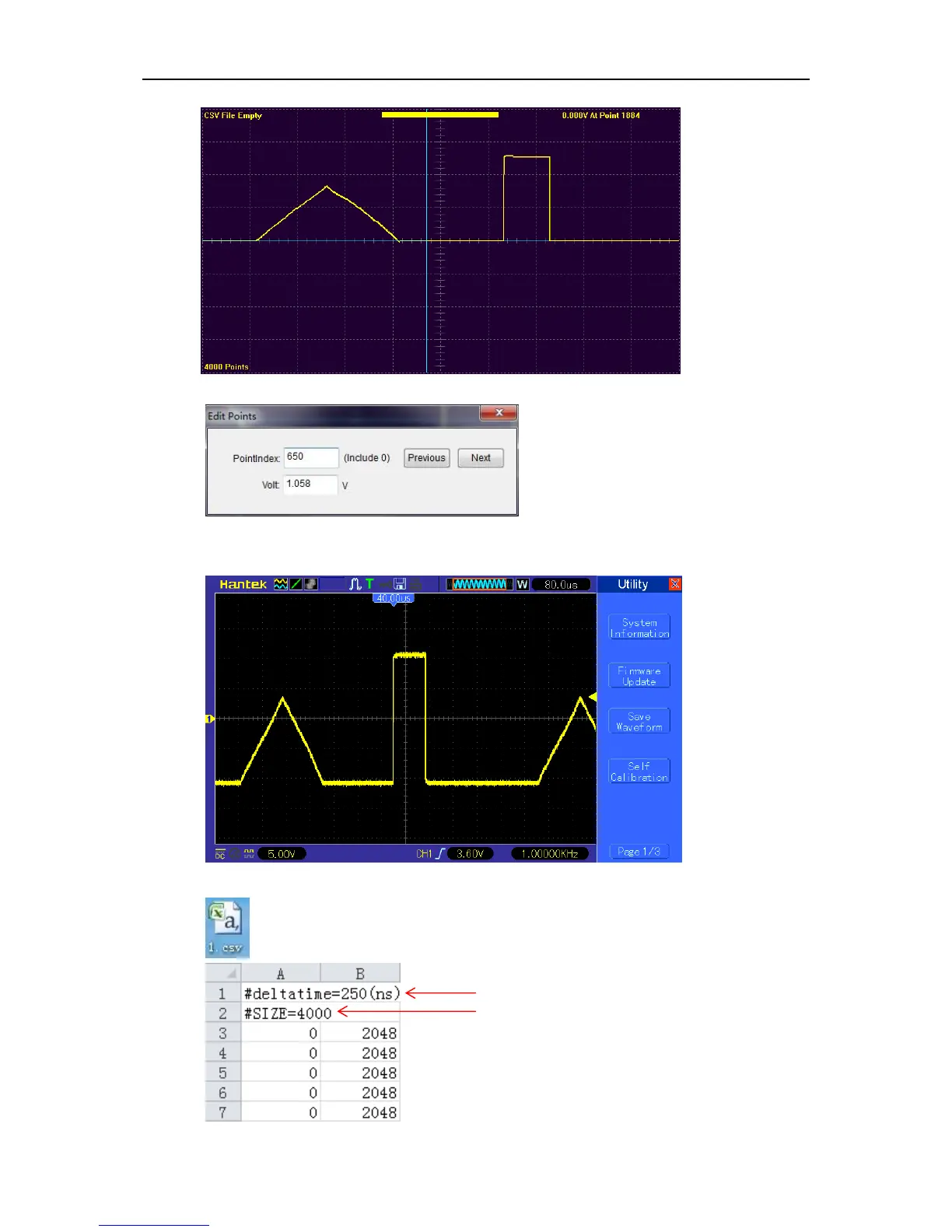
Waveform Generator
DSO8000E Series HandHeld Oscilloscope User Manual 88
Also user can click “Edit->Points Edit” to set pointindex and voltage.
4) Click “Wave Parameter->Download” to download the edited waveform to DSO8000E,
then you can view the waveform by oscilloscope as follows:
5) Also, user can click “File->Save CSV”, and save CSV file to U disk or other paths.



 To Next Page