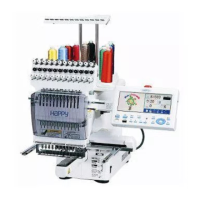
Training Workbook: HAPPY HCD-1501 Operation and Maintenance
Education Department
Chapter 2: Machine Setup & Orientation
28
Machine Setup
Control Panel 2
Design Transfer
Transferring Designs into Your Machine
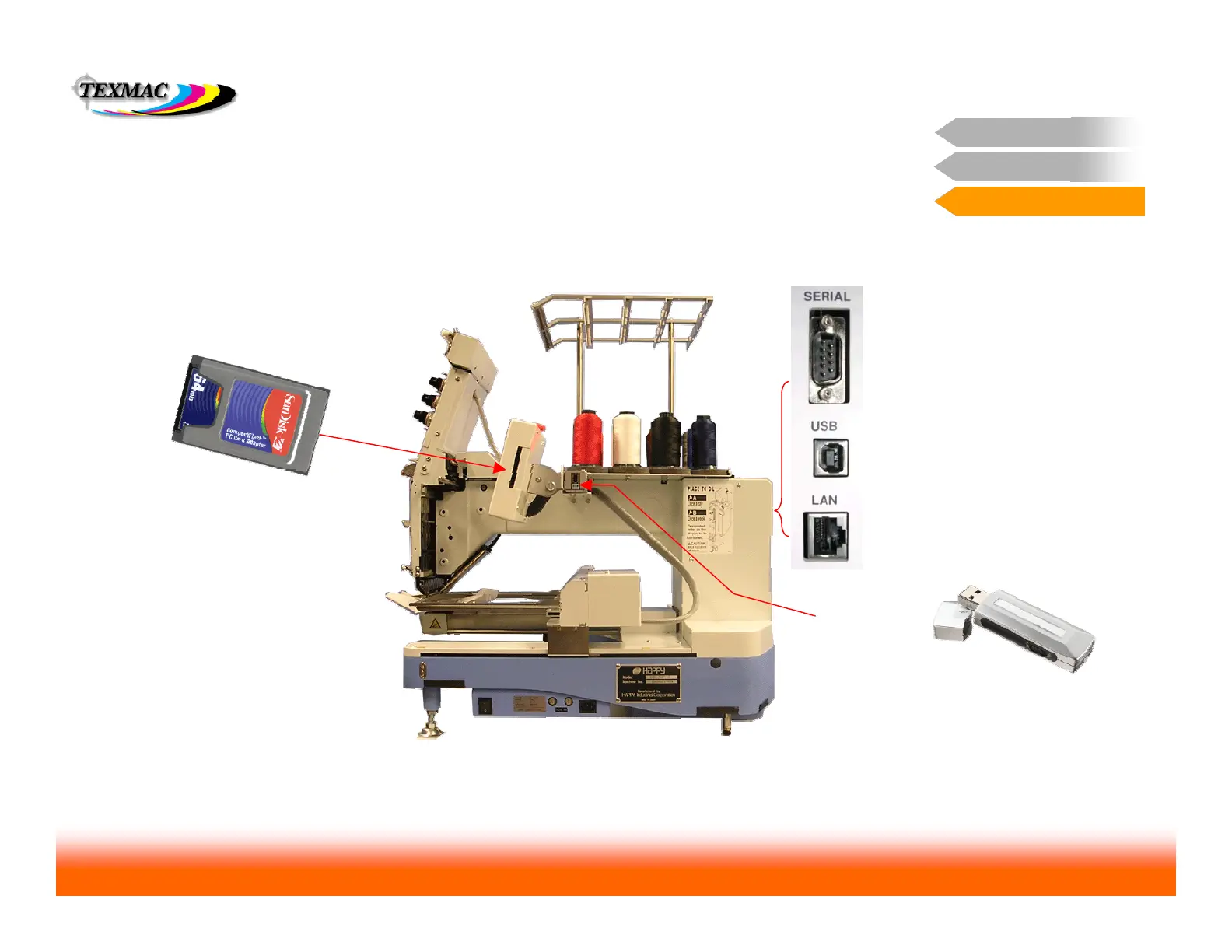
USB port is found on rear
wall of machine with other
ports. You can connect a
Windows PC to the machine
with a USB cable so you
can transfer designs and
perform other functions.
Compact Flash Card – (shown
inserted into PCMCIA adapter
sleeve) inserts into this slot on the
side of the control panel. It works
like a floppy disk or a USB jump
drive: connect the Flash card to a
computer, save the design onto the
flash card, and insert the flash card
into the machine.
In this section, we provide detailed steps about the 2 most common
ways to transfer a design into your machine to be sewn:
– USB connection or
– Compact flash card
On the following pages, we’ll go over the steps for both
methods in detail. Next: USB connection
Design Transfer


 To Next Page