Training Workbook: HAPPY HCD-1501 Operation and Maintenance
Education Department
Chapter 2: Machine Setup & Orientation
8
Machine Setup
Control Panel 2
Design Transfer
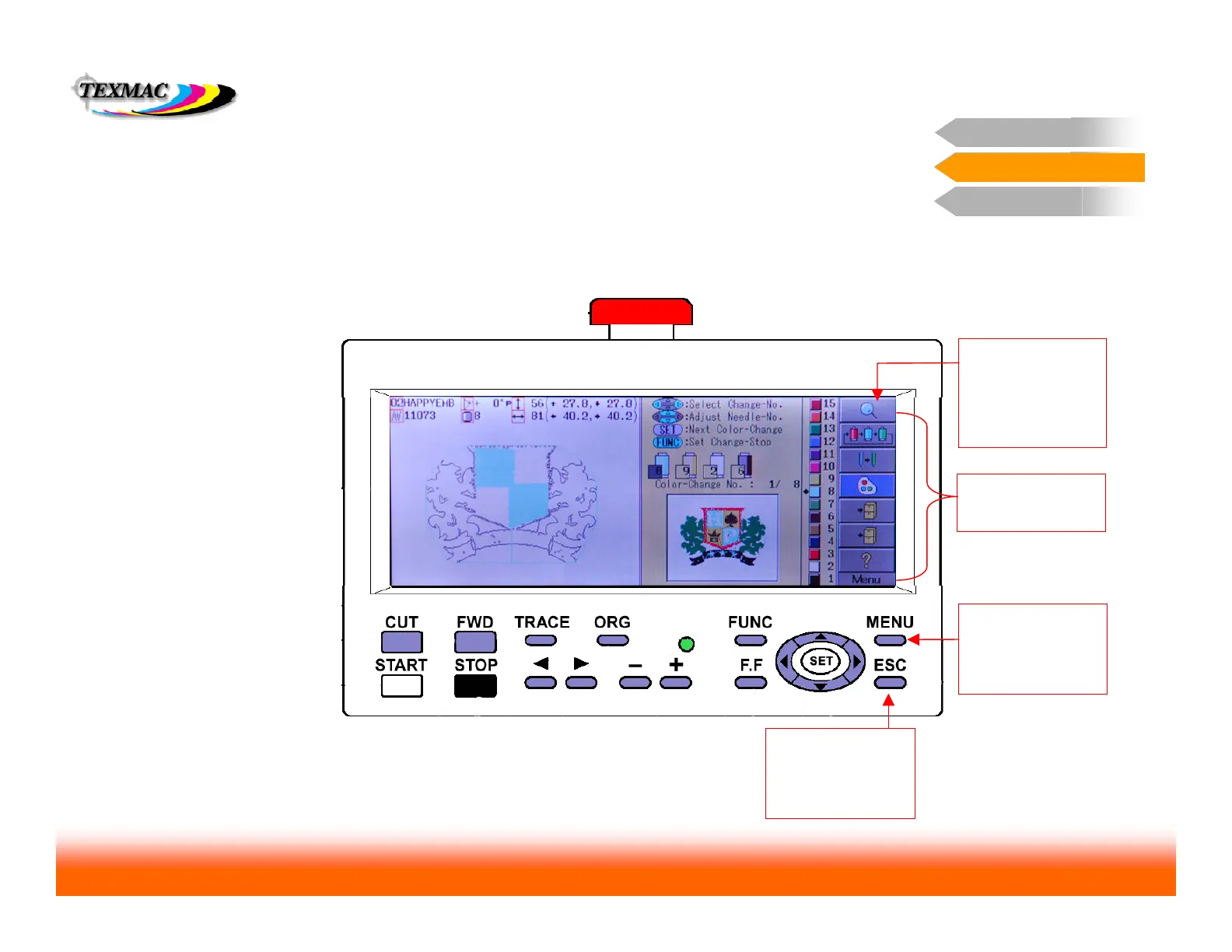
In many of the screens accessed from the main menu, there are additional
options that can be accessed in the same way. In the sample screen shown
below, we’ve illustrated a few simple rules:
Sub-menu: Contains
additional options for a
given screen.
Control Panel 2
General Tips in Navigating Main Menu Screens
Press MENU to
access the sub-menu.
You’ll see the
uppermost icon
highlight in blue.
View Design: This
option displays the
design full-screen with
any current changes
you’ve made to it.
Press ESC to exit the
sub-menus and return
the cursor to the rest
of the Needle screen
(example shown here)



 To Next Page