EasyManua.ls Logo

Harbor Breeze 40689 - User Manual

Harbor Breeze 40689
34 pages
Print Icon
To Next Page IconTo Next Page
Loading...
Questions, problems, missing parts? Before returning to your retailer, call our customer
service department at 1-800-643-0067, 8 a.m. - 6 p.m., EST, Monday - Thursday, 8 a.m. - 5 p.m.,
EST, Friday.
1
Harbor Breeze® is a registered trademark
of LF, LLC. All Rights Reserved.
ATTACH YOUR RECEIPT HERE
Purchase Date _________________________
Español p. 18
H
a
r
b
o
r
B
r
e
e
z
e
EB16218
ITEM #0732082, 0807429, 0807432, 0807433
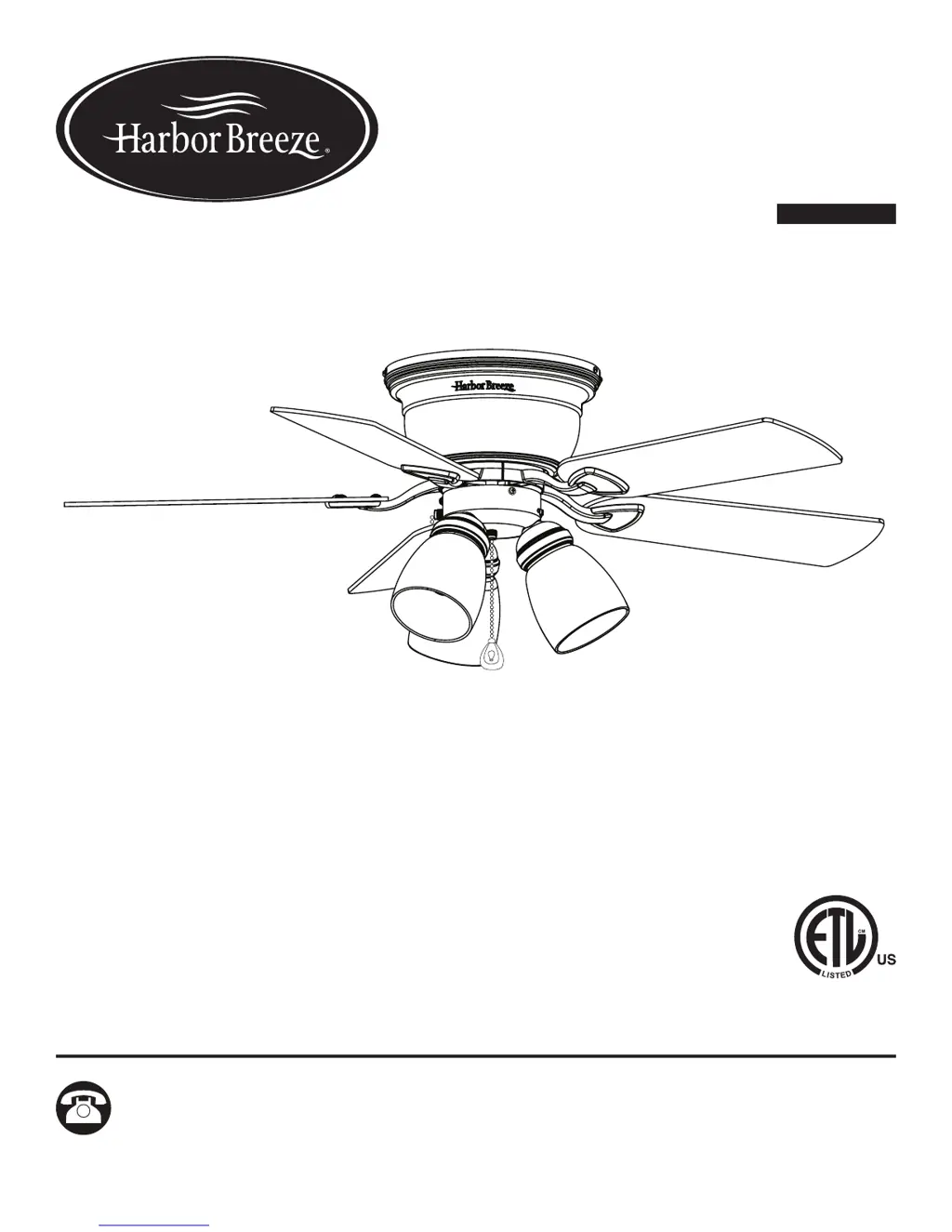
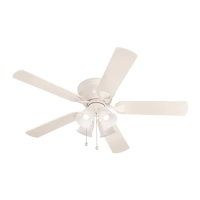
42-INCH CENTREVILLE
CEILING FAN
MODEL #41239, 40689, 40687, 40688

Questions and Answers

  • C
    cruzkristenAug 9, 2025
    Why is my Harbor Breeze 40689 Fan excessively wobbling?
    • K
      Kenneth WrightAug 9, 2025
      Excessive wobbling in your Harbor Breeze Fan can occur due to several reasons. First, check and tighten all screws that hold the fan blades to the blade arms and the blade arms to the motor, as the blades and/or blade arms might be loose. If wobbling persists, try switching one blade with a blade from the opposite side or balance the fan using the blade balancing kit (P), because the blades may be unbalanced. Finally, turn off the power, loosen the motor housing, and verify the upper mounting bracket is secure to the electrical outlet box; the bracket must be flush without movement against the outlet box, because the fan mounting may not be secure.
  • P
    Peter DavisAug 17, 2025
    What to do if the lights on my Harbor Breeze 40689 are not working?
    • S
      Stephanie GoldenAug 17, 2025
      If your Harbor Breeze Fan is working but the lights are not, first try re-installing the bulb(s). Then, ensure the single-pin connectors in the light kit are properly connected. If the issue persists, turn the power off and check all connections at the ceiling outlet box for faulty wire connections.
  • A
    Amanda GarciaAug 25, 2025
    What to do if my Harbor Breeze 40689 is noisy?
    • D
      dwaynebrownAug 25, 2025
      A noisy Harbor Breeze Fan can be attributed to several factors. Start by checking and tightening all screws that hold the fan blades to the blade arms and the motor, as the blades may be loose. Inspect the blades for cracks and replace any cracked blade. Ensure you are not using a full range dimmer switch to control the fan speed, as the wall control may not be compatible with the fan. Also, verify that the outlet box is securely attached to the building structure. Lastly, confirm that the mounting bracket is secured to the outlet box and that the screws are tight.
  • M
    Mary HughesSep 1, 2025
    How to fix a Harbor Breeze Fan that does not move?
    • R
      Ricky MorrisSep 1, 2025
      If your Harbor Breeze Fan isn't moving, there are several things to check. First, make sure the power is on and the fuse is not blown; if it is, turn the power on or check the fuse. Then, turn the power off, loosen the canopy, and check all wire connections for faults. Also, check that the connectors from the light kit and fan are properly connected. Finally, ensure the reverse switch is completely pushed to the left or right.

Summary

Safety Information

General Safety Guidelines

Covers essential safety precautions including power disconnection, electrical code compliance, safe mounting, and handling of parts.

Specific Warnings and Precautions

Highlights warnings against dimmer switches, improper outlet box use, and mixing parts, emphasizing warranty voidance.

Initial Installation

Power Disconnection

Crucial step to turn off circuit breakers and wall switch to prevent serious injury or death during installation.

Mounting and Clearance

Specifies flushmount installation only, minimum blade clearance (7ft floor, 30in obstruction), and secure mounting bracket attachment.

Wiring

Connecting Wires

Step-by-step guide for connecting fan wires (Green, White, Black, Blue) to household supply wires using wire connectors.

Wiring Best Practices

Ensures secure connections by wrapping with tape, checking for bare wire, and proper wire placement within the outlet box.

Final Installation

Operating Instructions

Care and Maintenance

Troubleshooting

Lifetime Limited Warranty

Harbor Breeze 40689 Specifications

General IconGeneral
BrandHarbor Breeze
Model Number40689
TypeCeiling Fan
Blade Span52 inches
Number of Blades5
Motor TypeAC
Control TypePull chain
FinishBrushed Nickel
Remote Control IncludedNo
Indoor/OutdoorIndoor
Blade Pitch (degrees)12
Motor Speed3-speed
Reversible MotorYes
Mounting TypeDownrod

Related product manuals