EasyManua.ls Logo

Harbor Breeze 40821 - User Manual

Harbor Breeze 40821
22 pages
Print Icon
To Next Page IconTo Next Page
Loading...
1
ATTACH YOUR RECEIPT HERE
Serial Number _________________________ Purchase Date _________________________
Lowes.com/harborbreeze
Questions, problems, missing parts? Before returning to your retailer, call our customer
service department at 1-800-643-0067, 8 a.m. - 6 p.m., EST, Monday - Thursday, 8 a.m. - 5 p.m.,
EST, Friday.
Harbor Breeze® is a registered trademark
of LF, LLC. All Rights Reserved.
XXXXXXX
ITEM #0599849, 0599656, 0599848
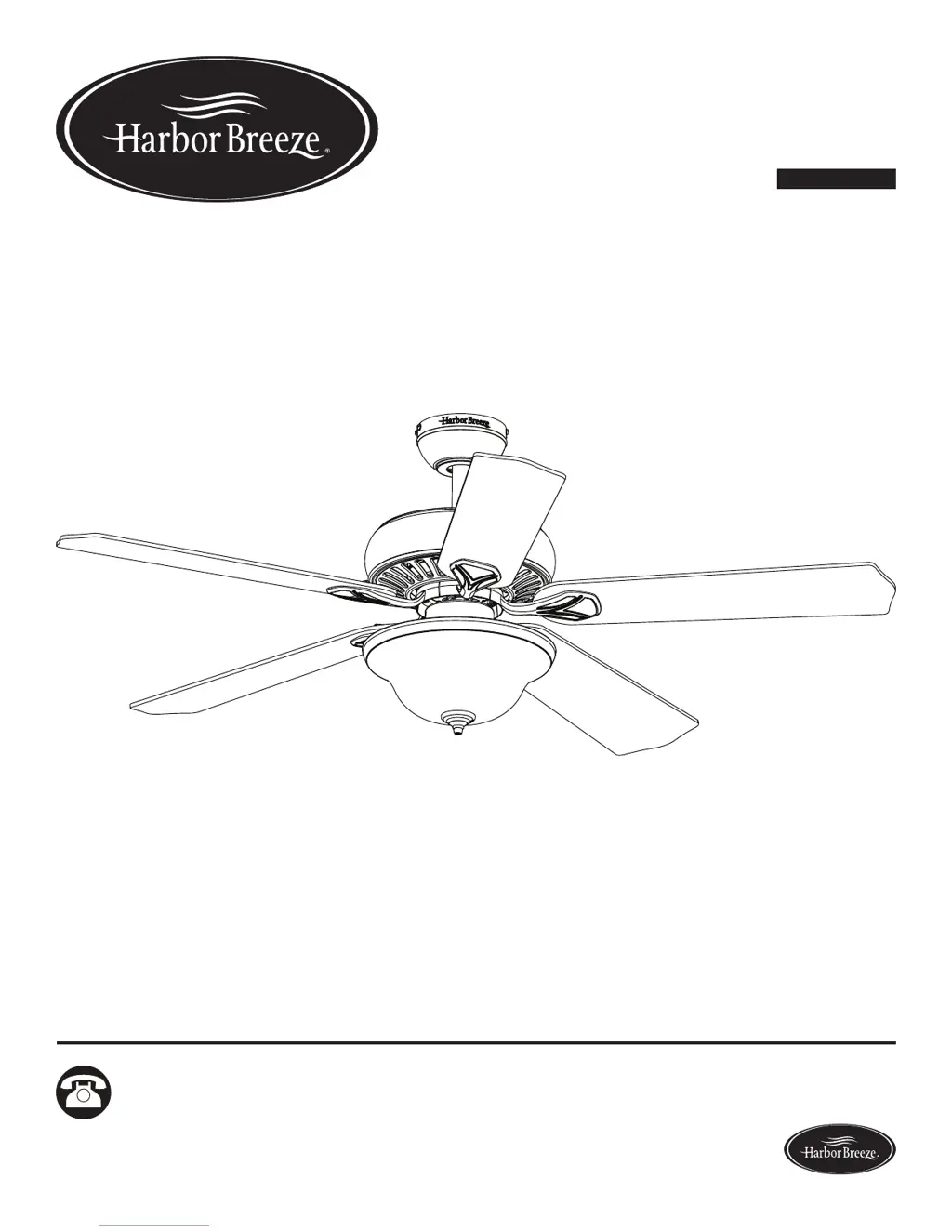
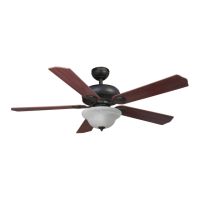
CROSSWINDS II CEILING FAN
MODEL #40821, 40823, 40822
Español p. 23

Questions and Answers

  • H
    Hannah ChapmanAug 2, 2025
    What to do if my Harbor Breeze 40821 remote doesn’t work?
    • M
      Melanie DavisAug 3, 2025
      If the LED indicator doesn't illuminate when you press a button on the remote, replace the remote battery with a new 12-volt battery. If the remote is not synced with the fan’s receiver, turn off the main power, then turn it back on. Within 30 seconds, press and hold the high and low speed buttons on the remote at the same time for 5 seconds. The LED indicator will flash 3 times, signaling a successful synchronization. Once complete, the fan will start on the low speed with the light off.
  • M
    Melissa BlackAug 8, 2025
    What to do if my Harbor Breeze Fan lights are not working?
    • J
      jesse09Aug 8, 2025
      If the fan operates correctly, but the lights are not working, first, re-install the bulb(s). Second, ensure the single-pin connectors in the light kit are connected properly. Third, turn the power off and check all connections at the ceiling outlet box to ensure there are no faulty wire connections.
  • K
    Kristy EvansAug 14, 2025
    Why is my Harbor Breeze 40821 excessively wobbling?
    • S
      Steven RileyAug 14, 2025
      Excessive wobbling can occur if the blades and/or blade are loose, so check and tighten all screws that hold the fan blades to the blade arms and the blade arms to the motor. Another cause can be unbalanced blades. Try switching one blade with a blade from the opposite side or balance the fan using the blade balancing kit (R). Also, turn off the power and verify the mounting bracket is secure to the electrical outlet box, ensuring it is flush without movement against the outlet box.
  • K
    Kathryn HinesAug 20, 2025
    How to troubleshoot a Harbor Breeze 40821 that does not move?
    • K
      Kimberly JohnsonAug 20, 2025
      If the fan does not move, first, turn the power on or check the fuse, as the power may be off or the fuse may be blown. Second, turn the power off, loosen the canopy, and check all connections, as there may be a faulty wire connection. Third, check that the connectors from the light kit and fan are connected properly, as the plugs may not be connected properly. Fourth, push the reverse switch completely to the left or right, as the reverse switch may not be completely engaged.
  • M
    Matthew HobbsAug 27, 2025
    How to fix a noisy Harbor Breeze Fan?
    • R
      ronaldsmithAug 27, 2025
      A noisy fan can be caused by several factors. First, check and tighten all screws that hold the fan blades to the blade arms and the motor, as loose blades can cause noise. Second, inspect the blades for cracks and replace any cracked blade. Third, ensure the outlet box is secured to the building structure. Finally, make sure the mounting bracket is secured to the outlet box and that the screws are tight.

Summary

Package Contents

Hardware Contents

Safety Information

Preparation

Initial Installation

Standard or Angle Mounting Instructions

Closemount Instructions

Wiring

Final Installation

Operating Instructions

Remote Control Operation

How to insert battery and test the remote for fan operation.

Fan Speed and Light Control

Explains buttons for fan speed, light control, and dimming functionality.

Reverse Switch Function

Details the fan's reverse switch for managing airflow in summer and winter.

Care and Maintenance

Troubleshooting

Lifetime Limited Warranty

Replacement Parts List

Harbor Breeze 40821 Specifications

General IconGeneral
BrandHarbor Breeze
Model40821
TypeCeiling Fan
Number of Blades5
Control TypePull chain
Reversible MotorYes
FinishBrushed Nickel
Blade Span52 inches
Motor TypeAC
Motor Speed3 speeds

Related product manuals