EasyManua.ls Logo

Harbor Breeze 4057329 - User Manual

Harbor Breeze 4057329
21 pages
Print Icon
To Next Page IconTo Next Page
Loading...
Purchase Date
1
4007498
AS21392
HARBOR BREEZE and logo design are
trademarks or registered trademarks of
LF, LLC. All rights reserved.
ITEM #2599780
4057329
4057327
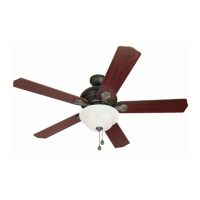
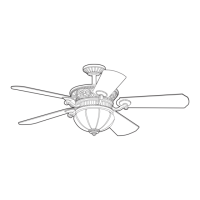
BRADBURY CEILING FAN
MODEL #BRD48BNK6LR
BRD48MBK6LR
BRD60OSB6LR
Español p. 22
ATTACH YOUR RECEIPT HERE
ADJUNTE SU RECIBO AQUÍ
Questions, problems, missing parts? Before returning to your retailer, call our customer
service department at 1-888-251-1003, 8 a.m. - 8 p.m., EST, Monday - Sunday. You could
also contact us at partsplus@lowes.com or visit www.lowespartsplus.com.

Questions and Answers

  • H
    hector94Aug 10, 2025
    Why is my Harbor Breeze Fan wobbling excessively?
    • C
      crystalmillerAug 10, 2025
      Excessive wobbling in your Harbor Breeze Fan can occur due to several reasons: * Loose blades: Ensure all motor screws and washers are tightened. * Unbalanced blades: Try switching one blade with a blade from the opposite side. * Insecure mounting: Turn the power off, carefully loosen the canopy, and verify the mounting bracket is secure. * Proximity to vaulted ceiling: Use a longer downrod or move the fan to another location. * Loose set screws on motor housing yoke: Tighten the yoke set screws securely. * Loose set screw on hanging ball: Carefully loosen and lower the canopy and verify that the set screw on the hanging ball is tightened securely.
  • P
    Pamela MitchellAug 17, 2025
    What to do if my Harbor Breeze 4057329 Fan is not working?
    • J
      joshua13Aug 17, 2025
      If your Harbor Breeze Fan isn't moving, here's what you can check: * Reverse switch: Make sure the reverse switch is fully engaged by pushing it firmly either left or right. * Power and fuse: Verify that the power is on and the fuse hasn't blown. * Wiring: Turn the power off, loosen the canopy, and inspect all wire connections. * LED light kit wiring: Check that the molex connections in the LED light kit are properly connected.
  • A
    Abigail AllisonAug 25, 2025
    What to do if the light on my Harbor Breeze Fan fails?
    • C
      cherrytimothyAug 25, 2025
      If the light on your Harbor Breeze Fan is not working, consider the following: * Canopy wiring: Check the wires in the canopy. * Wall switch: Ensure the wall switch to the fan is turned on. * LED light kit wiring: Check the wires from the LED light kit.
  • P
    Patrick StoutSep 1, 2025
    How to fix a noisy Harbor Breeze Fan?
    • M
      Marissa BooneSep 1, 2025
      A noisy Harbor Breeze Fan can be caused by: * Loose blades: Tighten all motor screws and washers. * Cracked blade: Replace the damaged blade. * New fan: Allow the fan a "break in" period of a few days, especially when running it at medium and high speeds.

Summary

FCC Compliance Notice

Safety Information - General

DANGER Warnings

Critical safety instructions regarding severe hazards and potential death.

WARNING Statements

Important safety instructions to prevent fire, electrical shock, or personal injury.

Safety Information - Cautions

Initial Installation - Electrical Safety

Power Disconnection

Crucial step to turn off power before beginning installation.

Initial Installation - Mounting Procedures

Mounting Bracket Installation

Securing the mounting bracket to the outlet box using proper hardware.

Downrod-Style Fan Mounting

Downrod-Style Fan Mounting - Assembly

Securing Downrod Assembly

Aligning holes, re-installing pin and clip, tightening set screws.

Closemount-Style Fan Mounting - Wiring

Wiring

Wire Connector Guidelines

Using provided connectors for 12-gauge house wire and fan lead wires.

Wiring - Connections

Remote Control Receiver Wiring

Connecting receiver wires to supply and motor housing wires.

Wiring - Finishing Touches

Final Installation - Canopy and Blades

Securing Canopy

Attaching canopy to mounting bracket and tightening screws.

Attaching Blades

Connecting blade arms to blades using screws and washers.

Attaching Blade Arms to Motor

Securing blade arms to the motor housing with screws.

Final Installation - Light Kit

Connecting LED Light Kit

Connecting white and blue wires from the light kit to the motor housing.

Final Installation - Shade and Remote

Operating Instructions - Remote Setup

Operating Instructions - Fan Control

Troubleshooting - Fan Operation

Fan Does Not Move

Possible causes and corrective actions for a fan that fails to operate.

Harbor Breeze 4057329 Specifications

General IconGeneral
BrandHarbor Breeze
Model Number4057329
TypeCeiling Fan
Blade Span52 inches
Number of Blades5
Motor Speed3-speed
Reversible MotorYes
Light Kit IncludedYes
Bulb TypeLED
Indoor/OutdoorIndoor
WarrantyLimited lifetime
Blade MaterialWood
Mounting OptionsDownrod or angle mount

Related product manuals