EasyManua.ls Logo

Harbor Breeze E-CAF56OSB5CRC - User Manual

Harbor Breeze E-CAF56OSB5CRC
22 pages
Print Icon
To Next Page IconTo Next Page
Loading...
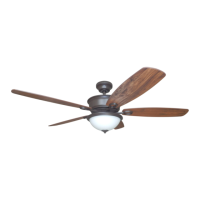
BAYOU CREEK CEILING FAN
Harbor Breeze® is a registered trademark
of LF, LLC. All Rights Reserved.
ITEM #0649729
MODEL #E-CAF56OSB5CRC
Questions, problems, missing parts? Before returning to your retailer, call our customer
service department at 1-800-643-0067, 8 a.m. - 6 p.m., EST, Monday - Thursday, 8 a.m. -
5 p.m., EST, Friday.
ATTACH YOUR RECEIPT HERE
Serial Number
Purchase Date
EB15418
1
Español p. 23
Lowes.com/harborbreeze
4009654

Questions and Answers

  • S
    Stephanie HunterAug 2, 2025
    What to do if my Harbor Breeze E-CAF56OSB5CRC does not move?
    • C
      Cassandra TorresAug 2, 2025
      If your Harbor Breeze Fan isn't moving, there are several potential causes: * The reverse switch might not be fully engaged. Try pushing the switch firmly either up or down. * The power may be off, or a fuse could be blown. Ensure the power is on and check the fuse. * There could be a faulty wire connection. Turn off the power, loosen the motor housing, and check all connections. * The learning code process between the fan and remote control transmitter may not have been successful. Turn off the power and repeat the learning code instructions.
  • J
    Joel MartinezAug 10, 2025
    What to do if Harbor Breeze Fan works but the light doesn't?
    • S
      Samuel ClineAug 10, 2025
      If your Harbor Breeze Fan operates, but the light fails, consider the following: * Bulb(s) might not be installed correctly. Re-install the bulb(s). * The wall switch to the light could be off. Ensure the wall switch to the light is on. * The light kit may be lamped with more than the allowable 190W, causing the wattage limiting device to interrupt the flow of electricity to the light kit. Lamp the light kit with bulbs that total no more than 190W.
  • D
    dyerheatherAug 17, 2025
    Why is my Harbor Breeze Fan making so much noise?
    • V
      vrosalesAug 17, 2025
      If your Harbor Breeze Fan is operating noisily, consider these possible causes and solutions: * Blades might be loose. Tighten all blade screws. * A blade could be cracked. Replace the blade. * A full range dimmer switch may be in use. Replace it with an approved speed control device. * If the fan is new, allow it a “break in” period of a few days, especially when running the fan at Medium and High speeds. * The motor housing might be loose. Verify the mounting bracket is secure.
  • M
    Monica ArnoldAug 25, 2025
    How to fix excessive wobbling in my Harbor Breeze E-CAF56OSB5CRC Fan?
    • D
      Donald BrownAug 25, 2025
      If your Harbor Breeze Fan is wobbling excessively, here are a few things to check: * Make sure all blade screws are tightened. * Ensure blade arms are correctly attached; if not, reinstall them. * Try switching one blade with a blade from the opposite side to address unbalanced blades. * Verify that the mounting bracket is secure.

Summary

Safety and Preparation

Safety Information and Warnings

Essential safety guidelines, warnings, and precautions for installation and operation.

Package Contents and Preparation

Details of fan components, hardware, tools, and initial preparation steps.

Installation Guide

Initial Installation Procedures

Preliminary steps including power safety, mounting bracket installation, and motor preparation.

Mounting Methods

Instructions for both downrod and closemount installation styles.

Wiring and Final Assembly

Connecting electrical wires and completing the fan assembly, including the light kit.

Installing Without Light Kit

Specific steps for assembling the fan when the light kit is not used.

Operation and Maintenance

Remote Control Operation

Setting up and using the remote control for fan speed, light, and reverse functions.

Fan Maintenance

Guidelines for cleaning the fan, replacing bulbs, and battery maintenance.

Troubleshooting and Support

Troubleshooting Common Issues

Identifies common problems and provides step-by-step corrective actions for resolution.

Warranty and Parts Information

Details the limited lifetime warranty, coverage, and replacement parts list.

Harbor Breeze E-CAF56OSB5CRC Specifications

General IconGeneral
BrandHarbor Breeze
ModelE-CAF56OSB5CRC
TypeCeiling Fan
Blade Span56 inches
Number of Blades5
Motor TypeAC Motor
Mounting OptionsDownrod mount
Control TypeRemote Control
Light KitYes
Light TypeLED
FinishOil Rubbed Bronze
Blade ColorDark Walnut
Indoor/OutdoorIndoor
ENERGY STAR CertifiedNo
ReversibleYes
Blade MaterialWood
WarrantyLimited Lifetime Warranty

Related product manuals