8
Lowes.com/harborbreeze
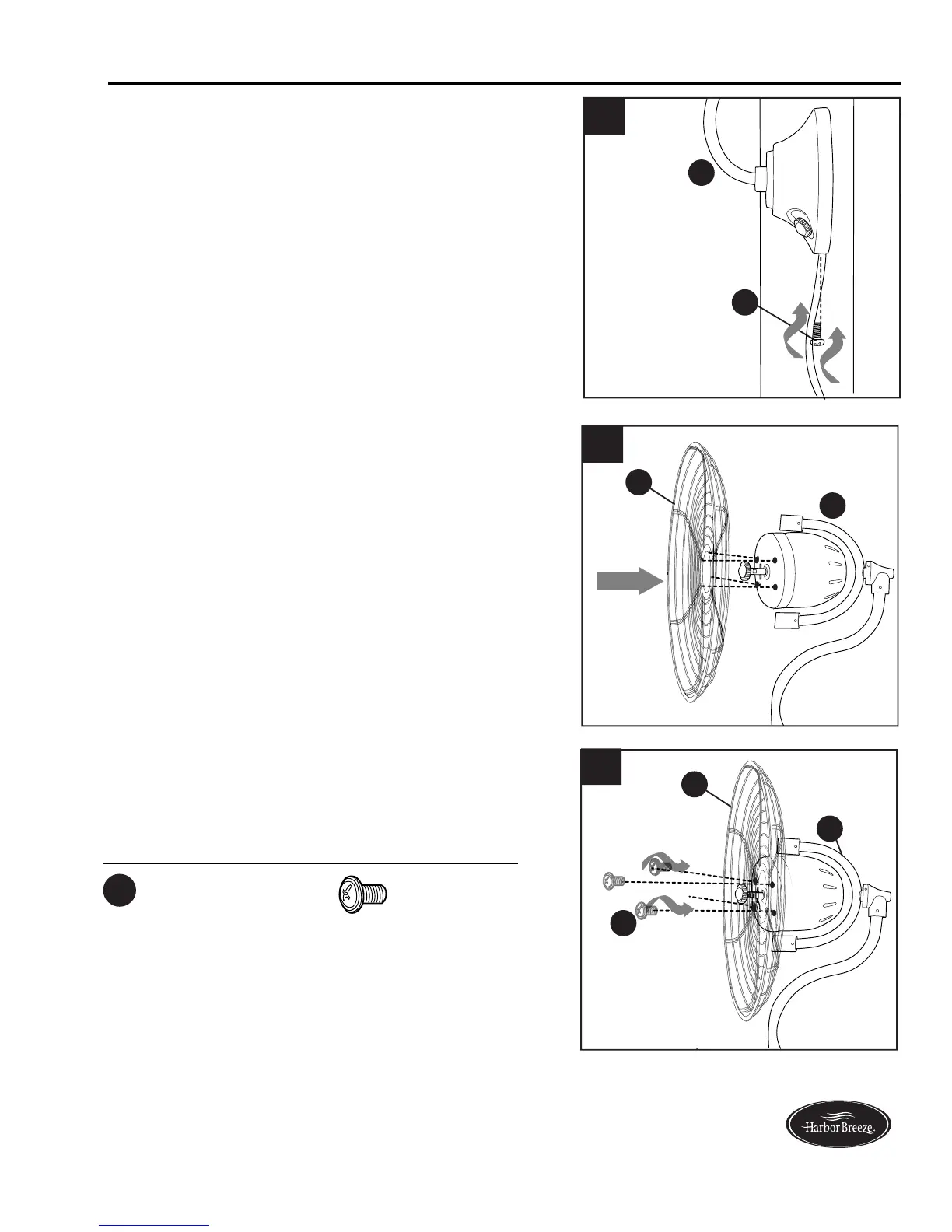
Align the four holes in the front of the motor on fan
assembly (A) with the four holes in the center of the
back cage (E).
7.
7
A
E
2
A
E
Install four back cage screws (CC) into each of the
four holes in the center of the back cage (E) to
secure back cage (E) to motor on fan assembly (A).
8.
8
Replace set screw (G) at bottom of fan assembly
(A). Tighten securely.
6.
6
G
CC
A
ASSEMBLY INSTRUCTIONS
Back Cage Screw x 4
Hardware Used
CC






 To Next Page