EasyManua.ls Logo

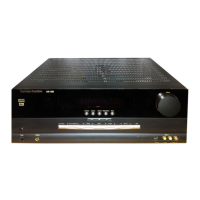
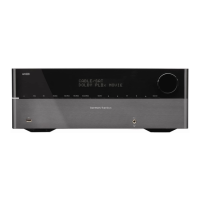
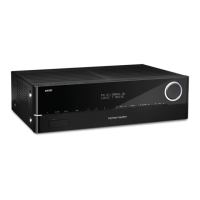
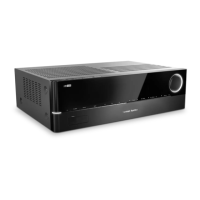
Harman Kardon AVR 151 - User Manual

Harman Kardon AVR 151
47 pages
Print Icon
To Next Page IconTo Next Page
Loading...
®
Audio/video receiver
AVR 1510, AVR 151, AVR 151/230C
Owner’s Manual

Table of Contents

Other manuals for Harman Kardon AVR 151

Questions and Answers

  • R
    Rachel Foster DDSAug 20, 2025
    What to do if my Harman Kardon AVR 151 Receiver front-panel display lights, but there’s no sound or picture?
    • M
      Melissa RiceAug 20, 2025
      If the front-panel display lights up but you're not getting any sound or picture from your Harman Kardon Receiver, ensure all input and speaker connections are securely connected. Also, check to see if the MUTE button is activated. Finally, make sure the volume isn't turned all the way down.
  • M
    Miguel MilesAug 22, 2025
    What to do if there is no sound from center or surround speakers on my Harman Kardon AVR 151?
    • J
      Jasmine NunezAug 22, 2025
      If you're not getting sound from the center or surround speakers on your Harman Kardon Receiver, make sure you've selected a surround mode other than stereo. Also, consider that mono program material contains no surround information. Check the speaker configuration in the setup menu. The surround decoder may not create center or surround-channel information from nonencoded programs.
  • S
    Sarah MartinezAug 25, 2025
    What to do if my Harman Kardon Receiver does not function?
    • J
      Joshua ReynoldsAug 25, 2025
      If your Harman Kardon Receiver isn't functioning, first ensure that the power cord is properly plugged into a working AC power outlet. Also, verify that the AC outlet isn't controlled by a switch that might be turned off.
  • M
    moorejohnAug 26, 2025
    What to do if there is no sound from any speaker connected to my Harman Kardon AVR 151 Receiver?
    • J
      johnsonjosephAug 26, 2025
      Check all speaker wires at both the speaker and AVR connections, looking for any crossed wires. For further assistance, contact your local Harman Kardon service center.
  • B
    Brandon PaceAug 27, 2025
    What to do if unable to establish network connection on Harman Kardon AVR 151?
    • M
      monicabullockAug 28, 2025
      If you're unable to establish a network connection with your Harman Kardon Receiver, try cycling the AVR into the Off mode, and then turn it on again.
  • K
    Kimberly SmithAug 29, 2025
    What to do if my Harman Kardon AVR 151 unit does not respond to remote control commands?
    • T
      Thomas WilsonAug 30, 2025
      If your Harman Kardon Receiver isn't responding to the remote, first replace the batteries in the remote. If that doesn't work, make sure that the receiver's front panel remote sensor has a clear line of sight to the remote.
  • R
    Robert RodriguezAug 31, 2025
    How to fix Harman Kardon Receiver when unable to establish network connection?
    • S
      Sean SmithAug 31, 2025
      If your Harman Kardon Receiver is unable to establish a network connection, try cycling the AVR off and then turning it back on again. This will reboot the system.
  • G
    Garrett MedinaSep 2, 2025
    Why is there intermittent buzzing in the tuner of my Harman Kardon AVR 151?
    • E
      Emily Jones MDSep 2, 2025
      If you're experiencing intermittent buzzing in the tuner of your Harman Kardon Receiver, it might be due to local interference. Try moving the receiver or antenna away from computers, fluorescent lights, motors, or other electrical appliances.
  • R
    Rachel WaltersSep 4, 2025
    How to activate remote control Programming mode on Harman Kardon AVR 151?
    • K
      kbaxterSep 4, 2025
      To activate the remote control Programming mode on your Harman Kardon Receiver, ensure you hold the Source Selector button for at least 3 seconds.
  • R
    Robert HayesSep 6, 2025
    What to do if Harman Kardon AVR 151 Receiver does not respond to remote control commands?
    • J
      Joshua LyonsSep 6, 2025
      If your Harman Kardon Receiver isn't responding to the remote control, first replace the batteries in the remote. If that doesn't work, make sure there's nothing blocking the path between the remote and the receiver's front sensor.

Summary

Introduction, Safety, and Placement

Introduction to Harman Kardon AVR

Background on Harman Kardon's history and the AVR's features.

Supplied Accessories List

Details items included with the AVR for setup and operation.

Important Safety Information

Critical warnings and precautions for safe AVR usage and installation.

AVR Placement Guidelines

Recommendations for optimal AVR placement and ventilation.

Front-Panel Controls Overview

Power, Display, and Source Selection

Covers power modes, display, USB port, and source selection buttons.

Audio and Volume Adjustment

Details volume knob, headphone jack, and channel volume adjustment.

Tuning, Surround Modes, and Navigation

Explains tuning, RDS, surround mode selection, and menu navigation.

Rear-Panel Connectors and Connections

Audio and Digital Connections

Covers Digital Audio, Analog Audio, and Subwoofer Pre-Out connectors.

Video and HDMI Connectivity

Details HDMI Input/Output and Analog Video connectors for displays.

Network and Control Connections

Explains Network, IR/Trigger, and Antenna connectors.

Power Connections

Covers AC Input and Power Cord connections for power supply.

Speaker Connections

Provides guidance on connecting speaker wires to terminals.

System Remote Control Functions

Power, Mute, and Source Selection

Covers power, mute, and switching between audio/video sources.

AVR Control Functions

Details AVR-specific functions like surround modes, volume, and menu access.

Navigation and Setup Operations

Covers navigation, setup, test tone, delay, sleep, and tuner functions.

Media Playback and Other Controls

Explains transport controls, memory, and display dimming functions.

Introduction to Home Theater

Multichannel Audio Concepts

Explains surround sound benefits and speaker types in home theater.

Surround Mode Technologies

Overview of different surround sound processing modes and brands.

Place Your Speakers

Front Speaker Placement

Guidelines for positioning left, center, and right speakers for optimal sound.

Surround Speaker Placement

Guidelines for positioning surround left and right speakers for ambient sound.

Subwoofer Placement

Recommendations for optimal subwoofer positioning for bass performance.

Types of Home Theater System Connections

Speaker and Subwoofer Connections

Details on connecting speakers using wires and the subwoofer via RCA.

Digital Audio Connections

Explains Coaxial and Optical digital audio interfaces for high-quality sound.

Analog and Video Connections

Covers Analog Audio, Composite Video, and Digital Video (HDMI) interfaces.

Network and USB Connectivity

Details network connection via Ethernet and USB port functions.

Making Connections

Speaker and Subwoofer Connections

Instructions for connecting speakers and the subwoofer to the AVR.

Display Connection

Guides for connecting your TV or video display via HDMI or composite.

Source Device Connectivity

Guide to connecting various audio/video sources and assigning inputs.

Digital and Analog Source Connections

Covers HDMI, Optical, Coaxial, and Composite video connections for sources.

Peripheral and Network Connections

Details analog audio, antennas, IR, USB, and network setup.

Power and Trigger Output

Instructions for AC power connection and trigger output usage.

Set Up the Remote Control

Install Remote Control Batteries

Steps for inserting batteries into the system remote control.

Program Remote for Source Devices

Guide to programming the remote to control external source devices.

Reassign Source Selector Buttons

Instructions for changing remote button assignments for different device types.

Set Up the AVR

Initial Setup and Menu Navigation

Turning on the AVR and navigating its on-screen menu system.

Speaker Configuration

Overview of the process for configuring the AVR for your speakers.

Speaker Setup Details

Configuring speakers, crossover, distance, and output levels.

Source and Network Setup

Configuring sources, speaker volumes, and network connection.

AVR Operation and Remote App

Basic AVR operation and usage of the Harman Kardon Remote App.

Operating Your AVR

Basic Audio Control

Adjusting volume, muting sound, and using headphones for private listening.

Source and Surround Mode Selection

Choosing input sources and selecting desired surround sound modes.

Troubleshooting Common Issues

Tips for resolving video display and HDMI connection problems.

Radio and Preset Station Operation

Tuning and managing FM/AM radio stations and saving presets.

USB Device Media Playback

Playing MP3/WMA files from a USB storage device.

iPod;iPhone;iPad and Internet Radio

Playing Apple devices and accessing vTuner internet radio stations.

Home Network Media Streaming

Accessing media stored on DLNA-compatible devices on your network.

Advanced Functions

Audio Processing Overview

Explains processing of analog and digital audio signals for surround sound.

Detailed Surround Mode Descriptions

Comprehensive explanations of various surround sound modes and compatibility.

Dolby Pro Logic II Music Settings

Customizing surround presentation for music, including Center Width, Dimension, and Panorama.

System Settings

Display and Power Management

Settings for panel timeout, auto power off, menu timeout, and status messages.

Audio and HDMI Configuration

Volume defaults, HDMI audio passthrough, and HDMI link settings.

Sleep Timer and System Reset

Sleep timer function and procedure for resetting the AVR processor.

Software Update

Information on installing AVR software upgrades.

Troubleshooting

Common AVR Issues and Solutions

Table of symptoms, causes, and solutions for common AVR problems.

Specifications

Detailed AVR Technical Specifications

Comprehensive technical specifications for audio, video, and tuner sections.

Appendix: Settings and Codes

Source Component Connection Guide

Table mapping various devices to recommended AVR input connections.

Speaker and Delay Setting Defaults

Default values for speaker configuration and sound delay settings.

Source and Surround Mode Defaults

Default settings for source inputs and various surround sound modes.

Remote Control and System Settings Codes

Tables listing remote control codes and default system settings.

Detailed Surround Mode Descriptions

Comprehensive explanations of available surround sound modes and their incoming signals.

Remote Control Function Mapping

Visual guide to numbered remote buttons and their primary functions.

Comprehensive Remote Control Function List

Detailed mapping of remote buttons to functions for various devices and sources.

Remote Control Product Codes - TVs

Codes for programming the remote control for various TV manufacturers.

Remote Control Product Codes - Other Devices

Codes for AUX, VCR, CD, and DVD devices for remote programming.

Remote Control Product Codes - SAT, Game, Cable, Media Server, and TiVo

Codes for SAT, Game, Cable, Media Server, and TiVo devices for remote programming.

Harman Kardon AVR 151 Specifications

General IconGeneral
Impedance27 Ω
Receiver type-
RMS rated power375 W
Audio output channels5.1 channels
Power output per channel (20-20KHz@8 Ohm)75 W
HDMI in4
USB ports quantity1
Ethernet LANYes
AM band range522 - 1.620 kHz
FM band range87.5 - 108 MHz
Supported radio bandsAM, FM
Internet radio services supportedvTuner
Optical drive includedNo
Analog signal format systemPAL
DisplayLCD
HDMI version1.4a
Product colorBlack
Audio decodersDolby Digital 5.1, Dolby Pro Logic II, Dolby TrueHD, DTS-HD Master Audio
Apple docking compatibilityNot supported
AC input voltage220-240 V
AC input frequency50 - 60 Hz
Power consumption (standby)0.5 W
Power consumption (typical)410 W
Cables includedAC
Weight and Dimensions IconWeight and Dimensions
Depth300 mm
Width440 mm
Height121 mm
Weight4600 g

Related product manuals