EasyManua.ls Logo

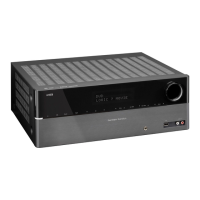
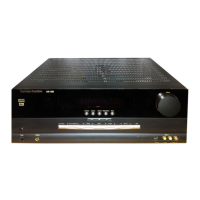
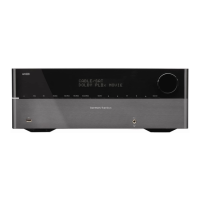
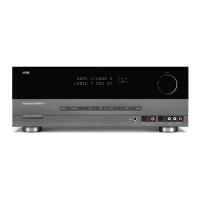
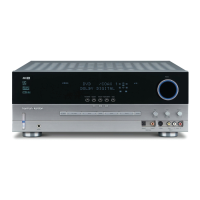
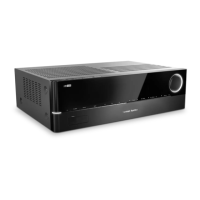
Harman Kardon AVR 1510S - User Manual

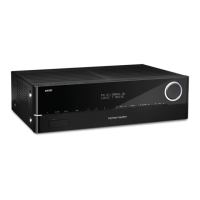
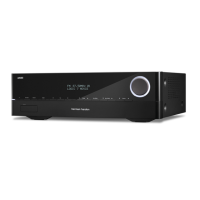
Harman Kardon AVR 1510S
336 pages
Print Icon
To Next Page IconTo Next Page
Loading...
®
Audio/video receiver
AVR 1510S, AVR 151S, AVR 151S/230C
Owner’s Manual
ENGLISH

Table of Contents

Questions and Answers

  • S
    Scott RichardsonJul 30, 2025
    What to do if Harman Kardon Receiver has display lights but no sound or picture?
    • D
      Dawn CantuJul 30, 2025
      If the front-panel display lights up but you're not getting any sound or picture from your Harman Kardon Receiver, there are a few things to check: * Make sure all input and speaker connections are secure. * Verify that the mute function is not enabled by pressing the 'Mute' button. * Ensure the volume control is turned up to an audible level.
  • Z
    zachary47Aug 3, 2025
    Why Harman Kardon AVR 1510S is not responding to remote control commands?
    • J
      jessicatrujilloAug 3, 2025
      If your Harman Kardon Receiver isn't responding to the remote control, try these steps: 1. Replace the batteries in the remote with fresh ones. 2. Make sure there is a clear line of sight between the remote and the receiver's front-panel remote sensor.
  • G
    Greg WilliamsAug 8, 2025
    What to do if there is no sound from any speaker connected to Harman Kardon AVR 1510S?
    • A
      Anthony HunterAug 8, 2025
      If you're not getting any sound from any of the speakers connected to your Harman Kardon Receiver, it's possible the amplifier is in protection mode. This could be due to a short circuit. Check all speaker wires at both the speaker and AVR connections for any crossed wires. If the problem persists, it may be due to internal problems.
  • D
    Danielle TrevinoAug 12, 2025
    Why is there no sound from center or surround speakers on my Harman Kardon Receiver?
    • P
      pamela21Aug 13, 2025
      If you're not hearing sound from the center or surround speakers on your Harman Kardon Receiver, here are some possible causes: * The receiver might be in an incorrect surround mode; try selecting a different surround mode other than stereo. * The program material might be monophonic, which contains no surround information. * The speaker configuration in the setup menu might be incorrect; check the speaker configuration. * The program material might be stereo, and the surround decoder may not be creating center or surround channel information from non-encoded programs.
  • E
    Erica WeissAug 16, 2025
    How to fix Harman Kardon Receiver unable to establish network connection?
    • J
      Joanne BishopAug 16, 2025
      If you are unable to establish a network connection with your Harman Kardon Receiver, try cycling the AVR off and then on again. The AVR network programming may require rebooting.
  • R
    roachchristopherAug 21, 2025
    What causes intermittent buzzing in the tuner of a Harman Kardon AVR 1510S Receiver?
    • K
      Kathleen SmithAug 21, 2025
      If you're experiencing intermittent buzzing in the tuner of your Harman Kardon Receiver, it could be due to local interference. Try moving the AVR or antenna away from computers, fluorescent lights, motors, or other electrical appliances.
  • M
    Mary SmithAug 26, 2025
    Why can't I activate remote control Programming mode on my Harman Kardon AVR 1510S?
    • G
      gmorrisAug 26, 2025
      If you're unable to activate the remote control Programming mode on your Harman Kardon Receiver, ensure that you hold the Source Selector button for at least 3 seconds.

Summary

Important Safety Information

Front-Panel Controls

Front-Panel Controls Overview

Diagram showing the layout of the AVR's front panel controls.

Front-Panel Control Operations

Detailed explanation of the functions for each front-panel control.

Rear-Panel Connectors

System Remote Control Functions

Place Your Speakers

Types of Home Theater System Connections

Making Connections

Connecting Audio and Video Source Devices

Connecting various source components and assigning inputs.

Set Up the Remote Control

Set Up the AVR

Speaker Configuration and Setup

Details speaker settings, crossover frequencies, and distance adjustments.

Source Configuration

Assigning physical audio and video connections to source buttons.

Network Configuration

Steps for connecting the AVR to a home network.

Operating Your AVR

Advanced Functions

Audio Processing and Surround Sound Modes

Details on audio formats and various surround sound modes.

System Settings and Configuration

Customizing AVR features like panel timeout and HDMI settings.

Troubleshooting

Harman Kardon AVR 1510S Specifications

General IconGeneral
Receiver typeSurround
Input sensitivity250 mV
Audio output channels5.1 channels
Signal-to-Noise Ratio (SNR)38 dB
Total Harmonic Distortion (THD)0.1 %
Power output per channel (20-20KHz@8 Ohm)75 W
HDMI in4
Digital audio optical in1
Speakers connectivity typeBinding post
Ethernet LAN-
AM band range522 - 1.62 kHz
FM band range87.5 - 108 MHz
Internet radioYes
Supported radio bandsAM, FM
Optical drive includedNo
Product colorBlack
Audio decodersDTS, Dolby Digital, Dolby Pro Logic II
AC input voltage220-240 V
AC input frequency50 - 60 Hz
Power consumption (standby)0.5 W
Cables includedAC
Weight and Dimensions IconWeight and Dimensions
Depth300 mm
Width440 mm
Height121 mm
Weight4600 g

Related product manuals