EasyManua.ls Logo

Harman Kardon DC5300 - User Manual

Harman Kardon DC5300
17 pages
Print Icon
To Next Page IconTo Next Page
Loading...
a
e
erase
Foe
ef
teed
Gee
Bae
a
ee
PS
me
ie
ae
me
_
he
6/8)
prustc.
||
IwFRO
SCAN
DIRECTION
MODE
music
séarcul|
EueCr
copy
Pile
0
TRANSPORT
REVER
:
4
.
SELECTOR
:
>
pe
AEC
MUTE
polavecir
|t
mex
enter
p
fa
Dual
Cassette
Deck
OWNERS
MANUAL

Other manuals for Harman Kardon DC5300

Question and Answer IconNeed help?

Do you have a question about the Harman Kardon DC5300 and is the answer not in the manual?

Summary

Introduction to Harman Kardon Dual Cassette Deck

Important Safety Precautions

Critical safety warnings about electric shock, not removing covers, and potential hazards.

Key Features and Innovations

Highlights of the unit's features like Dual Mode Copying, Auto Tape Sensor, Discrete Circuitry, and Dolby HX PRO.

General Operating and Safety Guidelines

Electrical Safety and Cord Handling

Instructions on using the correct voltage, handling the power cord safely, and avoiding damage.

Unit Placement and Environmental Considerations

Advice on placing the unit on a firm surface and avoiding unsuitable environments like moist or hot locations.

Maintenance and Service Information

Guidance on cleaning the unit and when to seek professional service for repairs.

Installation and Connectivity

Packaging and Initial Placement

Importance of saving packing material and guidelines for placing the unit within a stereo system.

Connecting to Stereo Components

Instructions for connecting the cassette deck's input and output jacks to a receiver or amplifier.

External Signal Processor Integration

Notes on connecting the deck when using external signal processing components like equalizers.

Remote Control and System Linking

Connecting to external sensors and linking with other components via remote control jacks.

Front Panel Controls and Functions

Transport and Power Controls

Explanation of Power Switch, Stop, Play, Rewind, Fast Forward, Reverse Play, and Eject buttons.

Recording and Level Adjustments

Details on Rec/Pause, Input Level, Input Balance, Dolby NR, and MPX Filter controls.

Special Operation Buttons

Description of Intro Scan, Rec Mute, Copy, Hi-Speed Copy, Sync Reverse, and Dual Record buttons.

Advanced Controls and Indicators

Bias Adjustment and Music Search

Using Primary/Secondary Bias, Music Search, Edit, Auto Pause, and Memory functions.

Copying and Recording Modes

Instructions for using Copy, Hi-Speed Copy, Sync Reverse, Dual Record, and Edit modes.

Understanding Display Indicators

Transport and Mode Status

Indicators for Primary/Secondary transport, Record mode, and Transport Mode (one way, auto reverse).

Function and Signal Indicators

Explanations for Dolby NR, MPX Filter, Intro Scan, Music Search, Copy, Edit, and Level indicators.

Remote Control Operation

Remote Control System Overview

Information on the remote control's effective range, operation, and battery requirements.

Remote Control Button Functions

Description of remote buttons mirroring deck functions like Display, Dual Rec, and playback controls.

Basic Cassette Deck Operations

Single Deck Usage and Tape Handling

Operating the unit as a single deck, inserting tapes, and basic playback procedures.

Recording and Playback Procedures

Step-by-step guide to recording audio, setting levels, and using Dolby NR and MPX Filter.

Basic Recording and Copying

Managing Recording Sessions

How to pause, stop, and use Rec Mute during recording operations.

Cassette Copying Techniques

Instructions for performing normal speed and high-speed copies between tapes.

Advanced Dual Deck Operations

Dual Cassette Play and Record Modes

Operating the unit for continuous playback and recording across two tapes.

Continuous Play and Record Setup

Configuration steps for continuous play and continuous recording sessions.

Sync Reverse Copying Functionality

Using the Sync Reverse mode to synchronize tape copying and direction changes.

Advanced Editing and Recording Features

Editing and Dubbing Techniques

Using Edit mode, Auto Pause, Blank Skip, and Music Search for precise recordings.

Special Recording Adjustments

Details on Dual Record, Setting Bias Fine Trim, and Memory Rewind functions.

Tape Search and Preview Functions

Music Search and Blank Skip Utility

Efficiently locating desired music segments or skipping silent passages on tapes.

Intro Scan Tape Preview

Using the Intro Scan feature to preview the first 15 seconds of recorded segments.

Maintenance and Tape Care

Tape Head Cleaning and Demagnetization

Procedures for cleaning tape heads and demagnetizing the unit for optimal sound quality.

Cassette Tape Storage and Protection

Guidelines for proper storage of tapes and preventing accidental erasure.

Troubleshooting Common Issues

Problem Diagnosis Checklist

Guide to identifying common operational problems encountered with the cassette deck.

Solutions for Operational Errors

A list of checks and solutions for issues like display not illuminating or no sound.

Technical Specifications

Model Specific Technical Data

Detailed specifications including tape speed, frequency response, signal-to-noise ratio, and dimensions.

Summary

Introduction to Harman Kardon Dual Cassette Deck

Important Safety Precautions

Critical safety warnings about electric shock, not removing covers, and potential hazards.

Key Features and Innovations

Highlights of the unit's features like Dual Mode Copying, Auto Tape Sensor, Discrete Circuitry, and Dolby HX PRO.

General Operating and Safety Guidelines

Electrical Safety and Cord Handling

Instructions on using the correct voltage, handling the power cord safely, and avoiding damage.

Unit Placement and Environmental Considerations

Advice on placing the unit on a firm surface and avoiding unsuitable environments like moist or hot locations.

Maintenance and Service Information

Guidance on cleaning the unit and when to seek professional service for repairs.

Installation and Connectivity

Packaging and Initial Placement

Importance of saving packing material and guidelines for placing the unit within a stereo system.

Connecting to Stereo Components

Instructions for connecting the cassette deck's input and output jacks to a receiver or amplifier.

External Signal Processor Integration

Notes on connecting the deck when using external signal processing components like equalizers.

Remote Control and System Linking

Connecting to external sensors and linking with other components via remote control jacks.

Front Panel Controls and Functions

Transport and Power Controls

Explanation of Power Switch, Stop, Play, Rewind, Fast Forward, Reverse Play, and Eject buttons.

Recording and Level Adjustments

Details on Rec/Pause, Input Level, Input Balance, Dolby NR, and MPX Filter controls.

Special Operation Buttons

Description of Intro Scan, Rec Mute, Copy, Hi-Speed Copy, Sync Reverse, and Dual Record buttons.

Advanced Controls and Indicators

Bias Adjustment and Music Search

Using Primary/Secondary Bias, Music Search, Edit, Auto Pause, and Memory functions.

Copying and Recording Modes

Instructions for using Copy, Hi-Speed Copy, Sync Reverse, Dual Record, and Edit modes.

Understanding Display Indicators

Transport and Mode Status

Indicators for Primary/Secondary transport, Record mode, and Transport Mode (one way, auto reverse).

Function and Signal Indicators

Explanations for Dolby NR, MPX Filter, Intro Scan, Music Search, Copy, Edit, and Level indicators.

Remote Control Operation

Remote Control System Overview

Information on the remote control's effective range, operation, and battery requirements.

Remote Control Button Functions

Description of remote buttons mirroring deck functions like Display, Dual Rec, and playback controls.

Basic Cassette Deck Operations

Single Deck Usage and Tape Handling

Operating the unit as a single deck, inserting tapes, and basic playback procedures.

Recording and Playback Procedures

Step-by-step guide to recording audio, setting levels, and using Dolby NR and MPX Filter.

Basic Recording and Copying

Managing Recording Sessions

How to pause, stop, and use Rec Mute during recording operations.

Cassette Copying Techniques

Instructions for performing normal speed and high-speed copies between tapes.

Advanced Dual Deck Operations

Dual Cassette Play and Record Modes

Operating the unit for continuous playback and recording across two tapes.

Continuous Play and Record Setup

Configuration steps for continuous play and continuous recording sessions.

Sync Reverse Copying Functionality

Using the Sync Reverse mode to synchronize tape copying and direction changes.

Advanced Editing and Recording Features

Editing and Dubbing Techniques

Using Edit mode, Auto Pause, Blank Skip, and Music Search for precise recordings.

Special Recording Adjustments

Details on Dual Record, Setting Bias Fine Trim, and Memory Rewind functions.

Tape Search and Preview Functions

Music Search and Blank Skip Utility

Efficiently locating desired music segments or skipping silent passages on tapes.

Intro Scan Tape Preview

Using the Intro Scan feature to preview the first 15 seconds of recorded segments.

Maintenance and Tape Care

Tape Head Cleaning and Demagnetization

Procedures for cleaning tape heads and demagnetizing the unit for optimal sound quality.

Cassette Tape Storage and Protection

Guidelines for proper storage of tapes and preventing accidental erasure.

Troubleshooting Common Issues

Problem Diagnosis Checklist

Guide to identifying common operational problems encountered with the cassette deck.

Solutions for Operational Errors

A list of checks and solutions for issues like display not illuminating or no sound.

Technical Specifications

Model Specific Technical Data

Detailed specifications including tape speed, frequency response, signal-to-noise ratio, and dimensions.

Overview

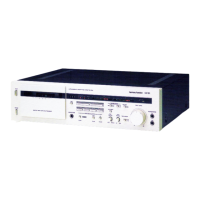
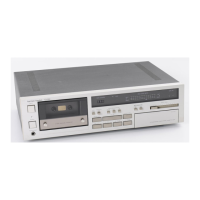
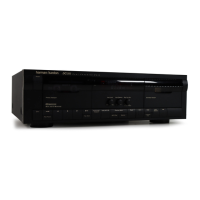
The Harman Kardon DC5300/DC5500/DC5700 is a dual cassette deck designed for high-fidelity audio recording and playback. This owner's manual provides comprehensive instructions for its operation, installation, and maintenance, ensuring years of superb performance.

Function Description

The DC5300/DC5500/DC5700 series offers a range of features for both casual and advanced users. Its core function is to play and record audio on cassette tapes, with the added benefit of dual cassette transports for copying and continuous playback.

  • Dual Mode Copying: This feature allows users to make high-quality cassette copies in either "real time" or at high speed. The unit automatically manages the copying process, including rewinding both tapes to their beginning and initiating recording.
  • Recording Capabilities: The deck supports recording from external sources, with adjustable input levels and balance. It incorporates Dolby* HX PRO headroom extension (DC5500 and DC5700 only), which automatically monitors signal levels and adjusts bias during recording to prevent distortion, even at higher input levels. This results in higher-fidelity recordings that can be played back on any cassette deck. Dolby B and C Noise Reduction are also available to minimize tape hiss.
  • Playback Capabilities: The deck plays back cassette tapes in both forward and reverse directions. It automatically detects the type of tape in use and sets the appropriate Bias/Equalization circuitry. Users can select Dolby B or C Noise Reduction settings to match the original recording.
  • Dual Cassette Deck Operation: The unit can be operated as a single cassette deck, with either the Primary or Secondary transport selected. In dual cassette mode, it enables continuous play between two different tapes and facilitates copying.
  • Continuous Play: With a pre-recorded tape in each transport, the unit can play both sides of the tape in the Primary Transport, followed by both sides of the tape in the Secondary Transport, for extended listening.
  • Continuous Record (DC5700 only): This feature allows for continuous recording across both transports, recording both sides of the tape in the Primary Transport, followed by both sides of the tape in the Secondary Transport.
  • Edit Mode: Edit mode allows users to create recordings by selecting segments from multiple recorded tapes. It includes an Auto Pause feature (DC5500 and DC5700 only) to automatically pause at the end of each track, and a Blank Skip Edit function (DC5500 and DC5700 only) that skips silent sections on the source tape.
  • Music Search (DC5500 and DC5700 only): This feature rapidly locates the start of any desired segment on a pre-recorded tape, allowing users to skip forward or backward through tracks.
  • Intro Scan (DC5500 and DC5700 only): At a single touch, the unit automatically previews a pre-recorded tape by playing the first 15 seconds of each segment, then rapidly advancing to the next.
  • Memory Rewind: The Linear Time Counter allows for rapid rewinding to a desired point on a tape, indicated in minutes and seconds. Users can set a memory point (00:00) and return to it later.
  • Remote Control (DC5500 and DC5700 only): A convenient remote control unit is included, offering access to commonly used functions, as well as special features like Intro Scan and Music Search. The deck also supports external infrared remote sensors and can control other compatible stereo components.

Usage Features

The DC5300/DC5500/DC5700 is designed for user-friendly operation with an emphasis on simple, streamlined controls and clear feedback.

  • Unique Operating Software: The unit's operating software is designed with the user in mind, making recording and playback intuitive.
  • Large Fluorescent Display: Function settings and signal levels are clearly indicated in bright, easy-to-read alphanumerics, providing immediate visual feedback on the unit's status.
  • Ergonomic Design: Controls are engineered and positioned for simple, error-free recording and playback, minimizing the chance of operational mistakes.
  • Auto Tape Sensor: The unit automatically determines the type of tape (Type I, Type II, or Metal) inserted into the transport and sets the appropriate Bias/Equalization circuitry, simplifying setup for optimal recording and playback quality.
  • Quick Auto Reverse: While in Record mode, the unit automatically senses the leader at the end of the tape and reverses direction, allowing for extended, uninterrupted recording times. During playback, Auto Reverse can be set to play each side of the tape up to eight times continuously.
  • Linear Time Counter: A digital counter displays tape position in minutes and seconds, providing precise tracking of tape progress.
  • Bias Fine Trim: This control allows users to fine-tune the amount of high frequencies recorded, optimizing sound quality for different tape types and recording preferences. It has no effect during playback.
  • Rec Mute: This button records four seconds of silence and then returns the deck to Record Pause mode, useful for creating clean transitions between selections or for recording additional material.
  • MPX Filter: This filter should be engaged when using Dolby Noise Reduction while recording FM stereo broadcasts, to prevent unwanted high-frequency signals from interfering with the Dolby system.
  • Sync Reverse: When making "real time" or high-speed copies, this mode activates automatic synchronized reverse copying. If the leader of the recorded tape is detected, the Secondary Transport pauses while the Primary Transport enters Record Mute. Once the blank tape's leader is reached, both transports reverse direction, and recording continues.

Maintenance Features

Proper maintenance is crucial for ensuring the longevity and optimal performance of your cassette deck.

  • Cleaning the Tape Heads: Tape heads must be cleaned periodically to remove tape particles that accumulate and impair sound quality. This can be done by gently rubbing the head surfaces with a cotton swab dampened with isopropyl alcohol every 30 tapes, or by using a tape head cleaning kit.
  • Demagnetization: Tape heads and other internal parts can gradually pick up magnetic fields, leading to noise and partial erasure of tapes. Periodic demagnetization is recommended using either a battery-powered demagnetizer (in cassette form) or a more powerful hand-held demagnetizer. Care must be taken with hand-held demagnetizers to avoid damage and to keep recorded tapes away during the process.
  • Care of Tapes: To preserve tape quality, cassettes should be stored in their cases, away from direct sunlight, excessive heat, and high humidity. Avoid placing tapes near televisions or loudspeakers, as their magnetic fields can partially erase recordings. To prevent accidental erasure, the two square tabs on the cassette can be removed; these can be covered with adhesive tape if re-recording is desired later. Old cassettes with tape that no longer moves smoothly should be avoided to prevent jamming and damage to the deck.

The Harman Kardon DC5300/DC5500/DC5700 is a robust and feature-rich dual cassette deck, designed to provide an excellent audio experience through its thoughtful engineering and user-centric design.

Harman Kardon DC5300 Specifications

DC5300

Audio Specifications IconAudio Specifications
tape speed4.76 cm/sec
heads (primary/secondary)2/1
record/play head typeHard Permalloy
frequency response with metal tape20Hz-18kHz, +/-3dB
copy mode frequency response with metal tape20Hz-17kHz, +/-3dB
wow-and-flutter NAB, WRMS06%
wow-and-flutter DIN12%
signal-to-noise ratio with Type II Tape, Dolby off57dB
signal-to-noise ratio with Type II Tape, Dolby B on65dB
signal-to-noise ratio with Type II Tape, Dolby C on73dB
total harmonic distortion at 1kHz, metal tape, Dolby level1.5%
channel separation45dB
channel crosstalk700B
erase ratio60dB
bias frequency105kHz
fast forward and rewind time (C-60)90 sec.
peak reading meter range-35dB to +8dB
output level at OdB, 10k Ohm load640 mV
input sensitivity (OdB) line/impedance45 mV/22 kOhms
Weight and Dimensions IconWeight and Dimensions
dimensions (w x h x d)443 x 134 x 342 mm
weight17.2 lbs/7.8 kg

DC5500

Audio Specifications IconAudio Specifications
tape speed4.76 cm/sec
heads (primary/secondary)2/1
record/play head typeIsotropic
frequency response with metal tape20Hz-18kHz, +/-3dB
copy mode frequency response with metal tape20Hz-18kHz, +/-3dB
wow-and-flutter NAB, WRMS06%
wow-and-flutter DIN12%
signal-to-noise ratio with Type II Tape, Dolby off57dB
signal-to-noise ratio with Type II Tape, Dolby B on65dB
signal-to-noise ratio with Type II Tape, Dolby C on73dB
total harmonic distortion at 1kHz, metal tape, Dolby level1.5%
channel separation45dB
channel crosstalk700B
erase ratio60dB
bias frequency105kHz
fast forward and rewind time (C-60)90 sec.
peak reading meter range-35dB to +8dB
output level at OdB, 10k Ohm load640 mV
input sensitivity (OdB) line/impedance45 mV/22 kOhms
Weight and Dimensions IconWeight and Dimensions
dimensions (w x h x d)443 x 134 x 342 mm
weight17.2 lbs/7.8 kg

DC5700

Audio Specifications IconAudio Specifications
tape speed4.76 cm/sec
heads (primary/secondary)2/2
record/play head typeisotropic
frequency response with metal tape20Hz-18kHz, +/-3dB
copy mode frequency response with metal tape20Hz-18kHz, +/-3dB
wow-and-flutter NAB, WRMS06%
wow-and-flutter DIN12%
signal-to-noise ratio with Type II Tape, Dolby off57dB
signal-to-noise ratio with Type II Tape, Dolby B on65dB
signal-to-noise ratio with Type II Tape, Dolby C on73dB
total harmonic distortion at 1kHz, metal tape, Dolby level1.5%
channel separation45dB
channel crosstalk700B
erase ratio60dB
bias frequency105kHz
fast forward and rewind time (C-60)90 sec.
peak reading meter range-35dB to +8dB
output level at OdB, 10k Ohm load640 mV
input sensitivity (OdB) line/impedance45 mV/22 kOhms
Weight and Dimensions IconWeight and Dimensions
dimensions (w x h x d)443 x 134 x 342 mm
weight17.2 lbs/7.8 kg

Related product manuals