Revision C • 10/07
HARRIS CORPORATION
3-1
3
Console Operation
This chapter covers how to use the RMX-
digital
console controls.
Console Overview
RMX
digital
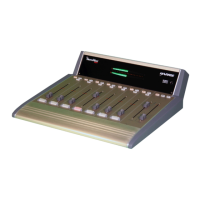
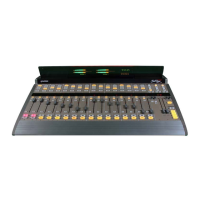
consoles consist of: a mainframe;
one Monitor Control panel; multiple Universal
Dual Fader panels; a Console Display (with two
stereo bargraph meters, clock, and timer); and a
rack-mount power supply.
UNIVERSAL DUAL FADER PANELS
Input audio is selected and level controlled us-
ing the “channel strip” controls on Universal Dual
Fader panels. The initial input source for each
channel strip is set by loading a session file—a
console setup file previously created by engineer-
ing or operations.
Multiple session files can be saved to the con-
sole to set-up that console for specific dayparts or
for specific applications (e.g., a morning zoo show
setup versus a single board operator setup, or voice
tracking versus commercial production). Session
files are selected and “taken” using the session se-
lection controls on the Monitor Control panel.
Each dual fader panel has two separate chan-
nel strips for controlling two audio signals inde-
pendently. The audio signals may be connected
to the RMX
digital
or, when the console is net-
worked in a VistaMax system, may come from
other RMX
digital
consoles or VistaMax or En-
voy cardframes.
A Quick Guide to using Universal Dual Fader
panels is on pages 3-2 and 3-3.
MONITOR CONTROL PANEL
This standard panel is installed near the right
side of the frame. The panel is divided into three
columns:
• Session / Timer / Aux Meter controls
• Control Room Monitor controls
• Studio Monitor controls
A Quick Guide to using the Monitor Control
panel is on pages 3-4 to 3-7.
CONSOLE DISPLAY
Two displays are available for the RMX
digital
:
the original direct-view display and a low-profile
Reflective Console Display. Each is set onto the
countertop behind the control panels. Each type
has two signal level meters (which show the Pro-
gram 1 bus and a selectable auxiliary source), a
time of day clock, and an event timer. A Quick
Guide to the Console Displays is on page 3-8.
POWER SUPPLY
The RMX
digital
power supply is designed spe-
cifically for 24/7 operation and should not be pow-
ered down since doing so will cause complete sig-
nal interruption.
A recessed power switch on the front panel of
the supply is used to turn off the power supply. If
it is turned off, wait at least fifteen seconds before
turning the supply back on.
NOTE: Mainframe backup batteries hold the
channel settings for a limited amount of time dur-
ing momentary power outages. However, it will still
take about 90 seconds for the console to “boot up”
and become available after the power supply is
turned on.


 To Next Page