Revision C • 10/07
HARRIS CORPORATION
3-9
3 Operation
nal level) or average and peak (a solid bargraph
represents the average level with a single bar, typi-
cally 6 to 10 dB higher than the average bargraph,
representing the peak level).
The two blue peak indicators may light up in
either mode to indicate the signal is too hot. The
level at which the blue peak indicators turn on (0,
-2, -4, or -6 dBFS), and the meter display mode
(peak hold, where the highest peak bar stays lit
for about 3 seconds, or non-peak hold, where the
peak more accurately follows the signal), is set
separately for each meter during installation.
RMX
digital
Applications
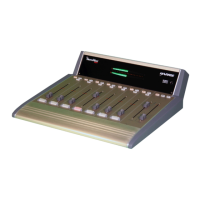
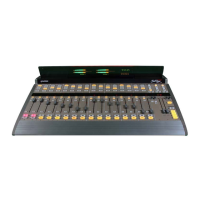
The RMX
digital
is a very flexible on-air, pro-
duction, newsroom, or voicing studio console that
may be installed as a stand-alone console or as an
integral part of a VistaMax audio management
system. Because of its flexibility and its compact
design, some features require knowledge beyond
the typical console operation of select a bus, run
the fader up and turn the channel on. Here’s an
overview of some of these operator features.
VISTAMAX INTEGRATION
When the RMX
digital
console is tied into a Vis-
taMax audio management system, an almost un-
limited number of audio and audio-with-logic sig-
nals become available to the console. These sig-
nals can originate locally (by being connected di-
rectly to a console input) or they can be networked
signals that are physically connected to remotely
located VistaMax frames (typically located in the
terminal or rack room) or to other networked
RMX
digital
and BMX
digital
consoles located else-
where in the facility.
To a console operator, a VistaMax system con-
sists of two parts: sources and destinations. A
source is simply an analog or a digital signal from
a satellite receiver, a Telco interface, a remote traf-
fic feed, a processed mic, a digital delivery system
output, an ISDN output—any audio signal needed
in the facility that is plugged into a RMX
digital
console, a BMX
digital
console or a VistaMax rack
card.
Once a source is connected, it can then be made
available to be selected for any number of desti-
nations. A destination is an output on a VistaMax
rack card, a channel on an RMX
digital
console or
a KSU card routed output.
Each channel strip in an RMX
digital
console is
a destination and, as such, can be allowed com-
plete access to every source in the entire VistaMax
system or, to simplify source selection, to a lim-
ited subset of sources deemed most valuable to
that channel. This can mean the channel is lim-
ited to only one source, as would typically be the
case with a mic input channel. Just how large a
selection list is shown when the source selector is
rotated is set by the session file.
Thus, accessing networked VistaMax signals is
done in the same manner as accessing any locally
connected input source: use the source selector
rotary knob to select a new source—which is
shown in the 10-character display, and while the
Next LED is lit, press
Take
to select that source as
the new input for the channel.
Since each channel shares a single display for
the current source name and the next source name,
as soon as the source selector is turned, a Next
LED turns on to indicate the display is now show-
ing other available source names in alphanumeric
order. This same type of control is used to select
session files and select alternate monitor sources
for the control room and studio.
Once the desired source is shown in the display
and the Next LED is still lit, firmly press
Take
to
select the new source. If the Next LED goes out
before
Take
is pressed, the display reverts to the
current source name and no source change is per-
formed.


 To Next Page