Revision C • 10/07
HARRIS CORPORATION
5-9
5 Service
tion, the KSU is the network interface for the Vis-
taMax system for both communications and for
the VistaMax Link I/O.
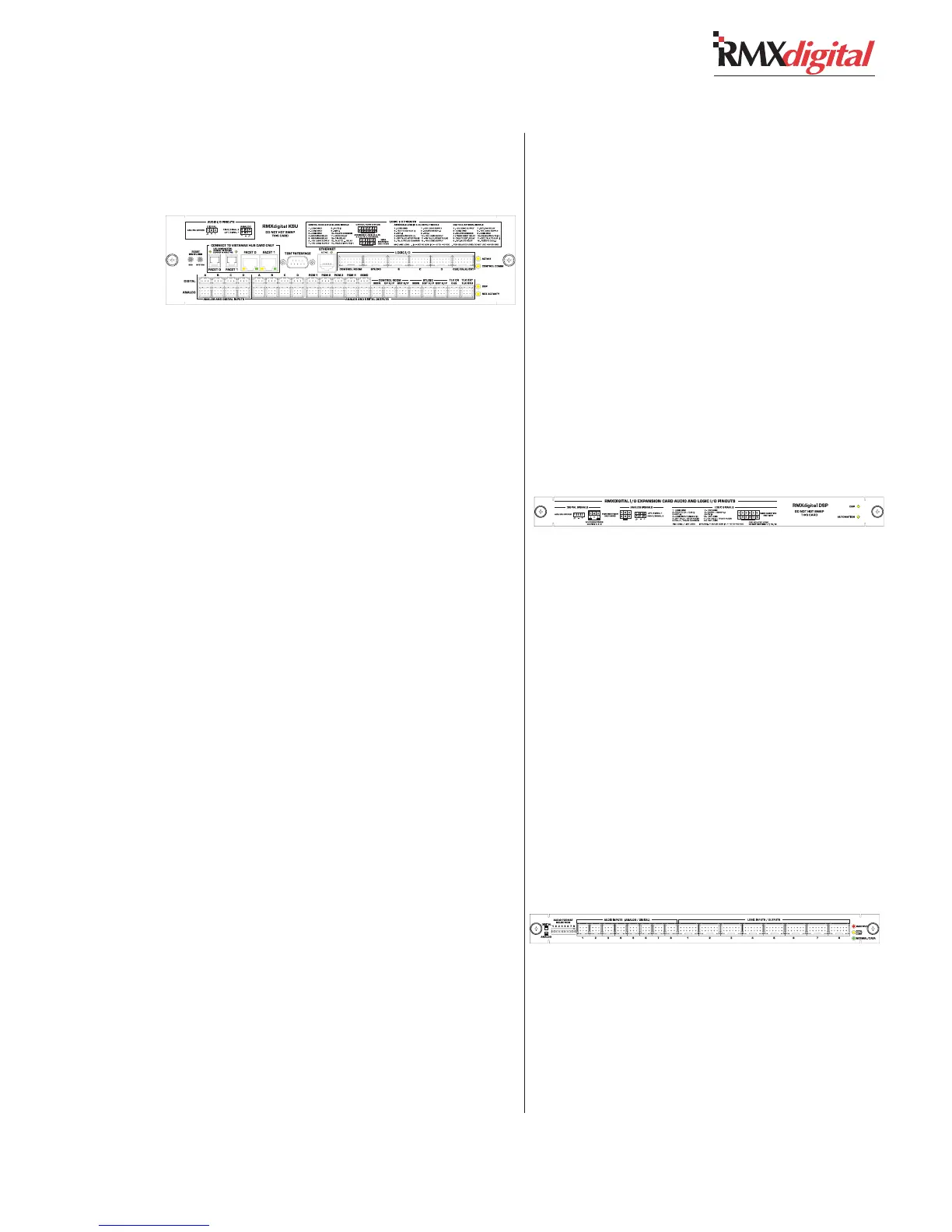
KSU Card Service Info
There are four yellow LEDs near the right end
of the card that indicate operational status:
• Active LED. On solid indicates normal opera-
tion. It is off when the system is starting or if a
card problem is encountered.
• Control Comm LED. Flashes to indicate
Ethernet communications.
• DSP LED. Blinks with a “heartbeat rhythm”
to indicate the DSP is active. On the RMX
d
-4, the
LED flashes twice as fast as on other frame sizes
to indicate the KSU is the master DSP. On larger
frame sizes the leftmost DSP card’s LED will flash
twice as fast as this LED to indicate the master.
• Net Activity LED. Flashes to indicate VistaMax
network activity.
The Active LED on the Ethernet connector lights
up to indicate a good connection when a CAT-5
cable is connected to an active port on a computer
or a network hub or switch.
The green LED on the optical Facet connection
or both the yellow and green LEDs on the copper
connection must be on solid to indicate a good
connection to a VistaMax Hub card.
Two reset switches are on the left end of the
panel. Pressing the SBC reset switch resets the
Single Board Computer on the KSU card, which
does not affect console settings and signals. It only
causes the SBC to reestablish its Ethernet connec-
tion with the network, which typically requires one
to two minutes. During this time no new routes
can be made or sessions taken or saved.
Pressing the other reset switch (System) causes
audio signal interruption by resetting the console.
It is equivalent to power cycling the console by
turning off the power supply.
The Test Interface connector can connect the
console to the serial port on the setup computer.
Use HyperTerminal to view serial communications
from the console during start-up. This includes
such data as the IP address and network name
for the console (see page 4-27 for added details
on using the serial port)
NOTE: This card cannot be plugged in, or un-
plugged, while the console is powered up.
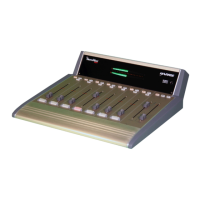
DSP Card Service Info
There are two yellow LEDs near the right end
of the card that indicate operational status:
• DSP LED. Blinks with a “heartbeat rhythm”
to indicate the DSP is active. The leftmost DSP
card’s LED will flash twice as fast as the LEDs on
the other DSP cards and the KSU to indicate it is
the master DSP card.
• Automation LED. Flashes to indicate VistaMax
network activity.
NOTE: This card cannot be plugged in, or un-
plugged, while the console is powered up.
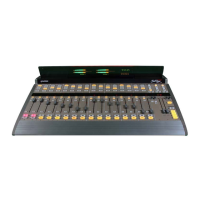
8-In Exp Card Service Info
There are three LEDs near the right end of the
card that indicate operational status:
• Inactive LED (red). This LED is off during
normal operation. It is on when the system is start-
ing up or if a card problem is encountered.


 To Next Page