Revision C • 10/07
HARRIS CORPORATION
6-2
6 Accessories
MIC REMOTE CONTROL PANELS
Three mic remote control panels are available
for the RMX
digital
. The most basic panel is the
99-1197 with On, Off, and Cough buttons (shown
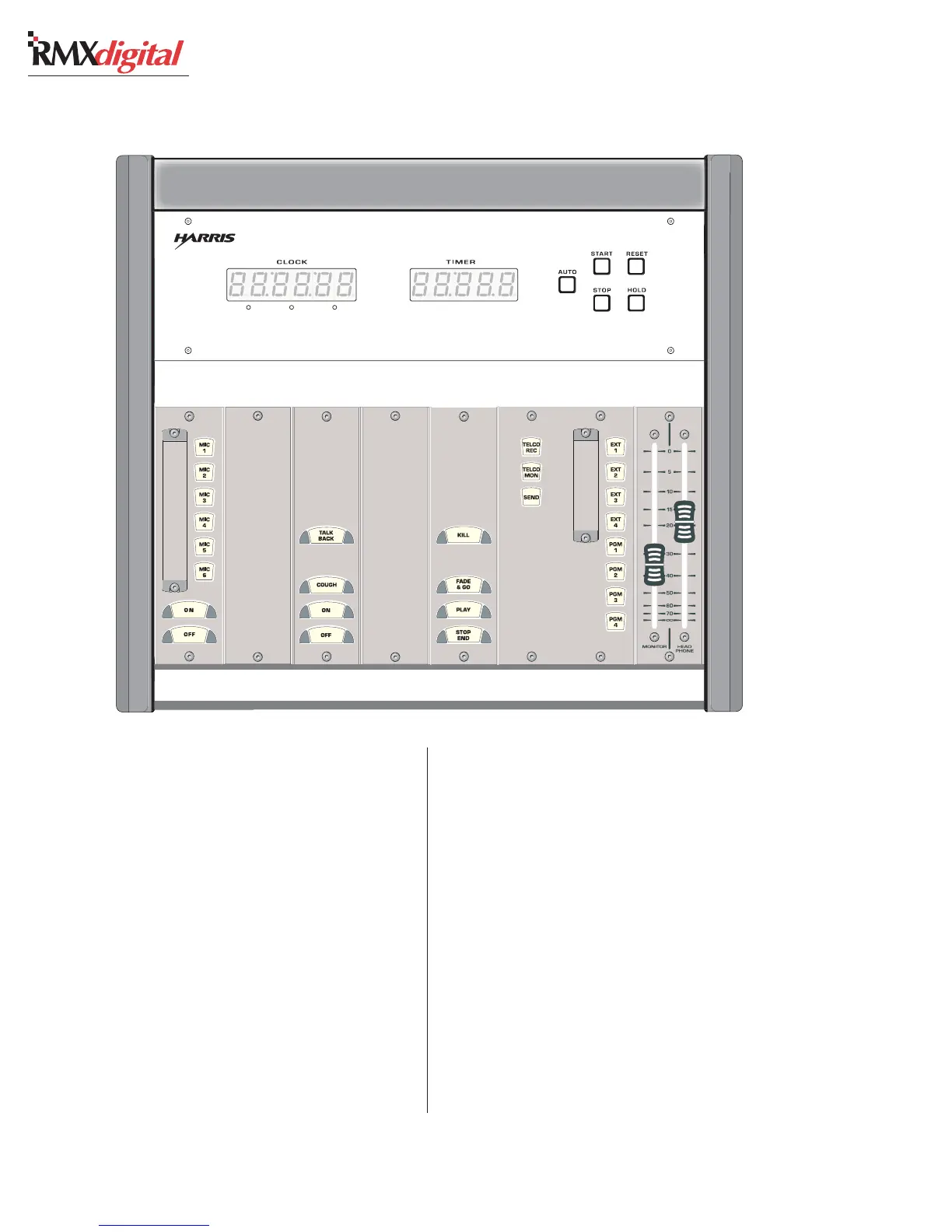
on page 6-1). The 99-1198 (shown in the Host
Turret example above) adds a Talkback button to
the three basic panel buttons. A simplified sche-
matic, and connection information, for these pan-
els is shown on page 6-4.
The 99-1210 Group Mic Controller (also shown
above) is used when separate guest mic control
panels are not installed. The panel gives one host
On/Off control for up to six microphones on a
single 1.6" panel.
STUDIO MONITOR SELECTOR &
FADER PANELS
The studio monitor’s source selection can be
controlled in the studio by using a Studio Monitor
Selector Panel (99-1190) with the RMX
digital
. The
panel connects to the rear of the RMXdigital using
a straight-thru CAT-5 cable.
A Single (99-1191) or a Dual Fader Level Panel
(99-1192) can be plugged into the Studio Monitor
Selector for controlling the output level of the
studio monitors. A Dual Fader is used with a 99-
1214-1 or -2 headphone jack panel to control the
host’s headphone level when using the 99-1215
headphone amplifier.
Group Mic Blank Host, Mic Blank Digital Delivery Studio Selector Panel Dual Fader
Control Panel Panel Control Panel Panel System Panel Panel
99-1210 99-1714-3 99-1198 99-1714-3 99-1195 99-1190 99-1192
99-1211 Turret Clock and Event Timer
99-1213 STUDIO CONTROL TURRET, APPLICATION EXAMPLE


 To Next Page