Tutorial
Tutorial
Power On
Power on the unit by toggling the power switch (far right end of the 32Classic MS to the up (I) position. Power
off the unit by toggling the power switch down to the (O) position.
Front Panel Controls
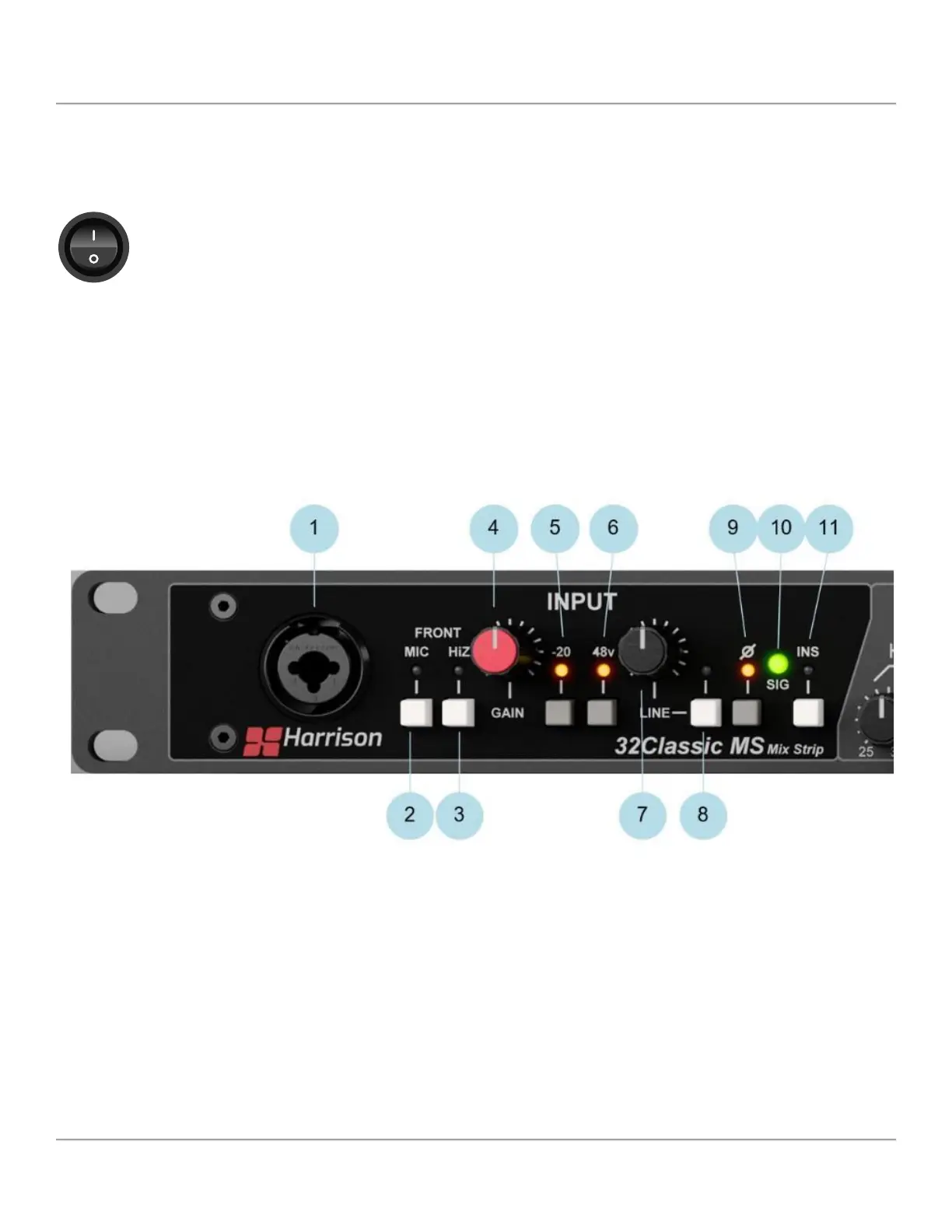
Input Section
1 - Front Combo Connector
Connect a Microphone (XLR) or Instrument (1/4” jack) to the 32Classic MS via the front panel combo connector.
2 - MIC
The MIC switch activates the front panel XLR input as the source for the 32Classic MS unit.
3 - HiZ
The HiZ switch activates the ¼” jack as the source for the 32Classic MS unit.
Note: If both the MIC and HiZ switches are depressed, the HiZ ¼” jack will be the active source for the 32Classic MS unit.
8 32Classic MS


 To Next Page