2L41C, 2M41, 2M41Z Maintenance
HATZ
71Operator’s Manual
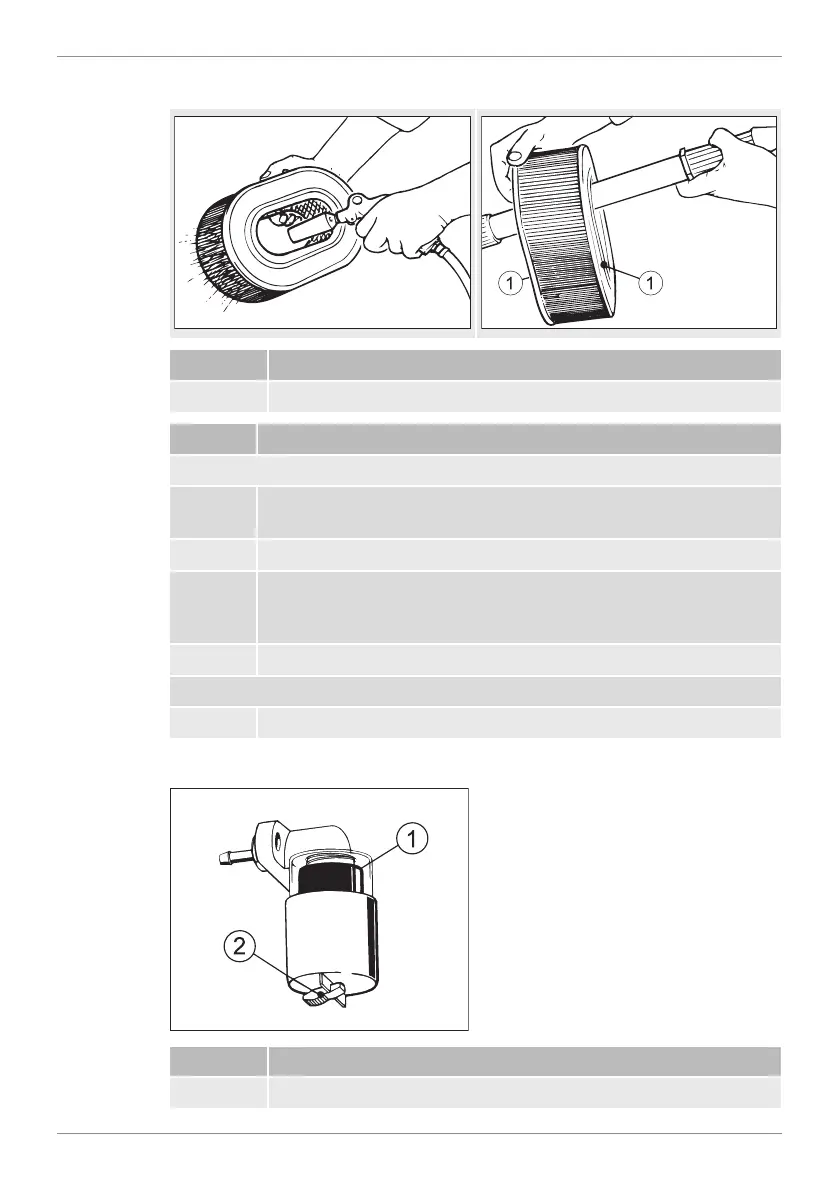
Overview — Checking/cleaning the air filter cartridge
Pos. Designation
1 Sealing surface
Step Activity
Dry contamination
1 Blow out the filter cartridge with dry compressed air from the in-
side to the outside until dust no longer emerges.
2 Check the sealing surfaces (2) of the filter cartridge for damage.
3 Check the filter cartridge for cracks in the filter paper and other
damage by holding it against the light at a slant or letting light
from a lamp shine through it.
4 Replace the filter cartridge if necessary (see note).
Moist or oily contamination
1 Renew the filter cartridge.
Mechanical air filter maintenance display
Pos. Designation
1 Red field



 To Next Page