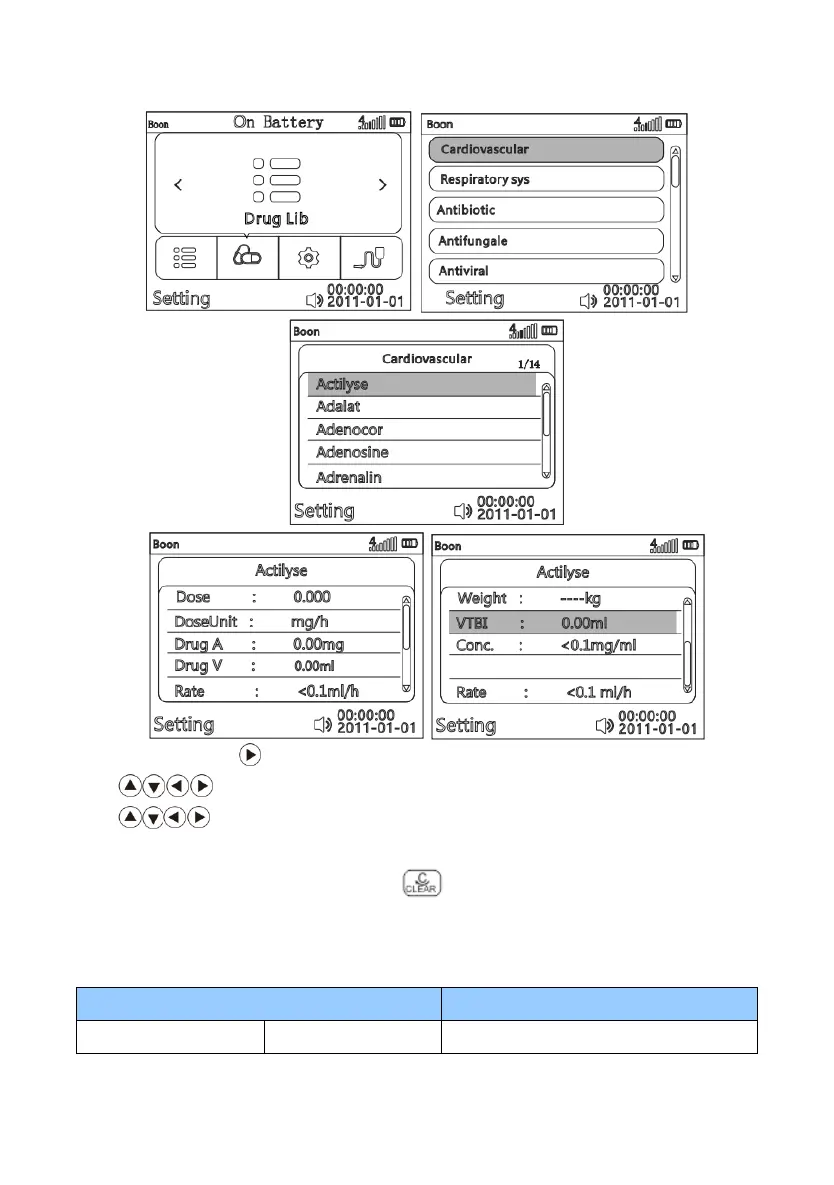
In the main menu, press key then press OK key to select “Drug lib”.
Press key to select drug category as per request, then press OK key to enter.
Press key to select certain drug name, press OK key to enter Drug library mode. Setting
the parameters then press OK key to confirm.
To re-select the infusion mode, press Return key to exit.
3) Setting Range of parameters in each Infusion Modes (For Reference)
Table 2 Parameters under each infusion mode



 To Next Page