34
www.coreservice.co.uk
Hotline: +44 01904 947568
Email support@coreservice.co.uk
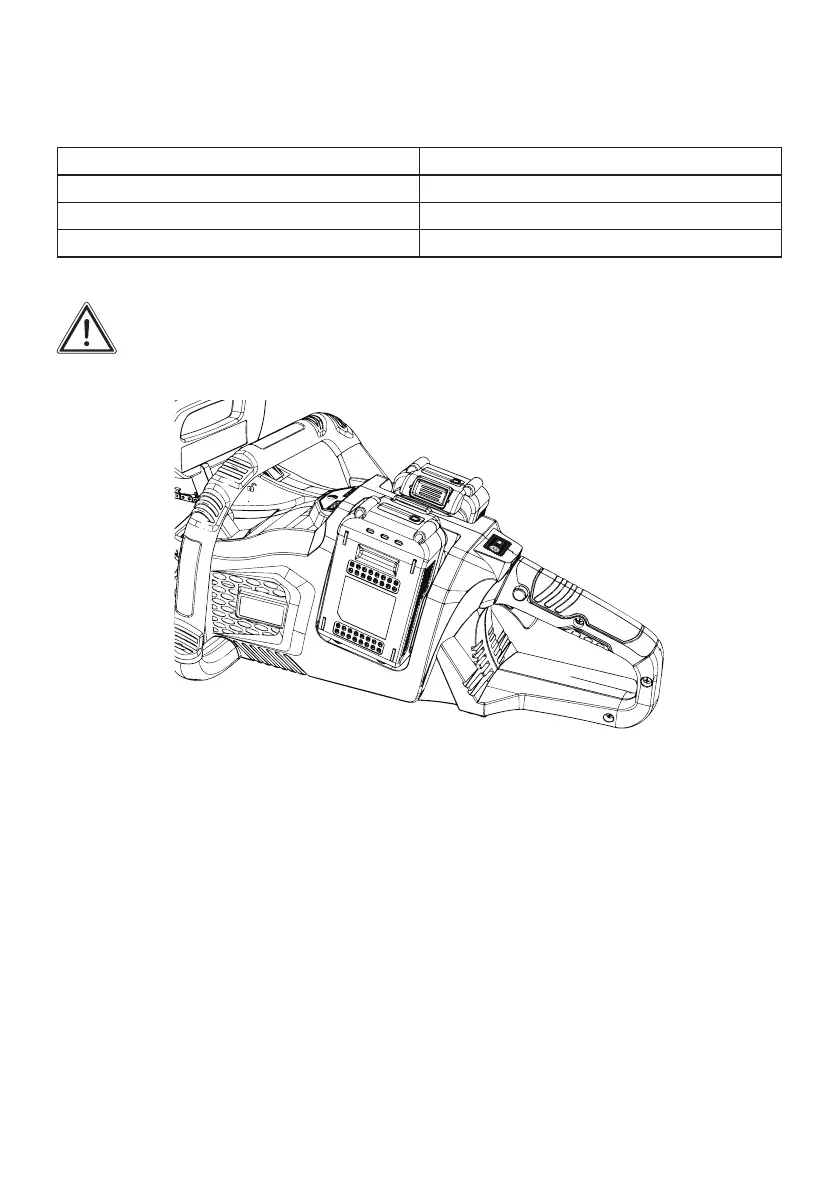
Press the check button (7) on the machine the capacity indicator (8) shows the remaining battery
capacity.
Red,Yellow,Green LED on Battery pack over 80% charged
Red,Yellow LED on Green LED off Battery pack over 60% charged
Red LED on Yellow, Green LED off Battery pack over 30% charged
No LED lit Battery is flat and needs to be charged
Main power switch
WARNING: Always turn off the main power switch when not in use.
To stand by the chain saw, press the main power switch until the main power indicator (16) lights up.
To turn off, press the main power switch again.
NOTE: The main power indicator blinks if the switch trigger is pulled under un-operatable
conditions. The indicator blinks if you
• turn on the main power switch while pressing the lock-off switch and the switch trigger;
• pull the switch trigger while the chain brake is engaged;
• release the chain brake while pressing the lock-off switch and pulling the switch trigger.
NOTE: This chain saw employs the auto power-off function. To avoid unintentional start up, the main
power switch will automatically shut down when the switch trigger is not pulled for a certain period
after the main power switch is turned on.


 To Next Page