4: Check System
‘AC Mains Low’
The EcoStar Drive is factory calibrated. To verify the calibration matches the
supplied power follow the steps below:
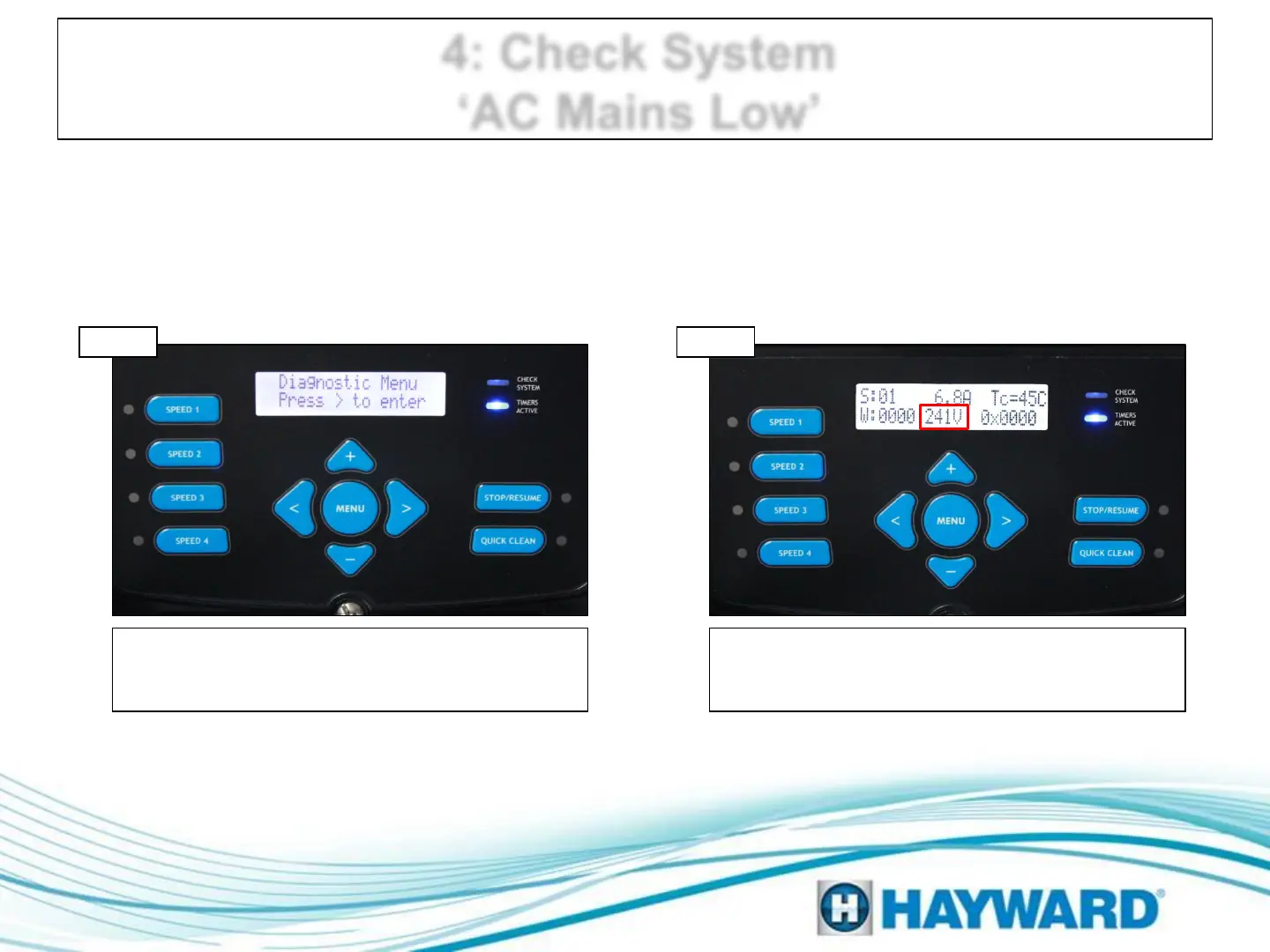
Press Menu button until ‘Diagnostic Menu’
appears. Then press right arrow 1 time, then
press the minus button once and go to step 4D.
Check calibration
The bottom center value (v) should equal the
mains reading (+/- 2VAC). If correct, supplied
power; if not, contact support (908) 355.7995.
‘Diagnostics Menu’
Step 4C Step 4D
Page 11




 To Next Page