5: Check System
‘Drive is Overheated’
This error indicates that the internal components of the drive have
become overheated.
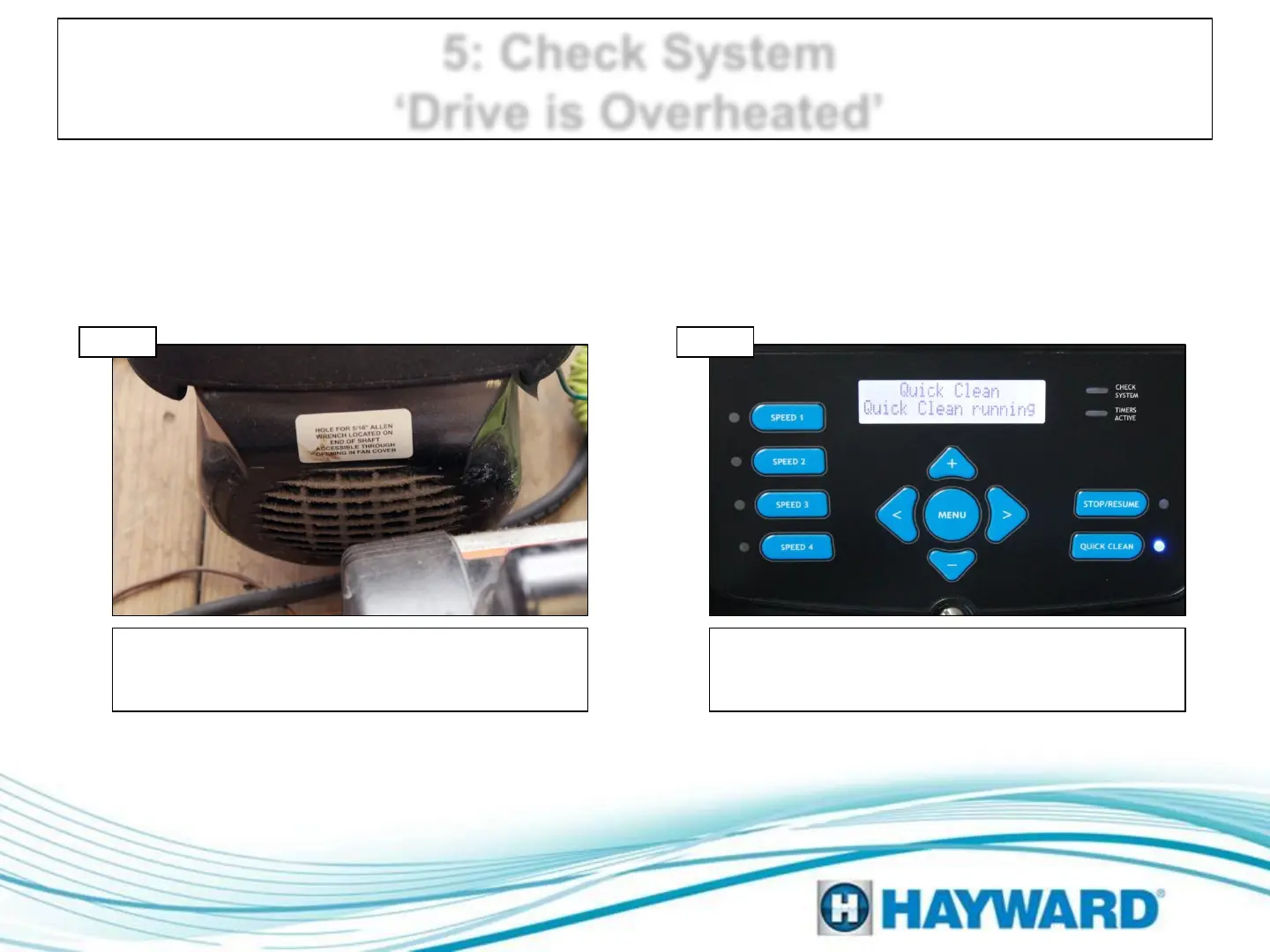
Inspect the airflow path, verifying the pump is
receiving ample air supply. Check entire air path
and clear any obstructions/debris, then go to 5B.
Power cycle
Shut off breaker, supplying EcoStar with power,
for at least 2 minutes. Restore power and run in
quick clean; if error reappears, replace drive.
Check motor airflow
Step 5A Step 5B
Page 12




 To Next Page