7: Check System
‘Stall error’ or ‘Drive Failed to Start’
The pump will attempt to start three times before displaying a stall error. Either
message implies there is a failure inside the drive, the motor, or both.
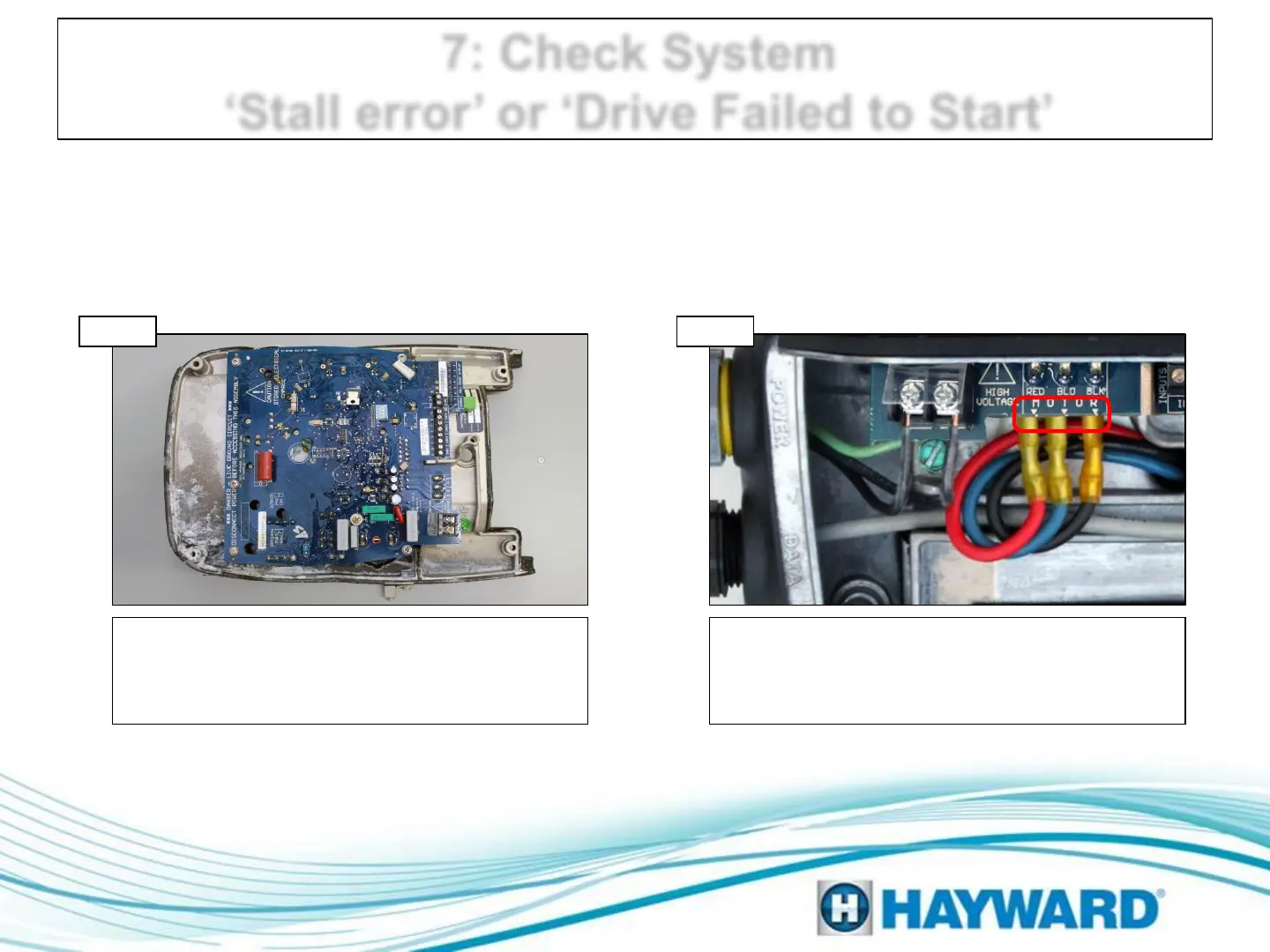
Inspect both the motor and drive for water
damage. If no water damage is visible in the
motor AND it moves freely, go to step 7B.
Otherwise go to step 7D
Check connections
Check the three connections between the drive
and the motor, verifying that they are tight on
the drive. If connections are correct, replace the
drive and go to step 7C.
Inspect motor and drive
Step 7A Step 7B
Page 14
Note: These errors are most commonly the end result of water ingress.




 To Next Page