8
USE ONLY HAYWARD GENUINE REPLACEMENT PARTS
Signal Strength
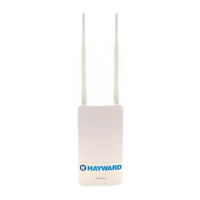
When connected to the home network, the WLAN LED indicator will be lit and one of the Signal
Strength LED indicators will be illuminated on the back of the HLWLAN. There are 3 LEDs indicating
increasing signal strength from left to right. Be sure that at least the left most LED is on steady. If it
is intermittently blinking, or not on at all, consider re-locating the HLWLAN or router/access point to
acquire a better connection.
After verifying an acceptable signal, secure the HLWLAN to the mounting surface.
Operation
After successfully installing the HLWLAN, you will need to setup a Hayward OmniLogic user account
in order to remotely access the OmniLogic through the web using a standard internet browser or
mobile app. Follow instructions below.
1) Using an ordinary web browser, go to www.haywardomnilogic.com. If you don’t already have
an account, select “Register New User” and set up a new account.
2) Log in to your account.
3) Register your OmniLogic. While filling out the form to register your OmniLogic, you’ll be asked
for an MSP System ID. This number can be found directly from the OmniLogic. To find your
unit’s MSP ID, follow the procedure below:

 To Next Page
 Loading...