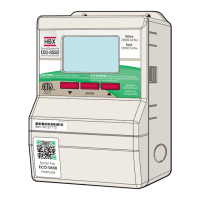
HBX CPU-1000 HVAC Controller
Version 1.38
Lorem Ipsem Page 16
Page 16
TROUBLESHOOTING & FAULT CODES
Display does not come
on
Check power connection at terminals 17,18,19. If no power (120VAC) present
then trace power back to source. Cycle power to Control.
No heat demand Check that you have at least 20VAC being supplied to the heat demand trigger.
E.g. power to terminals 1&2 for a heat demand to follow the outdoor reset curve.
Power to terminals 3&4 for a Hi temp heat demand and power to terminals 5&6
are for a DHW demand.
Injection not working Make sure that in the mixing settings you have selected the appropriate device you
are using to mix with. If it is PMIp then your connection should be attached to
26 to 28 and if it is PMIv then connect the valve to 15,16.
Buttons do not respond
or cannot go into
Programming Mode
Hold down buttons C and D to unlock the buttons. Hold until display says
BUTTONS UNLOCKED.
Parameters set in
control do not seem to
be taking effect
Manually Reset Control by using a small blunt tool and gently press the reset
button.
Boilers not staging on Make sure in the boiler options that you have selected the appropriate amount of
stages for the system.
Domestic Hot water
demand not coming on
Make sure if you are using a Thermistor that it is hooked to terminals 9&10 on a
staging control or have your aquastat attached to terminals 5&6 with power.



 To Next Page