2
Vedpak 98_Version 6_12.2017
160775
CONTENT:
Features
.......................................................................3
Installation of monitor .......................................................3
Signal cable description ..................................................... 3
Control cable description ...................................................4
Front panel control ..........................................................5
OSD menu - Screen menu ...................................................6
Display .........................................................................7
Mirror function ................................................................8
Camera .........................................................................8
Factory default settings ..................................................... 10
Cam out ........................................................................ 10
Exit OSD ........................................................................10
Installation of camera .......................................................11
Setting of distance gauges ..................................................12
Monitorspecications .......................................................13
Cameraspecications .......................................................15
Accessories ....................................................................16
PACKAGE CONTENTS:
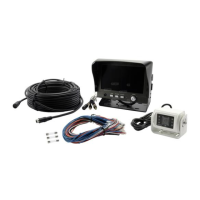
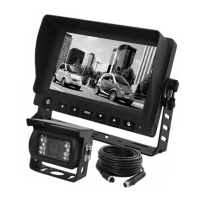
1. 7" LED monitor 16:9.
2. Sun-hood.
3. Mounting brackets.
4. Mounting parts.
5. Control cable.
6. Camera w/ infrared LED’s and built-in microphone.
7. 20 mtr. camera cable.
8. User manual.
CAUTION:
Do not add any parts or use any accessories which are not
provided from the manufacturer.
Do not adjust settings while driving, due to risk of accidents.
Do not apply pressure to the screen.
Do not use any liquid to clean the monitor. If you need to
clean it, please use a LCD cleaning cloth.


 To Next Page
 Loading...