5
Vedpak 98_Version 6_12.2017
160775
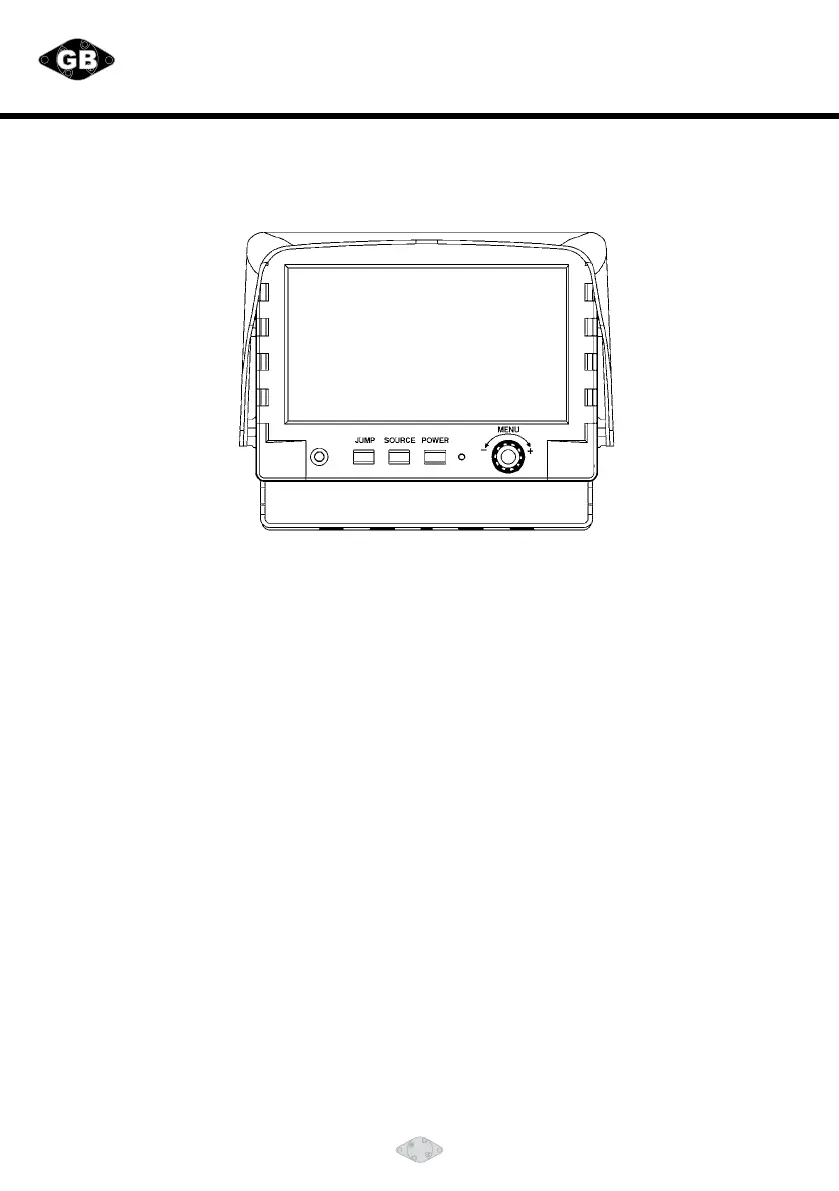
FRONT PANEL CONTROL:
POWER: Press the POWER button to activate the monitor or to keep the monitor under stand by mode.
SOURCE: Press this button to select image sequence
CAM ACAM BCAM CCAM R CAM A+B CAM C+R
CAM A+RCAM R+BCAM A+CCAM C+B CAM R/AB
CAM R+ABCAM A……
With activated hand break, press this button to select image sequence
AVCAM A+BCAM C+RCAM A+RCAM R+BCAM A+C
CAM C+BCAM R/ABCAM R+ABCAM ACAM BCAM C CAM R AV……..
JUMP: Pressthisbuttontodisplaydenedcamerainput,usercanselect
QUADSEQCAM A+BCAM C+RCAM A+RCAM R+B
CAM A+CCAM C+BCAM R/AB CAM R+AB CAM A CAM B
CAM CCAM R via OSD as default value.
MENU: This encoder switch provides the following function:
1. Activate OSD menu:
Press the menuswitch to activate the OSD menu. After the OSD menu is activated, in case
theuserdoesnotproceedforfurthersetup,theOSDmenuwillthenautomaticallyturno
within 20 seconds.
2. Enter-function:
Press the encode switch to act as "Enter" Functions under the OSD menu.
3. Volume level:
Exit the OSD menu: user can turn this switch left or right to adjust the volume value.


 To Next Page