21
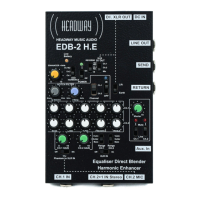
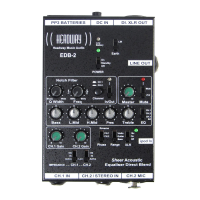
6.2 NOTCH Frequency Knob: 50Hz - 6kHz
Sets the approximate centre frequency from 50 Hz (low bass) - 6kHz
(treble) where notch cut applies.
6.3 Notch Filter Switches
i) Slider Switch determines whether the notch filter is in or out. This
enables you to determine whether you like the application on or off
without altering settings. The LED indicator illuminates BLUE when
filter is applied.
ii) Pop Up Switch applies Notch Filter to Ch. 1 or Ch. 2
6.4 NOTCH FILTER IN USE
This is a versatile, supplementary tone control which can be used
subtly or severely. It is the most precise and effective method for
cutting highly intrusive or severely problematic sounds such as
feedback, excessive booming & body handling noise, background
rumble, honky upper mid range or muddy lower mids.
You could try the Notch Filter on what seems to be the most
problematic frequency spectrum leaving the other EQ controls at their
centre setting as a starting point. Here are a few potential strategies:
How to sweep out unwanted low end bass (low feedback, boom,
percussiveness, external hum or rumble etc.) below or at the low end
of the instrument range:
a) Set the NOTCH frequency ACW well below useful tonal range of
instrument e.g. for guitar with standard tuning set to cut at just under
80 Hz
b) Set the NOTCH-Q knob fully ACW
c) With the NOTCH button selected for channel, adjust the NOTCH-Q
control from its minimum ACW setting slowly turning CW while
listening to the amplified low strings until the tone of the low strings
starts to thin out. Re-adjust the NOTCH-Q for the best tone on the
lower strings.
If required, re-balance both controls slightly in order to fine tune the
maximum amount of cut according to what sounds best.


 To Next Page