EasyManua.ls Logo

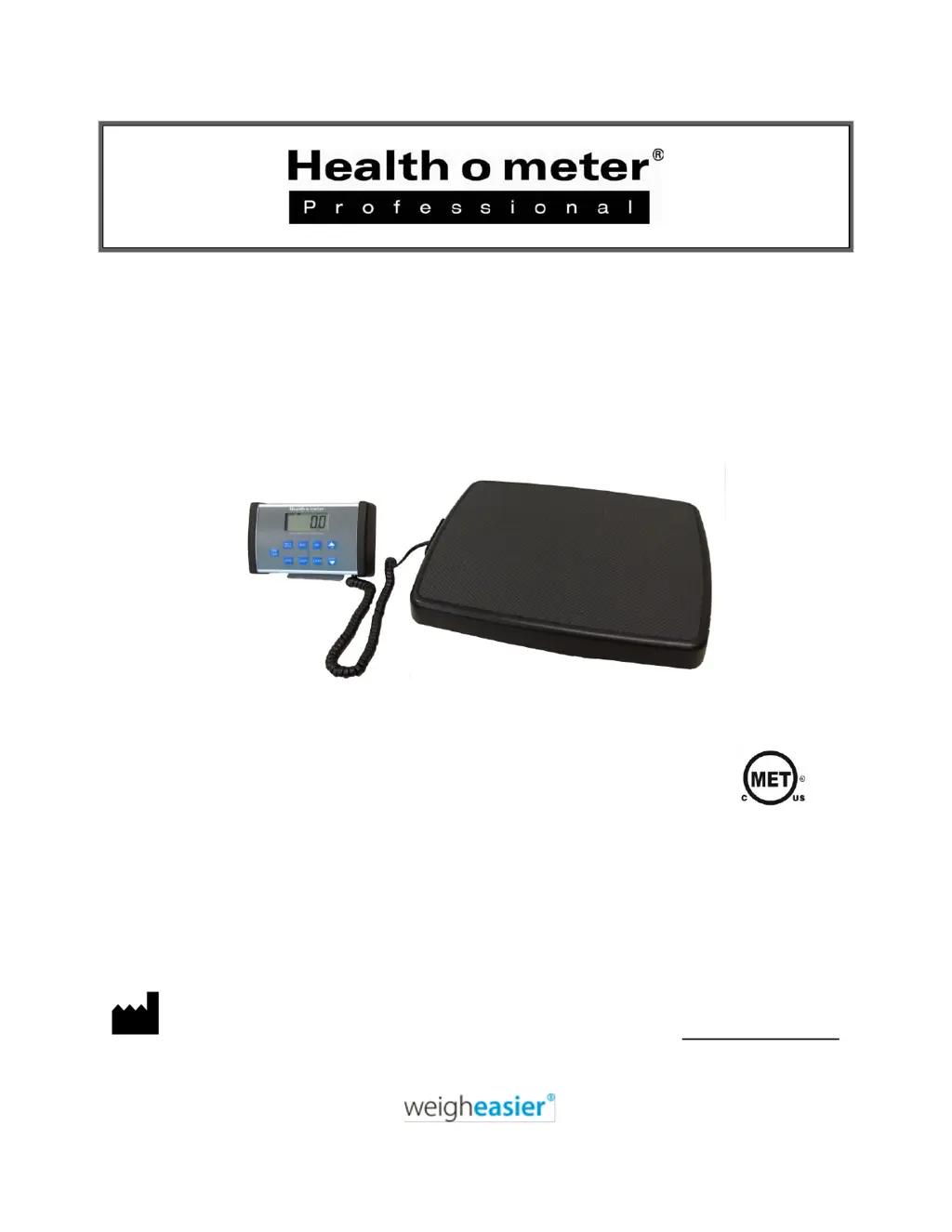
Health O Meter 498KL - User Manual

Health O Meter 498KL
18 pages
Print Icon
To Next Page IconTo Next Page
Loading...
P/N UM498KL Rev20210930_
1
Model 498KL / 498KL-USB
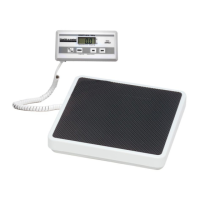
Remote Display Digital Scale
User Instructions
Para ver las instrucciones de uso en español visita www.homscales.com
Pour les instructions de l'utilisateur dans la visite française www.homscales.com
PELSTAR, LLC 9500 West 55th St. McCook, IL 60525-7110 USA www.homscales.com
Health o meter
®
Professional 498KL
© Pelstar, LLC 2021
E112697
UL 60601-1
CSA C22.2 No. 601.1-M90

Questions and Answers

  • C
    craig59Aug 3, 2025
    Why my Health O Meter 498KL do not turn on?
    • S
      Shawn WestAug 3, 2025
      If your Health O Meter Scales do not turn on, the problem might be due to a dead battery. In this case, replace the batteries. Alternatively, the issue could stem from a faulty electrical outlet, so try using a different outlet. A bad power supply could also be the reason; if so, replace the AC adapter.
  • A
    Amanda MillerAug 9, 2025
    What to do if Health O Meter 498KL display shows “Lo” message?
    • E
      Eddie ValentineAug 9, 2025
      If your Health O Meter Scales display shows a “Lo” message, it means the batteries are depleted. Replace the batteries following the instructions provided.
  • D
    Dana CraigAug 15, 2025
    What to do if Health O Meter 498KL display shows “Over” message?
    • T
      Teresa HobbsAug 15, 2025
      If the display of your Health O Meter Scales shows an “Over” message, it indicates that the load on the scale exceeds its capacity (500 lb / 220 kg). Remove the excess weight and ensure you are using the scale within its specified limits.
  • L
    lisafernandezAug 21, 2025
    Why Health O Meter 498KL show questionable weight or does not zero?
    • B
      Brittany LyonsAug 21, 2025
      If you are getting a questionable weight or your Health O Meter Scales do not zero, there might be an external object interfering with the scale. Remove any object from the scale. Another reason could be that the display did not show “0.0” before weighing. In this case, ask the patient to get off the scale, zero the scale, and begin the weighing process again. Also, ensure the scale is placed on a level floor; if not, place it on a level floor and restart the weighing process. Finally, the scale might be out of calibration, so check the weight with a known weight value.
  • B
    bkingAug 27, 2025
    How to fix slow weighing process on Health O Meter 498KL Scales?
    • J
      Jacob PattersonAug 27, 2025
      If the weighing process on your Health O Meter Scales takes too long and the weight does not lock on the display, the patient may not be standing still. Ask the patient to stand still during the weighing process.

Summary

Caution and Warning

Intended Use

Defines the scale's professional medical use and prohibited applications.

Patient and Caregiver Safety

Crucial safety guidelines for patient handling and scale operation.

AC Adapter Operation

Instructions and warnings for using the AC adapter.

Battery Operation

Guidance on battery use, replacement, and low power indicators.

Specifications for This Scale

General Scale Overview

Overview of the scale's technology, features, and weight display options.

498 KL Scale Technical Specifications

Detailed technical specs including capacity, power, and dimensions.

Definition of Symbols

Explains the meaning of symbols used in the manual.

Certifications and Disposal

Certification Descriptions

Lists ISO and MET certifications and compliance standards met by the product.

Scale Disposal Guidelines

Instructions for proper disposal of the scale as electronic waste.

498 KL Assembly Instructions

Before Assembly Procedures

Pre-assembly checks, shipping damage inspection, and unpacking guidance.

Parts List

Enumerates all components included with the scale for assembly.

Tools Required for Assembly

Lists necessary tools required for assembling the scale.

Display Bracket Assembly Instructions

Display Bracket Assembly Steps

Step-by-step instructions for assembling the display bracket for surface use.

Display Wall Mount Instructions

Required Parts for Wall Mounting

Lists components and hardware needed for wall mounting the display assembly.

Powering the Scale

Scale Powering and Battery Insertion

Instructions for installing 6 AA batteries and powering the scale on.

Optional AC Adapter Usage

Guidance on connecting and using the optional AC adapter for power.

Set Up Instructions

Auto-Off Function Control

Explains the auto-off feature and how to disable or enable it.

Weight Unit Measurement Change

Instructions on how to switch between pounds (LB) and kilograms (KG) units.

LB;KG Unit Lock Out

Procedures for locking the unit selection or disabling the lock.

Operating Instructions

Keypad Functions Overview

Explains the function of each button on the scale's keypad.

Weighing a Patient

Step-by-step guide for weighing a patient accurately and holding the weight.

Zero and Tare Functions

How to zero the scale and subtract the weight of an object using tare.

Body Mass Index (BMI) Calculation

How to calculate and display the patient's Body Mass Index (BMI).

Transporting the Scale

Optional Carrying Case Usage

Instructions for using the optional carrying case for storage and transport.

Scale Maintenance

General Maintenance Checks

General checks for proper operation and function before use.

Cleaning and Disinfecting Procedures

Recommended methods for cleaning and disinfecting the scale.

Replacement Parts Information

Information on ordering replacement parts for the scale.

Scale Calibration

Calibration Procedure Steps

Step-by-step guide for calibrating the scale using certified weights.

Troubleshooting Guide

Common Issues and Solutions

Common scale issues, their possible causes, and corrective actions.

Warranty Information

Limited Warranty Coverage

Details the two-year warranty against defects and replacement policy.

Warranty Exclusions

Lists conditions and damages not covered by the warranty.

Obtaining Warranty Service

Instructions on how to get warranty service, including RA number.

Extended Warranty Availability

Information on purchasing an extended warranty program.

Health O Meter 498KL Specifications

General IconGeneral
TypeDigital
DisplayLCD
Power Source4 AAA batteries
Auto-On/OffYes
Low Battery IndicatorYes
Weight Increment/Resolution0.2 lbs
Capacity400 lbs

Related product manuals