EPU‐DDisplayandProgramming25
059840‐00Rev.AHeat‐TimerCorp.
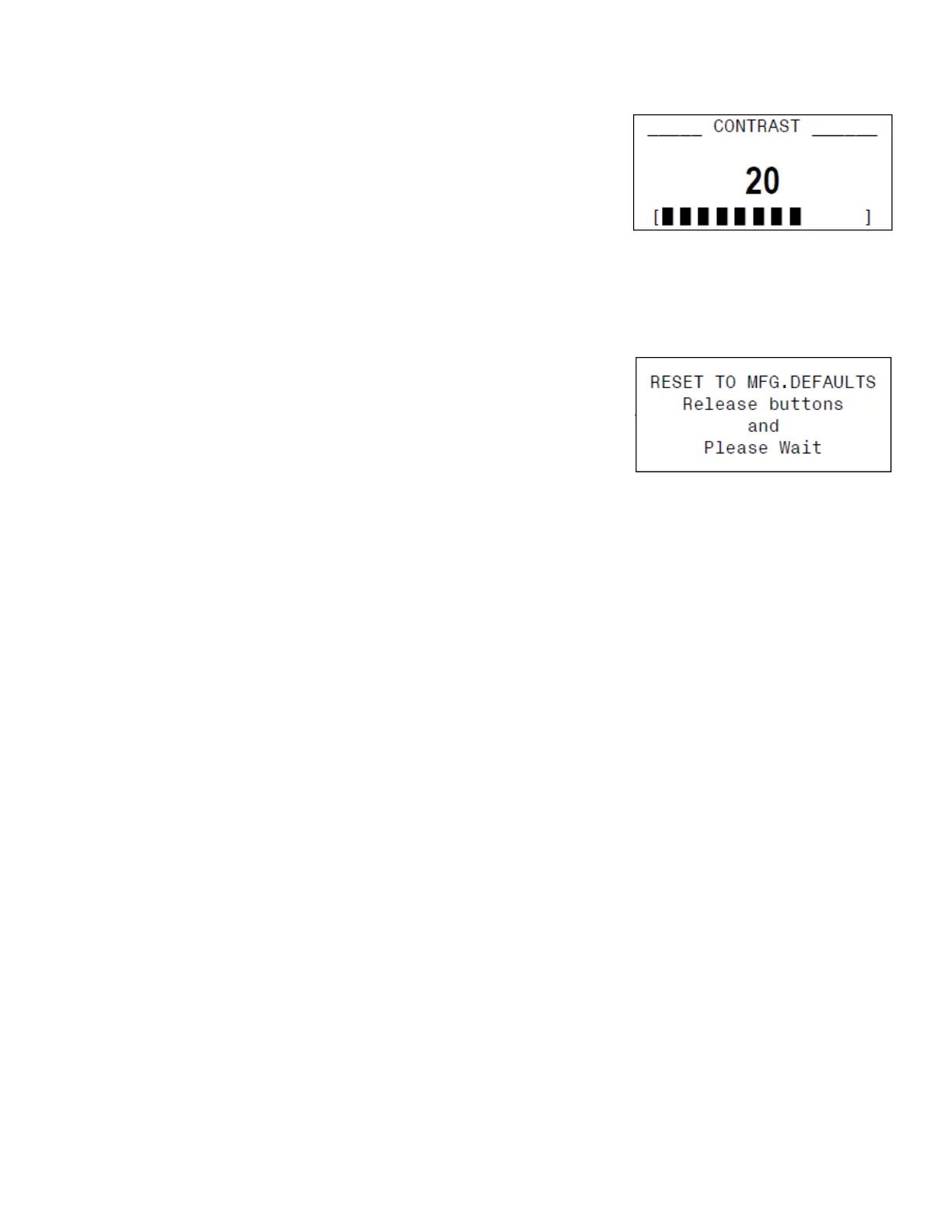
SettingtheDisplayContrast
1. Atthedefaultscreen,pressandholdtheleft‐mostbuttonfor
3 secondsormore.Continuetoholdthebuttonwhilemaking
adjustments.
2. Usetheupanddownbuttonstochangethecontrastsetting
(0–30,default=20).
3. Releasetheleft‐mostbuttonwhenthedesiredsettingisreached.
ResettingtoFactoryDefault
TosettheEPU‐Dbacktoitsoriginalfactorydefaultsettings:
1. RemovepowerfromtheEPU‐D.
2. Pressandholdthetworight‐mostbuttonsontheEPU‐Dwhile
poweringthecontrolon.
3. Releasethebuttonswheninstructedtodosoonthedisplay.
Amessagedisplaysstatingtheoperatingparametersarereset,andthentheEPU‐DwillgototheStartup
menu(see“SystemStartupMenu”onpage 20).


 To Next Page