EasyManua.ls Logo

Heathkit IO-4205 - Page 80

Heathkit IO-4205
208 pages
Print Icon
To Next Page IconTo Next Page
To Previous Page IconTo Previous Page
Loading...
Page
78
~
Connect
the
Blu
wire
coming
from
the
horizon-
tal circuit
board
to
the
CRT socket lug 10 (S-1).
This
completes
the
wiring
ofthe
Oscilloscope. Check
to
see
that
all
connections
are
soldered
and
shake
out
any
cut-off
wire
ends
or
solder
splashes
that
may
be
lodged
in
the
wiring
or
on
the
circuit
boards.
Refer to Pictorial 4-20 (Illustration Booklet,
Page
22)
for
the
following steps.
Start a 6-32
x 1/8"
black
setscrew
in
each
of
the
12 knobs. Use
the
allen
wrench
furnished
with
the
kit. NOTE:
Four
of
the
knobs
and
three
of
the
setscrews were
packed
with
the
vertical
circuit
board
parts.
( )
Turn
the
Y1
POS
and
Y2
POS control shafts
fully
counterclockwise
.
Then
install
a
small
black
knob
on
each
of
these
shafts
with
each
knob
pointer
positioned
as
shown.
(
v{
Install a small
black
knob
with
skirt
on
each
of
the
INTENSITY, FOCUS, TRIG LEVEL,
and
HORIZ POS control shafts.
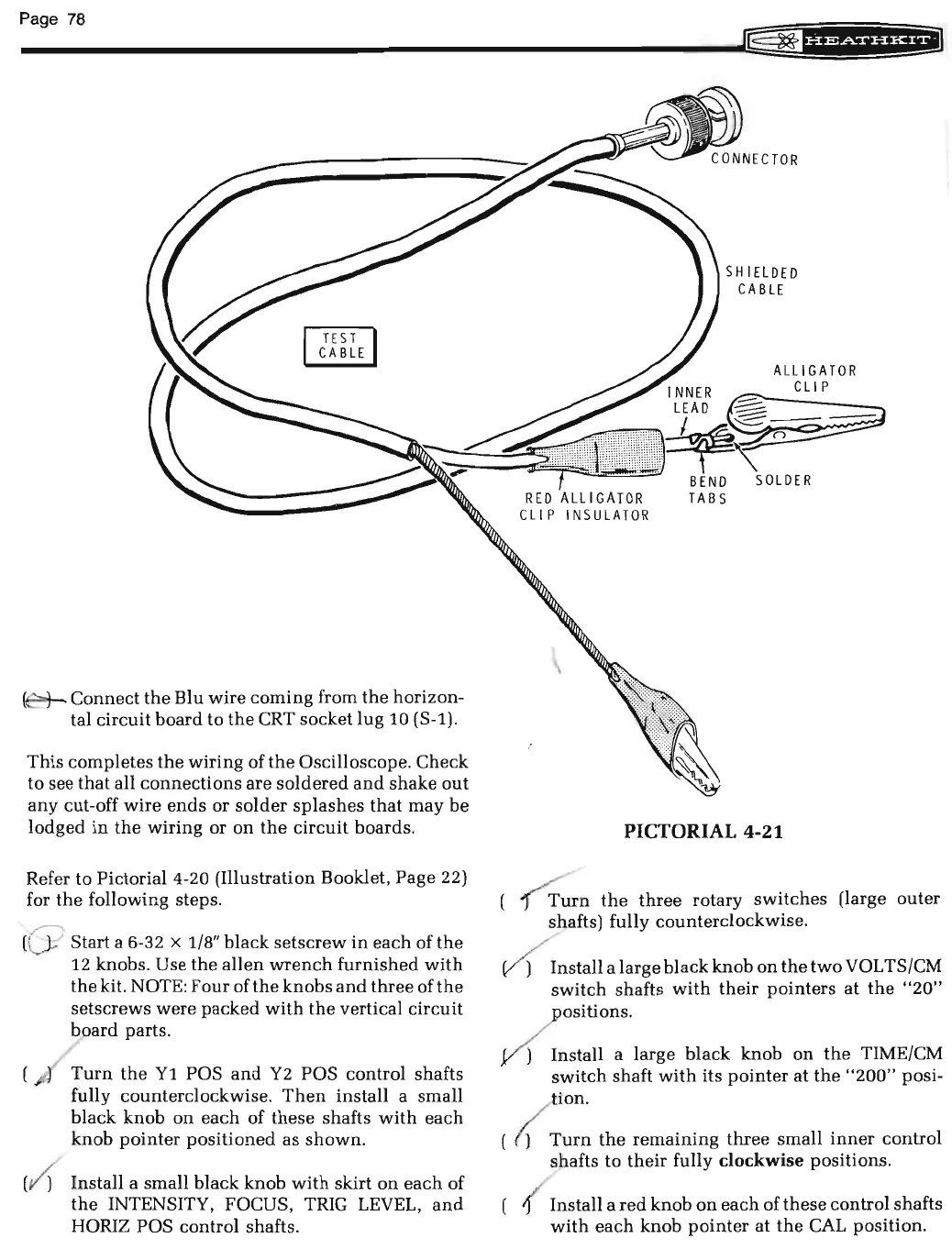
SHIELDED
CABLE
PICTORIAL 4-21
(
~
n
the
three
rotary
switches
(large
outer
shafts) fully counterclockwise.
~
nstall
a large
black
knob
on
the
two
VOL
TS/CM
switch
shafts
with
their
pointers
at
the
"20"
. ositions.
Install a large
black
knob
on
the
TIME/CM
switch
shaft
with
its
pointer
at
the
"200"
posi-
tion.
( (
Turn
the
remaining
three
small
inner
control
shafts to
their
fully
clockwise
positions.
{ Install a
red
knob
on
each
of
these
control shafts
with
each
knob
pointer
at
the
CAL
position.

Related product manuals