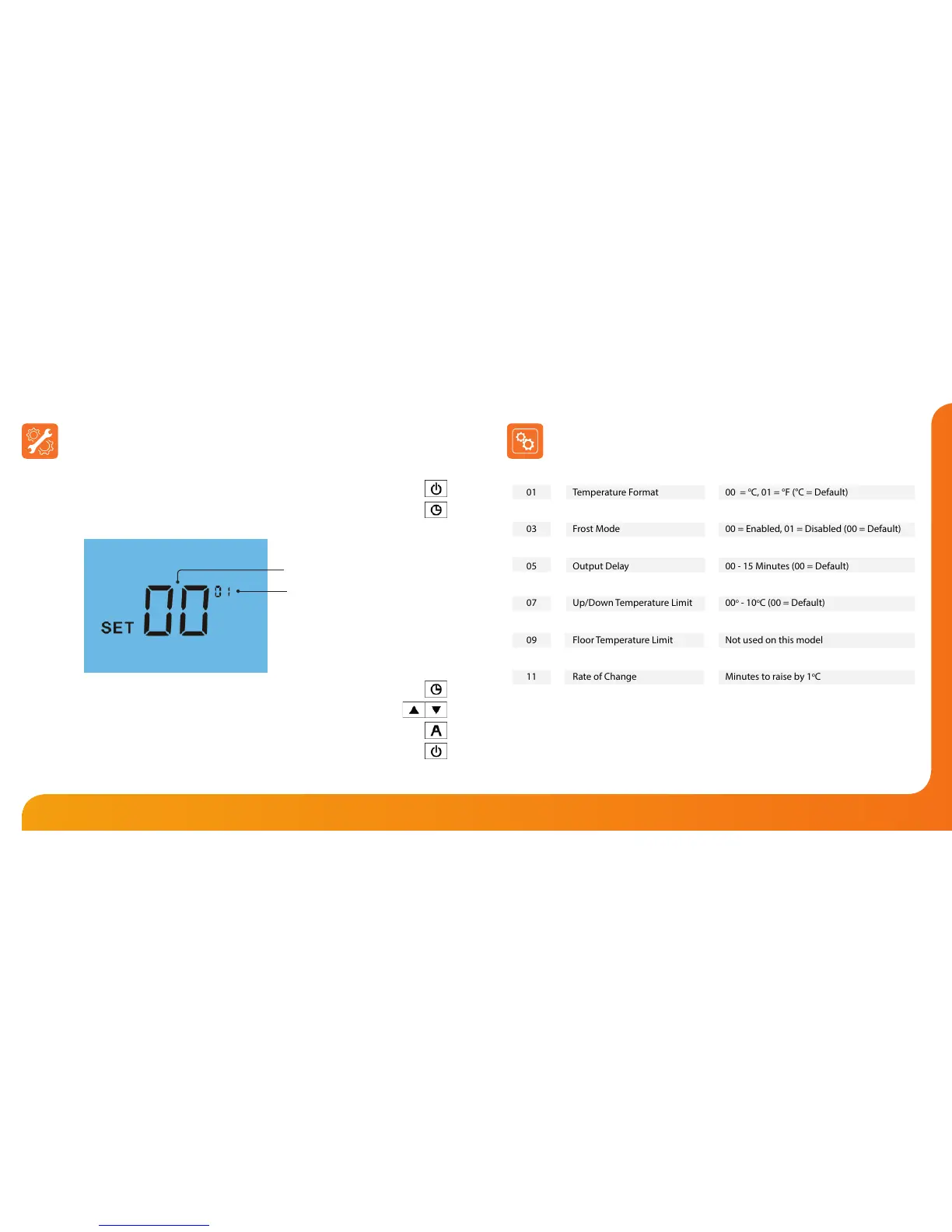
Adjusting the Optional Settings Optional Settings - Feature Table
To adjust the optional settings, follow these steps.
• Press and hold the Power button to turn the thermostat OFF ..............................
• Press and hold the Clock key until the display appears as shown below ..........
• Use the Clock key to cycle through the features ......................................................
• Use the Up/Down keys to change the setting ....................................................
• Press A to conrm settings .................................................................................................
• Press the Power button once again to turn the thermostat back ON .................
01
02
03
04
05
06
07
08
09
10
11
12
FEATURE
Temperature Format
Switching Dierential
Frost Mode
Frost Protection Temperature
Output Delay
Communications ID No.
Up/Down Temperature Limit
Sensor Selection
Floor Temperature Limit
Optimum Start
Rate of Change
Program Mode
DESCRIPTION
00 =
o
C, 01 =
o
F (°C = Default)
01
o
- 03
o
C (01
o
C = Default)
00 = Enabled, 01 = Disabled (00 = Default)
07
o
- 17
o
C (12
o
C = Default)
00 - 15 Minutes (00 = Default)
Set unique comms address 01 - 32
00
o
- 10
o
C (00 = Default)
Built in Air Sensor
Not used on this model
00 - 03 Hours (00 = Default)
Minutes to raise by 1
o
C
00 = Weekday/Weekend
01 = 7 Day Programming
(00 = Default)
SETTING
Setting Value
Feature Number













 To Next Page