Comfort Levels Explained
The thermostat provides Weekday/Weekend or 7 Day Programming options.
You should consult the “Optional Features” section to select the required mode.
The thermostat is supplied with comfort levels already programmed, but these can be
changed easily. The default times and temperatures are;
08.00 - 21°C (Wake) 09.30 - 16°C (Leave) 16.30 - 22°C (Return) 23.00 - 17°C (Sleep)
If you only want to use 2 levels, you should program the unused levels to --.--
Note: For Weekday/Weekend programming, the 4 comfort levels are the same for all
weekdays but can be dierent for the weekends.
For 7 Day programming, each day can have 4 dierent comfort levels.
• To program comfort levels, press Clock once ...................................................................
• Use the Up/Down keys to enter the required WAKE time .......................
• Press H to conrm settings ..........................................................................................
• Use the Up/Down keys to enter the required WAKE temperature .......
• Press H to conrm settings ..........................................................................................
• You will now see “LEAVE” displayed on screen.
• Repeat the programming steps for each period until complete.
• For unused periods enter --.-- and the thermostat will ignore the setting.
• Press A to conrm settings and return to main display ....................................
Note:
• In 7 Day programming mode you can repeat for each day independently.
• In Weekday/Weekend programming mode you will see Sat Sun displayed on
screen and can repeat for the weekend.
• To change the programming mode please refer to pages 20-22.
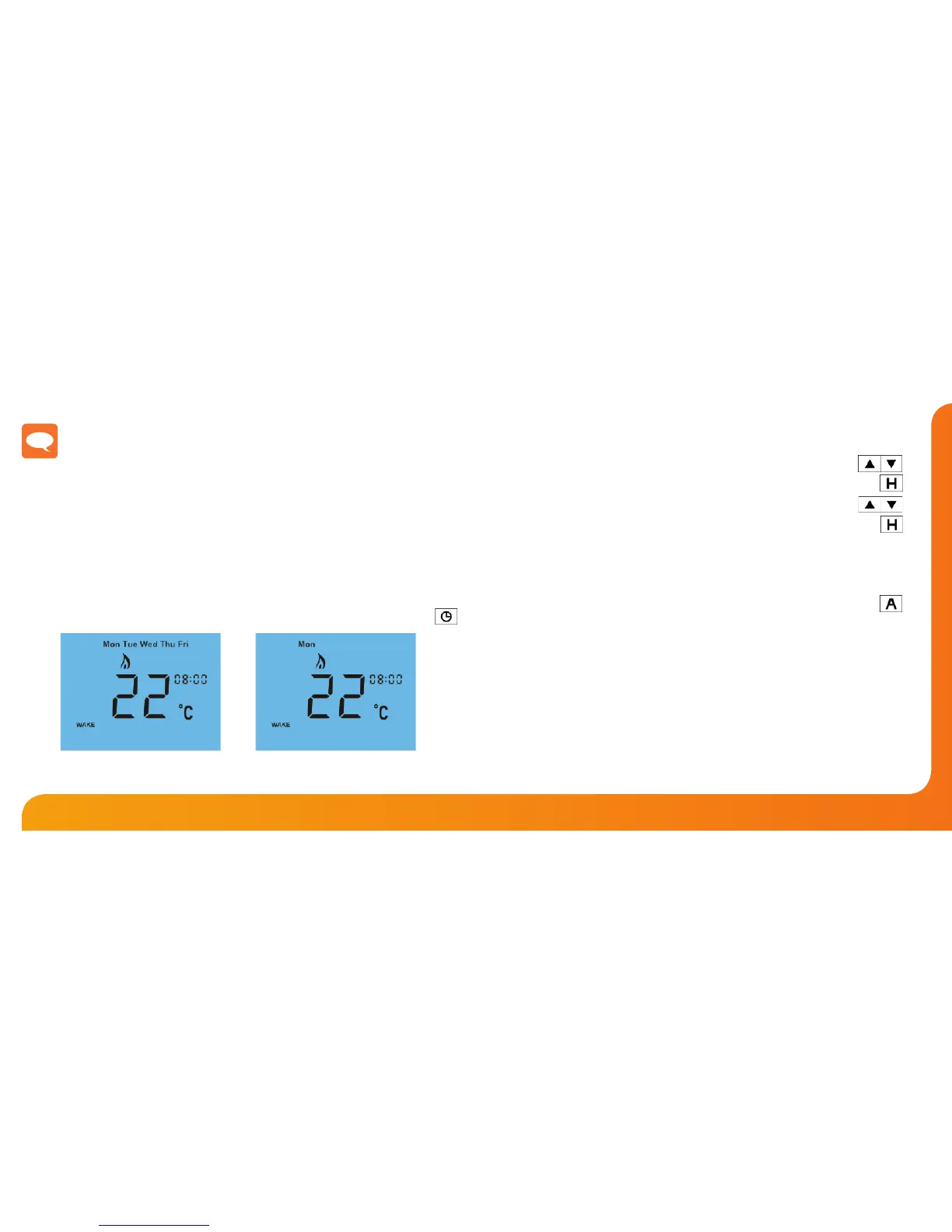
For 7 Day programming,
only Mon is displayed
in the day indicator eld.
For Weekday/Weekend programming,
Mon Tue Wed Thu Fri
are displayed on screen.













 To Next Page