Temperature Control
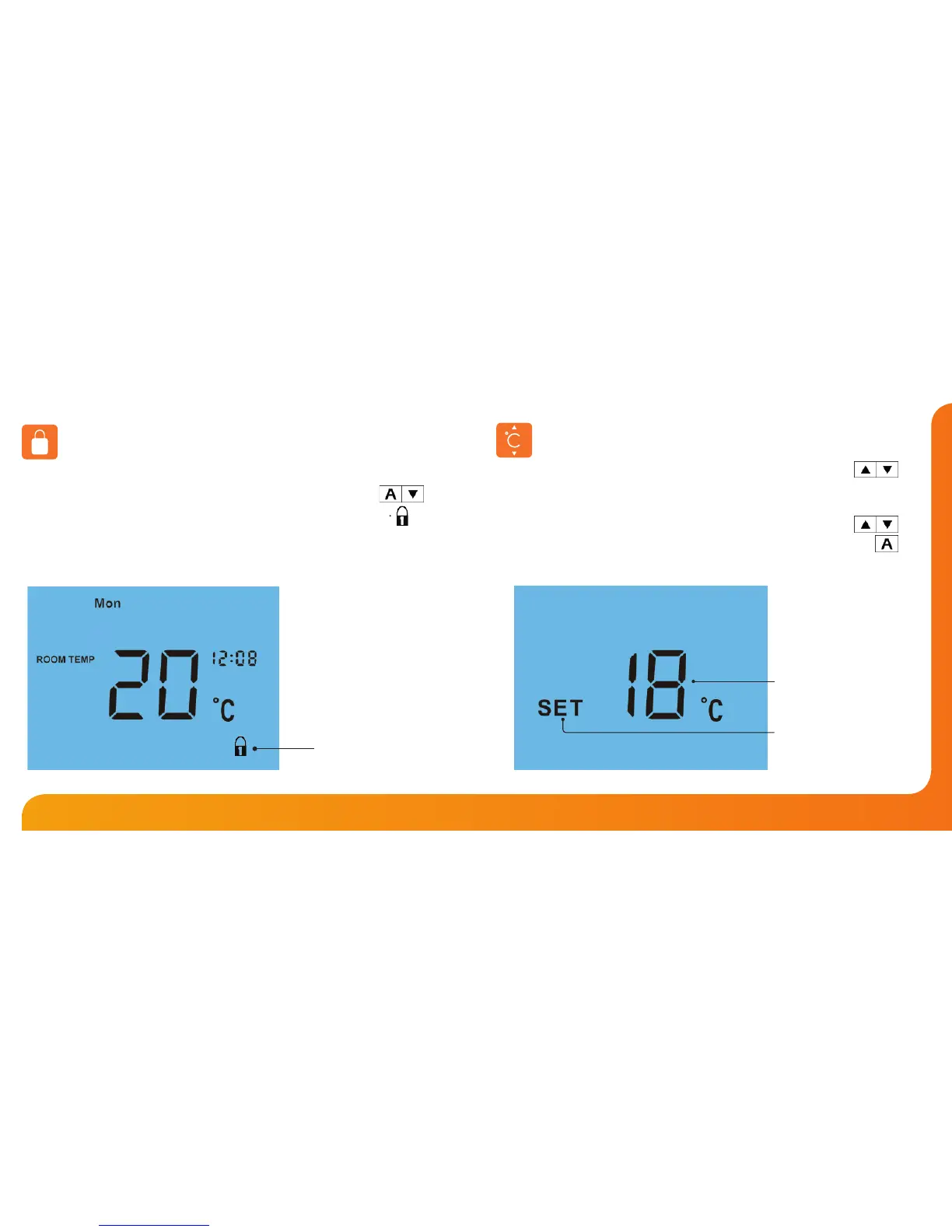
The Up/Down keys allow you to adjust the set temperature .......................
When you press either key, you will see the word SET and the desired
temperature will be displayed on screen.
Use the Up/Down keys to adjust the SET value ..................................................
Press A to conrm settings and return to main display .............................................
Set Temperature
Set Icon
Locking the Thermostat
The thermostat has a keypad lock facility. To activate the lock follow these steps.
• Press and hold the A and Down keys together for 10 seconds ..........
• You will see the lock symbol appear on screen .............................................
• To unlock, repeat the steps above until the lock symbol disappears.
Note: The keypad lock indicator is only displayed when the lock is active.
Note: This override will be maintained until the next programmed comfort level.
Keypad Lock Indicator













 To Next Page