JS07N·JS07·JS08·JS12·JS14
11
Controls
DTC-E500 Control System
NOTICE
PCU, ECU, sensors, etc. are precisely
adjusted and protected before delivery.
Therefore, personnel who have not been
professionally trained and authorized by
HELI cannot disassemble their housings,
otherwise moisture and dust will enter the
internal mechanism and normal operation
will not be guaranteed.
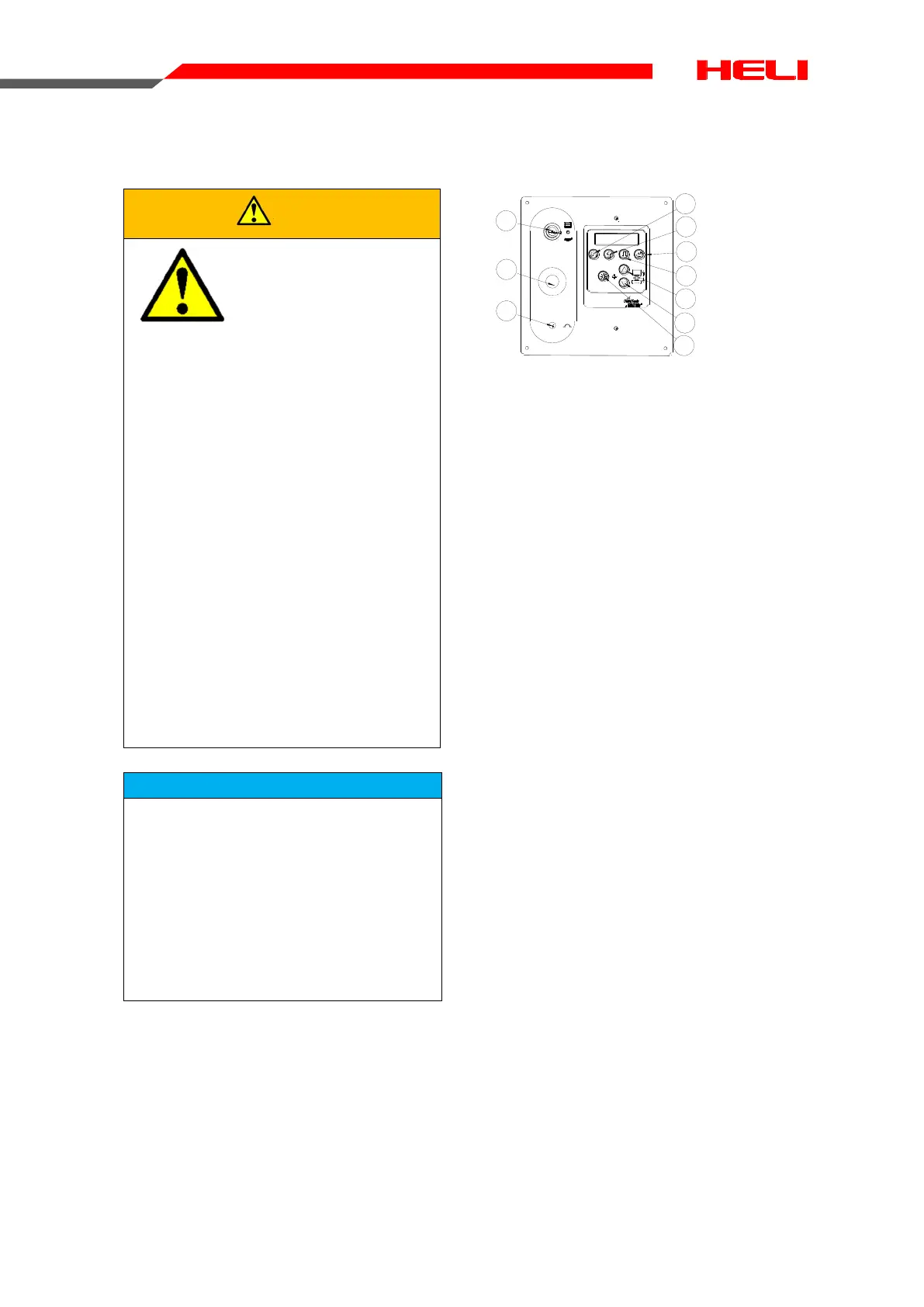
ECU main interface
A11000019A11000019
G
R
M
E
E
Y
C
N
E
O
P
T
S
1
2
3
4
5
6
7
8
9
10
1 Key switch
2 Red Emergency Stop button
3 A breaker for electrical circuits
4 Return key
5 Page up key
6 Page down key
7 Enter key
8 Platform rise key
9 Platform down key
10 Lifting key
Pull out the emergency stop button to “ON”
position and turn the key switch to Ground
control position. Press the Enter key on the
ECU panel while powering up the machine to
enter the ECU menu selection mode. Select
and enter different function interfaces through
the Page up key and Page down key. The
system interface is described in the figure be-
low:
WARNING
All operations in this
section must be per-
formed by qualified
personnel who have
been professionally
trained and authorized
by HELI , otherwise
the consequences will
be at your own risk.
The machine has
been commissioned
before delivery. It’s
forbidden to modify
the system settings
and update the pro-
gram without authori-
zation from HELI.
Incorrect operation
may result in death,
serious injury or ma-
chine damage.


 To Next Page