17
LOAD/UNLOAD FILAMENT
This option in the LCD will help you to load and
unload filament in an easy way.
For this you just need to follow the next steps.
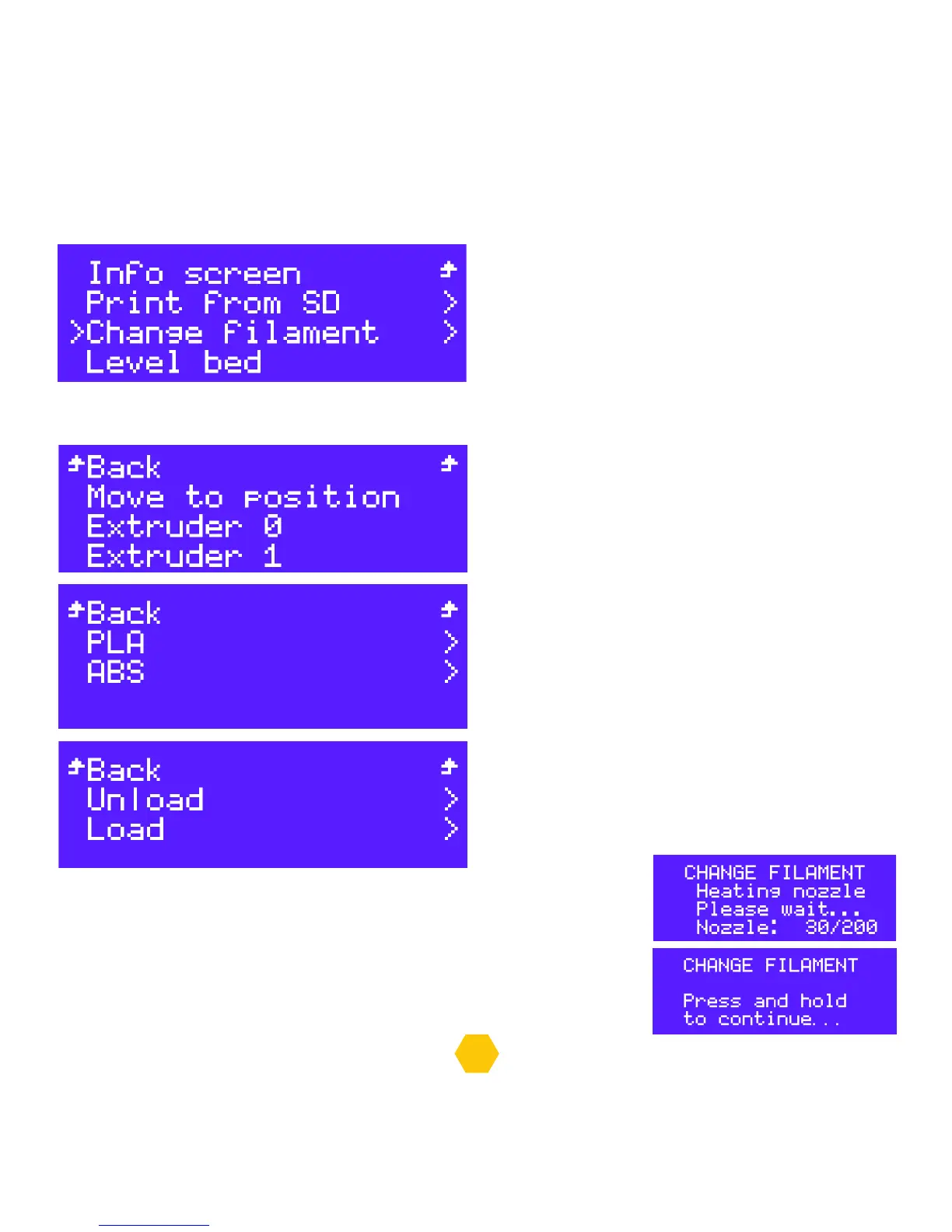
In the “Info screen” select “Change filament”.
Now it is recommended that you select “Move to position” to ensure that the extruder goes to
a safe position to change the filament.
After this you come back to this menu and select
the extruder you want to change the filament,
Extruder 0 or Extruder 1.
Select which material you are using, use ABS for
Select which option you desire, “Load or Unload”
the filament.
The selected extruder will heat up;
When the extruder reaches the correct temperature, the printer will make
a noise, you need to press and hold the button to continue, then the printer
will perform the movement, Load or Unload and go back to the menu once
finished.


 To Next Page