29
First configure Pronterface and Cura, after that, use Cura to generate the GCode of the object you
want to print.
Connect the printer via USB.
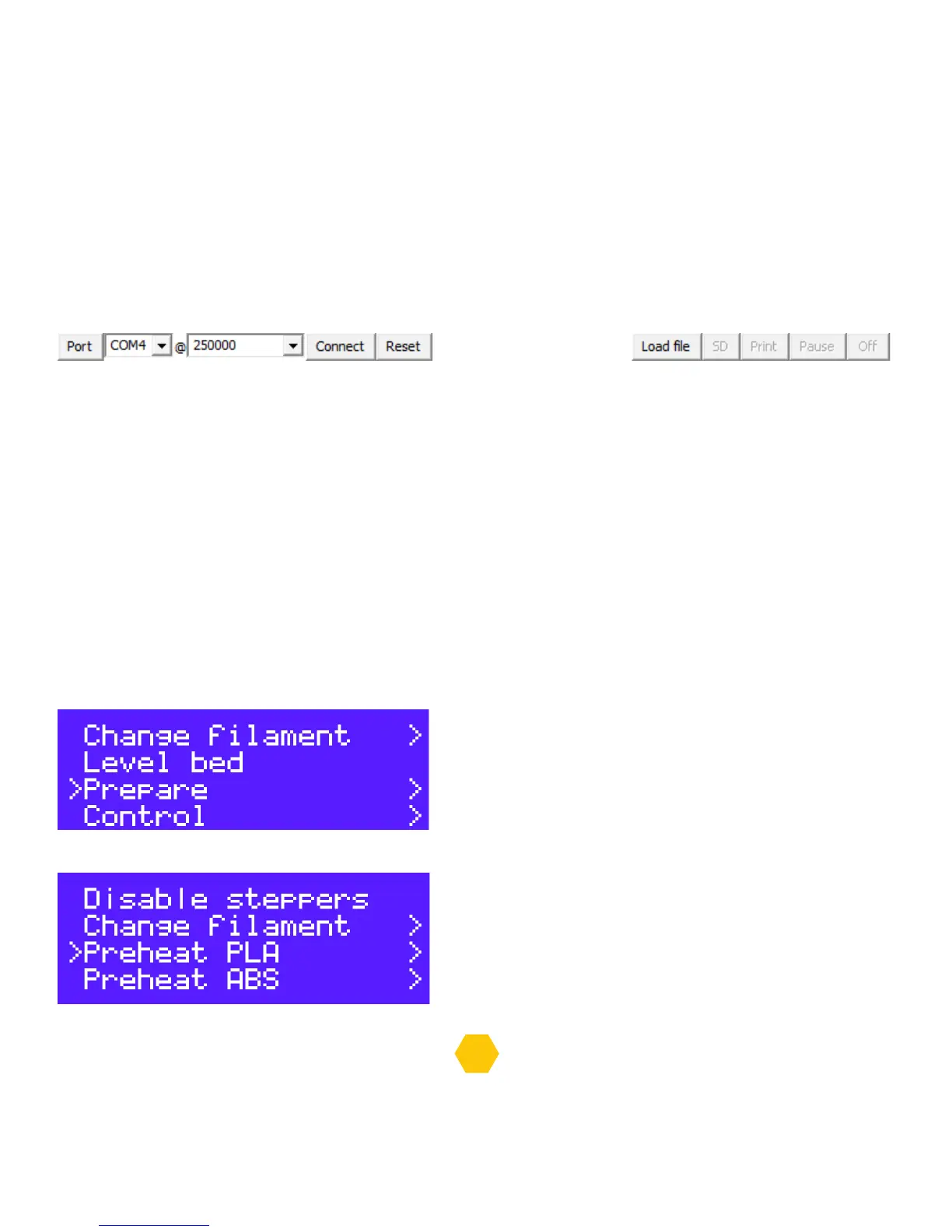
Click on the “Connect” button and the printer will be connect to Pronterface, after that click on the
“Load file” button and select the Gcode file that was generated by Cura before.
Now click on “Print”, the printer will start to heat up and will print after that
Remember to never disconnect the USB cable or close the Pronterface, the printer will stop
if you do that.
LOAD/UNLOAD FILAMENT (OPTIONAL WAYS)
You can follow these steps to load and unload using the LCD:
In the LCD push the button to have access to the “info screen”.
In “info screen” select “Prepare”.
In “Prepare” go to “Preheat PLA” or “Preheat ABS”.


 To Next Page