13
BED CALIBRATION
Before your first print, you must calibrate the bed so the first layer of the print can adhere to the
bed evenly, otherwise it may ruin your print.
For this you can use the LCD. Just follow the next steps:
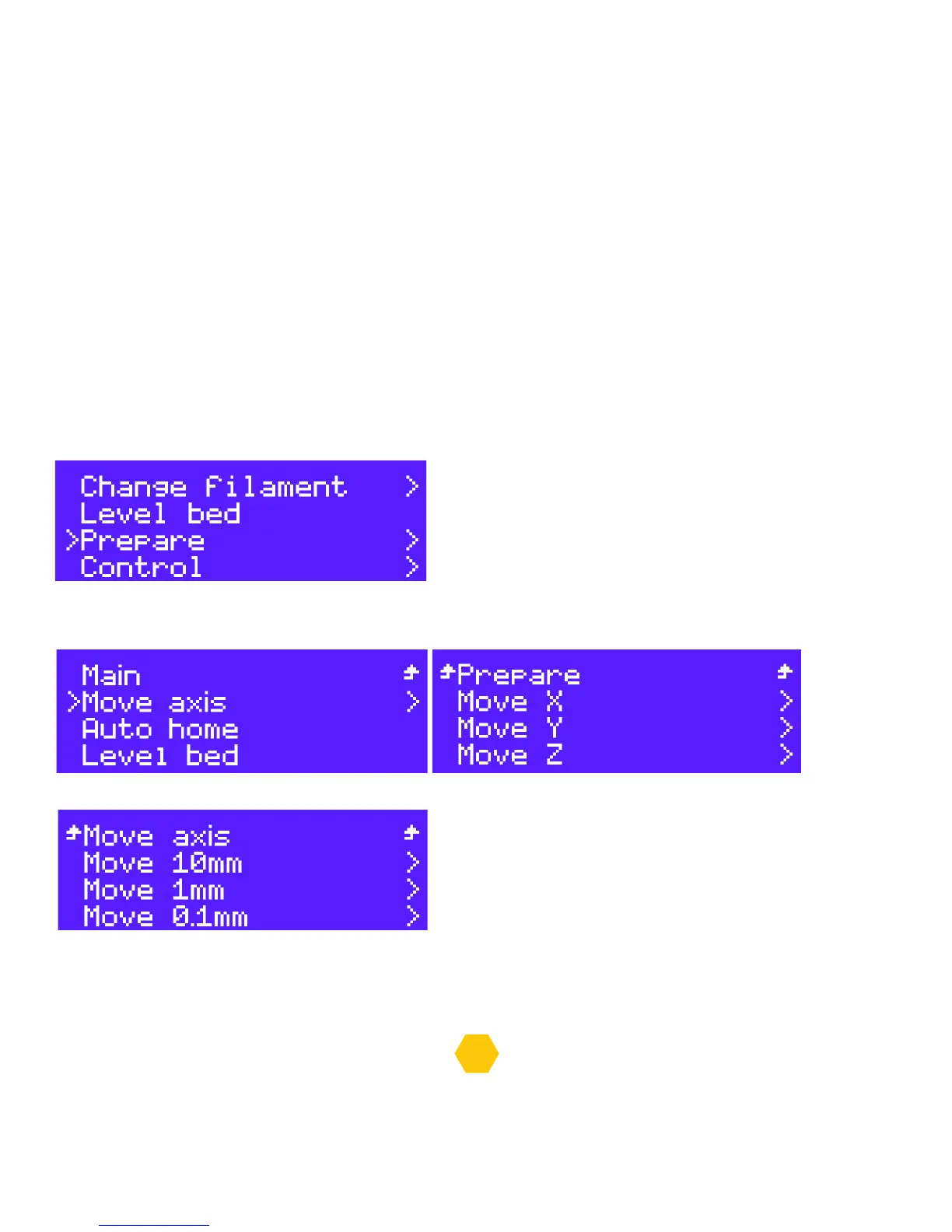
On the LCD, push the button to access “info screen”.
In “info screen” select “Prepare”.
In “Prepare” go to “Move axis” and select the axis you want to move (X, Y or Z).
Select “Move 1mm.
Rotate the button to the right or to the left to make the axis move.


 To Next Page